TOOL HUNTER

Ever wondered what it would be like to have Stephen Hawking’s iconic voice read your text aloud? Thanks to modern AI technology, that’s now possible with various Stephen Hawking voice generator tools. These text-to-speech systems can recreate that distinctive robotic tone that became synonymous with the brilliant physicist’s communication.
The growing interest in Stephen Hawking TTS technology isn’t just about novelty – it represents how far voice synthesis has come. Whether you’re creating educational content, tribute videos, or just curious about the technology, having access to a reliable Stephen Hawking voice modulator opens up creative possibilities that weren’t available just a few years ago.
iMyFone VoxBox.Best AI Voice Generator & AI Voice Cloner: Create Custom Voices Instantly.iMyFone VoxBox is a powerful free text-to-speech software offering 3,500+ lifelike AI voices in 250+ languages, all with 10 features in one tool. Create professional voiceovers and captivate audiences worldwide in just minutes with VoxBox AI.

Check More Details | Download Now! | Check All Deals
The Story Behind Stephen Hawking’s Iconic Voice
Stephen William Hawking, born January 8, 1942, in Oxford, England, was much more than just a theoretical physicist and cosmologist. He became a global icon not only for his groundbreaking work on black holes and relativity but also for his remarkable perseverance in communicating complex scientific ideas despite physical limitations.
Hawking was diagnosed with Amyotrophic Lateral Sclerosis (ALS), also known as Lou Gehrig’s disease, which gradually paralyzed him over the decades. This condition causes degeneration of motor neurons, disrupting communication between the brain and muscles. As the disease progresses, patients lose voluntary muscle control, and their muscles begin to atrophy. Interestingly, doctors considered Hawking’s case somewhat atypical given how long he lived with the condition.

The distinctive voice we associate with Hawking has its own fascinating backstory. The original voice technology was developed by Dennis Klatt, a researcher at MIT who specialized in speech synthesis. Hawking communicated through a speech synthesizer called Speech Plus CallText 5010, which processed his typed messages into that now-famous synthetic speech.
Some key facts about Hawking’s communication system:
- Hawking lost his natural speaking ability in 1985, nearly two decades into his ALS journey
- Intel provided him with customized computer systems and ongoing technical support
- His communication computer utilized AMD processors
- The voice became so integral to his identity that he reportedly declined offers to upgrade to more modern-sounding systems
Why Stephen Hawking Voice Generators Remain Popular
The enduring appeal of Stephen Hawking voice generator tools goes beyond simple novelty. These applications tap into something deeper – our collective memory of a brilliant mind who transformed our understanding of the universe while overcoming tremendous physical challenges.
Part of what makes these tools so compelling is how they preserve Hawking’s legacy. His synthesized voice wasn’t just a technological solution; it became a symbol of human intelligence triumphing over physical limitations. When people use a Stephen Hawking TTS system today, they’re not just converting text to speech – they’re connecting with that legacy of perseverance and intellectual curiosity.
These voice generators also serve an important educational purpose. They help raise awareness about speech impairments and the technologies that can assist people with communication challenges. The unique robotic quality of Hawking’s voice captures attention and adds a layer of scientific authenticity to educational content, documentaries, and creative projects.
For content creators, having access to a reliable Stephen Hawking voice app means they can produce materials that pay tribute to the scientist while making complex topics more engaging. The distinctive tone immediately signals scientific content, much like how people recognize David Attenborough’s voice in nature documentaries.
Top Stephen Hawking Voice Generator Options
iMyFone VoxBox – Comprehensive Voice Solution
When it comes to creating authentic Stephen Hawking AI voice content, iMyFone VoxBox stands out as a particularly robust option. This software goes beyond simple text-to-speech conversion, offering a complete suite of audio tools that includes voice cloning, audio editing, and speech-to-text capabilities.
What makes VoxBox particularly useful for Stephen Hawking voice generation is its voice cloning feature. This allows users to create a custom voice model that can then be applied to any text they want to convert to speech. The process is surprisingly straightforward, even for those without technical expertise.
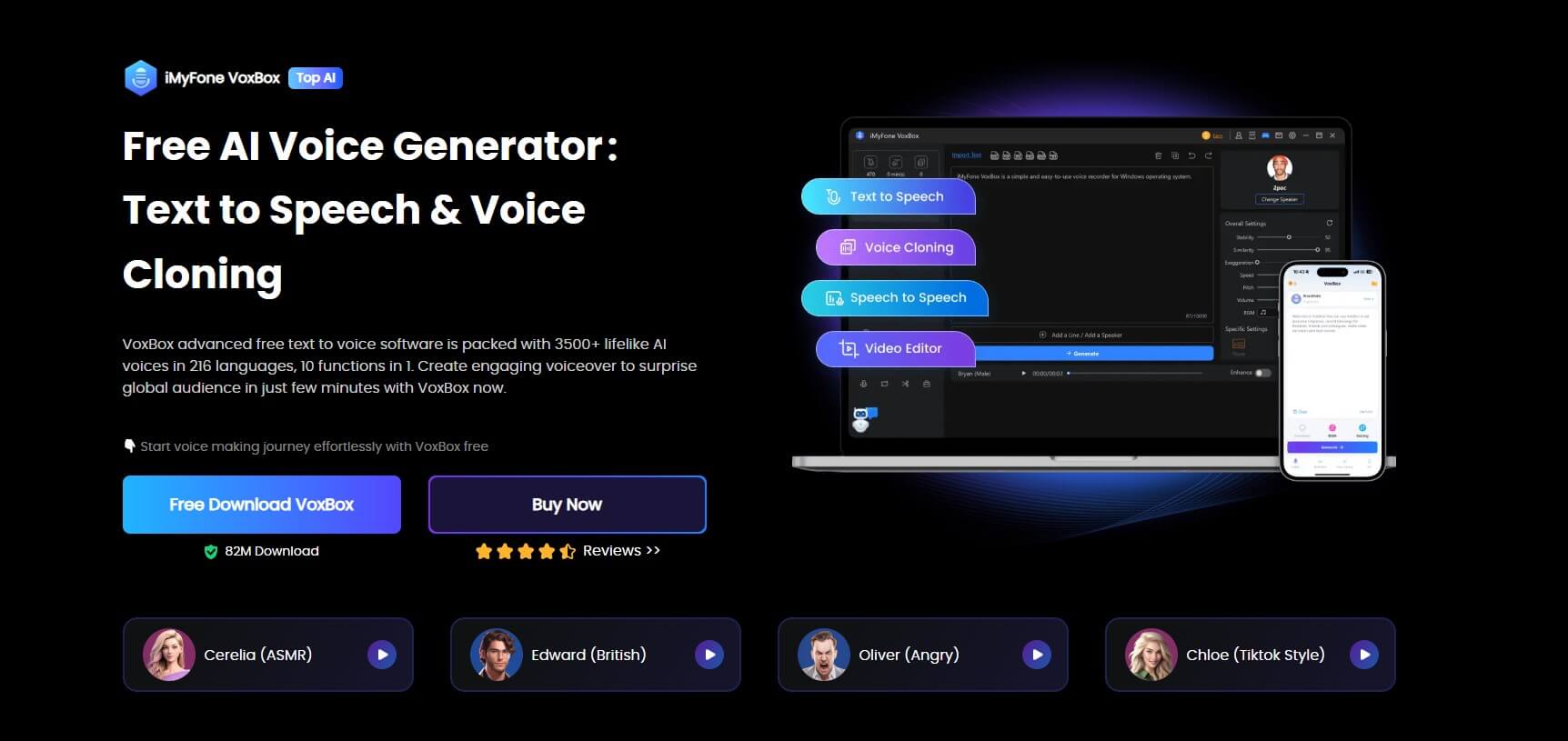
Creating Stephen Hawking-style voice with VoxBox involves three simple steps:
First, you’ll navigate to the “Voice Cloning” feature and import sample audio. The AI then analyzes this audio to create a voice model. For Stephen Hawking voice generation, you would use recordings of his actual speech patterns as your reference material.
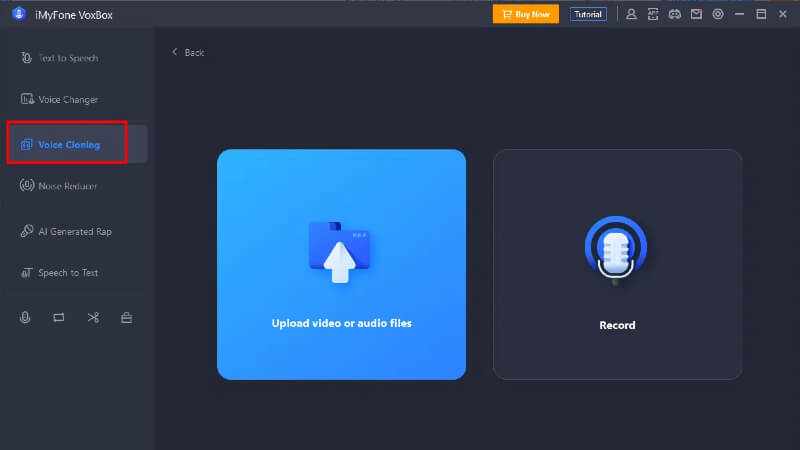
Next, you select your newly created voice from the “My Cloned Voice” section and input the text you want converted to speech. The system processes this text using your custom voice model.
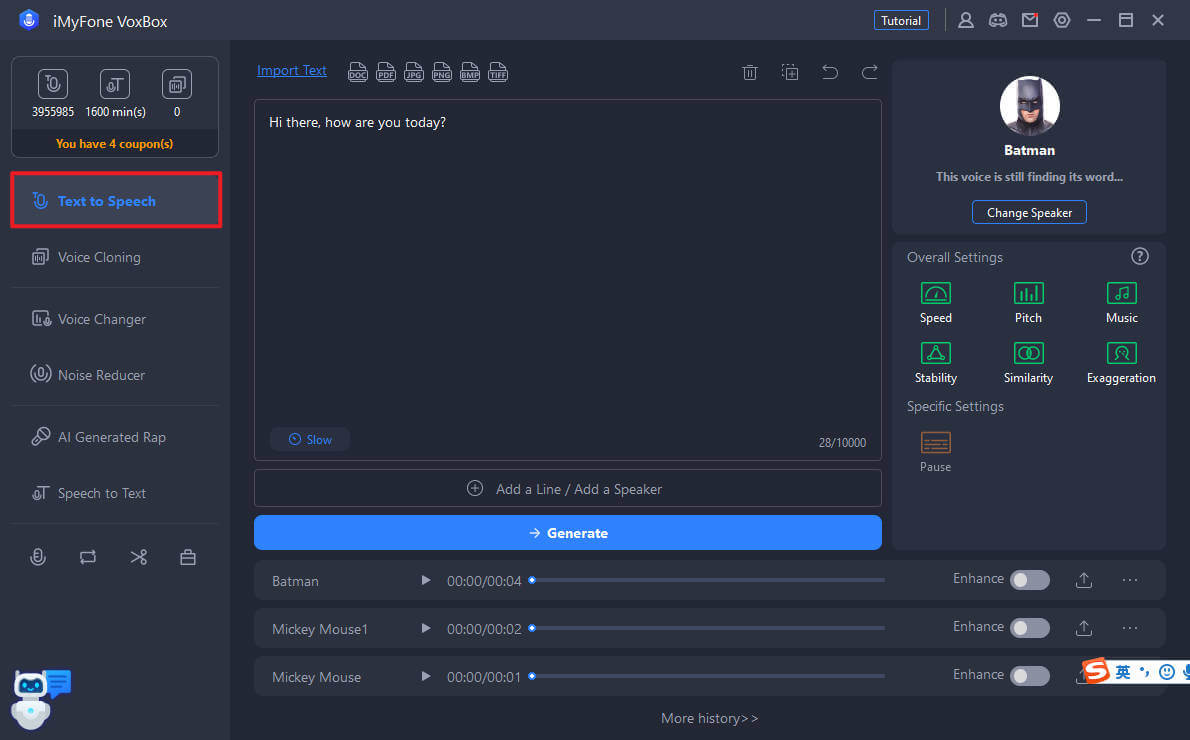
Finally, you can download the completed voiceover and use it in your projects. The entire process typically takes just minutes, yet produces remarkably authentic-sounding results.
Beyond Stephen Hawking voice replication, VoxBox offers an impressive array of features:
- Support for over 150 languages and 3,200 different voice styles
- Capability to clone virtually any voice with sufficient sample material
- User-friendly interface designed for both beginners and professionals
- Multiple output formats and quality settings
- No internet connection required for most functions
The software is available for Windows, Mac, iOS, and Android devices, though some advanced features may require a premium subscription. Pricing starts with a free trial that allows 2,000 characters of conversion, with monthly plans beginning at $15.95.
iMyFone VoxBox.Best AI Voice Generator & AI Voice Cloner: Create Custom Voices Instantly.iMyFone VoxBox is a powerful free text-to-speech software offering 3,500+ lifelike AI voices in 250+ languages, all with 10 features in one tool. Create professional voiceovers and captivate audiences worldwide in just minutes with VoxBox AI.
Check More Details | Download Now! | Check All Deals
Woord – Online Text-to-Speech Platform
For those who prefer a web-based solution, Woord offers a capable Stephen Hawking text to speech online experience. This platform provides multiple conversion methods, including the ability to speak directly into your microphone and have it output in Stephen Hawking’s distinctive vocal style.
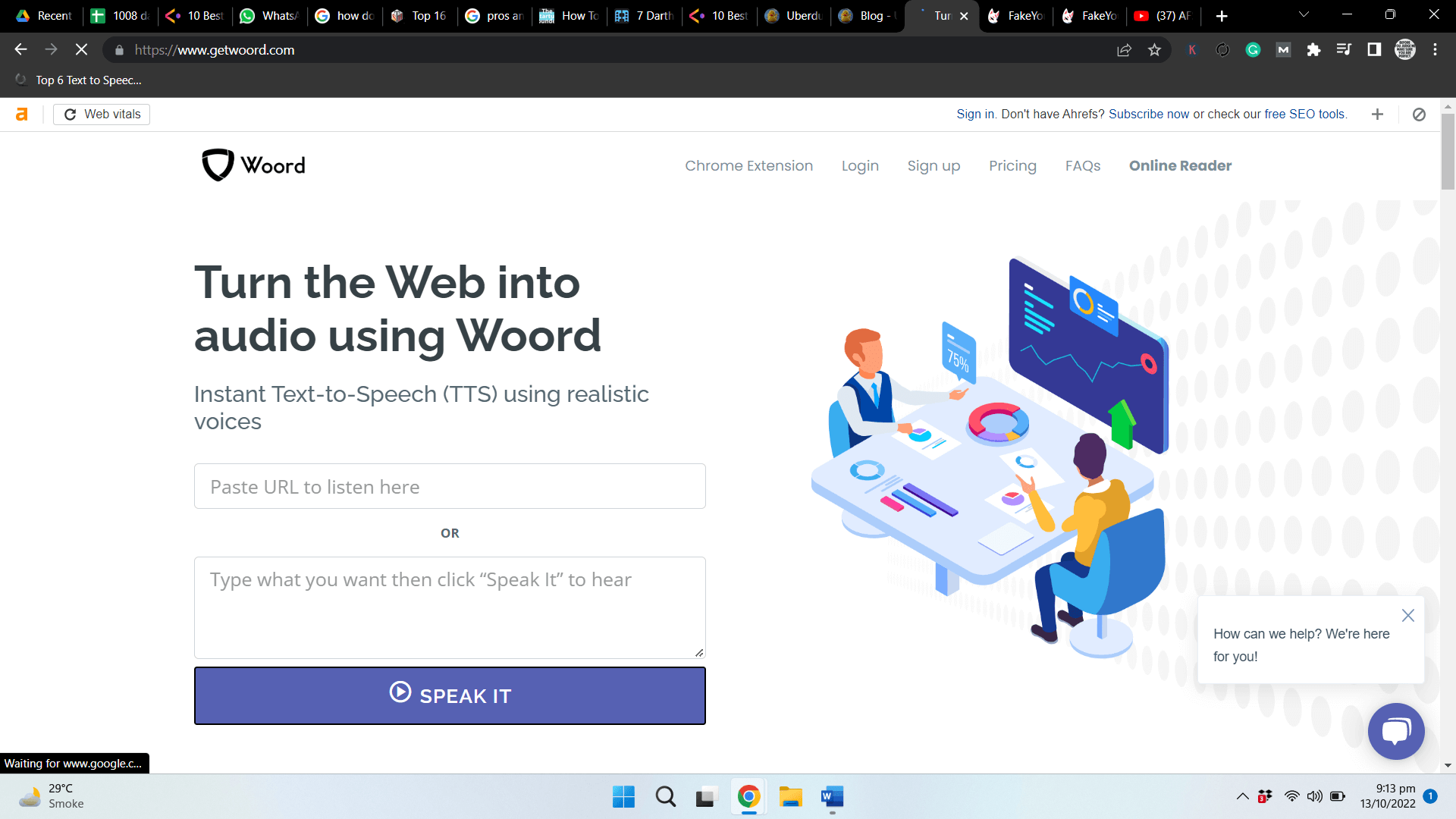
Woord’s free plan is quite generous, allowing up to 20,000 characters of conversion per month. The platform supports approximately 60 different voices across 10 languages in its free version, with premium plans expanding this to 50 languages. Additional features include OCR technology for reading text from scanned documents and images, plus sharing capabilities for distributing your created audio content.
One of Woord’s standout features is its Chrome extension, which integrates the text-to-speech functionality directly into your browser. This makes it convenient for converting web content or emails into speech without constantly switching between tabs.
The platform operates on a subscription model starting at $9.99 per month for the Starter plan, which includes a 7-day free trial. More comprehensive plans are available at $24.99 (Basic), $49.99 (Advanced), and $99.99 (Pro) per month, each offering increased character limits and additional features.
FakeYou – Deep Fake Voice Technology
FakeYou.com takes a different approach to voice generation, utilizing deep fake technology combined with artificial intelligence. This platform allows users to choose from an extensive library of voices spanning multiple categories, including cartoon characters, celebrities, game characters, and of course, Stephen Hawking.
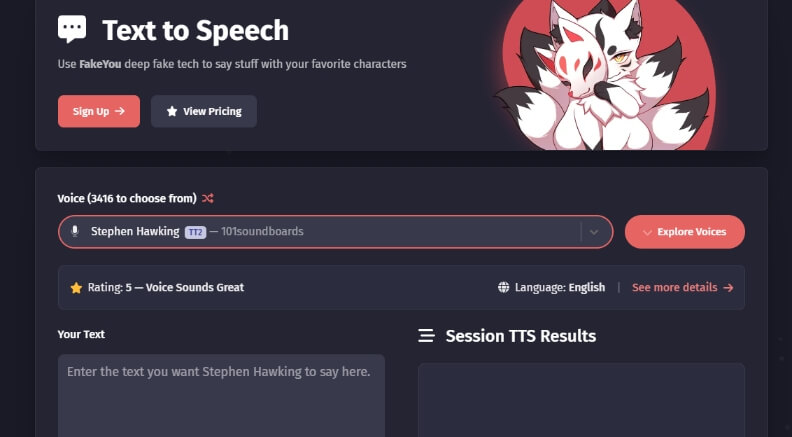
The platform offers three primary methods for voice generation: text-to-speech conversion, voice-to-voice transformation, and voice cloning. For Stephen Hawking text to speech online applications, the text-to-speech function is typically the most straightforward option.
FakeYou’s interface is designed to be user-friendly, with clear categorization of available voices and simple conversion processes. The platform doesn’t require any software installation, functioning entirely through web browsers. However, users do need to create an account to access most features.
Pricing tiers include a Plus plan at $7 monthly, Pro at $15 monthly, and Elite at $25 monthly. Each tier offers progressively faster processing times and additional features. It’s worth noting that deep fake technology faces legal restrictions in some regions, so users should verify local regulations before utilizing these services.
Lingojam – Specialized Online Generator
Lingojam has developed a dedicated online Stephen Hawking voice generator that focuses specifically on recreating the physicist’s distinctive speech patterns. Built on the eSpeak library originally developed by Jonathan Duddington, this tool uses formant synthesis technology rather than piecing together pre-recorded audio clips.
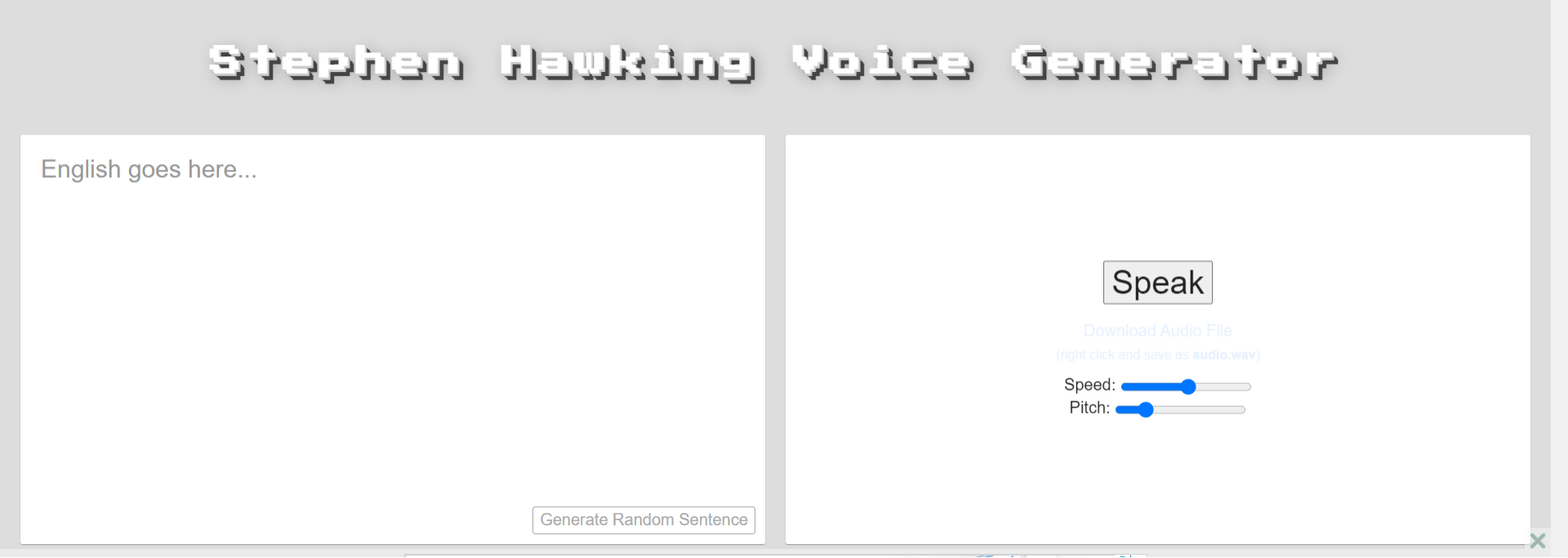
The platform offers users control over speech parameters like speed and pitch, allowing for customization of the final output. Multiple audio formats are supported, including WAV and MP3, making it easy to integrate generated audio into various projects.
As a completely web-based solution, Lingojam’s Stephen Hawking voice generator requires no downloads or installations. The service is entirely free to use, though it’s worth noting that the platform specializes specifically in Stephen Hawking’s voice rather than offering a broad range of voice options.
Speech Synthesizer – Mobile App Solution
For users who prefer working on mobile devices, Speech Synthesizer offers a dedicated Stephen Hawking voice app for both iOS and Android platforms. This application focuses specifically on recreating Hawking’s voice for text-to-speech applications.
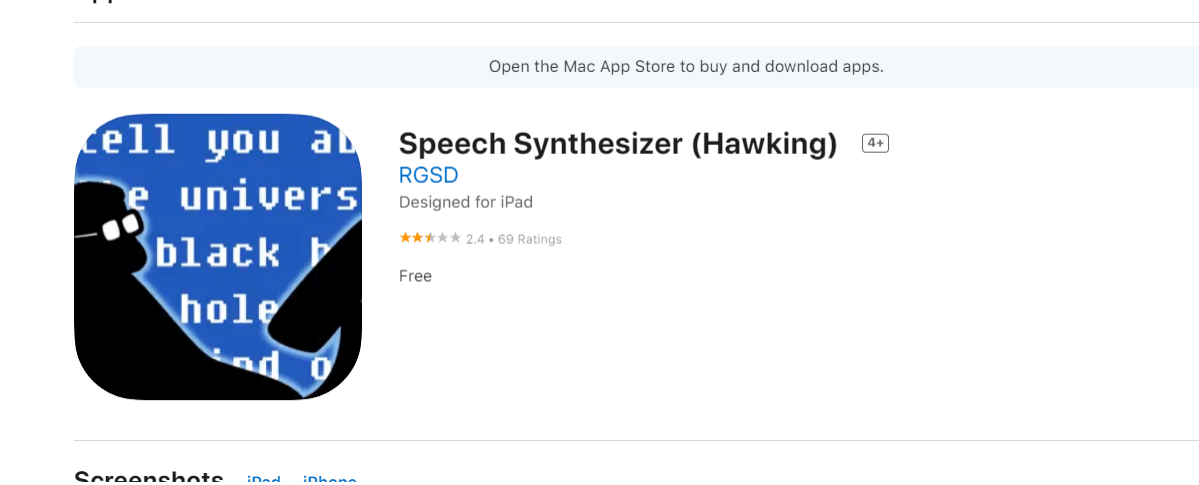
The app prioritizes user privacy and data security while providing a straightforward interface for converting text to speech. Users can either type text directly into the app or paste content from other sources, then hear it spoken in Hawking’s distinctive synthetic voice.
Speech Synthesizer supports both English and German languages, though it’s specifically optimized for recreating Hawking’s voice rather than offering multiple voice options. The app is free to download and use, though it requires an internet connection for the voice synthesis to function.
Comparing Stephen Hawking Voice Generators
When choosing between these various Stephen Hawking TTS options, several factors come into play. Each platform has its own strengths and limitations, making them better suited for different use cases and user preferences.
For users seeking the highest quality and most realistic Stephen Hawking voice reproduction, VoxBox typically delivers the best results thanks to its voice cloning capabilities. The ability to work offline is another significant advantage for users with limited or unreliable internet access.
Those who prefer web-based solutions without software installation might lean toward Woord or FakeYou, though both require consistent internet connectivity. Woord offers better language support in its free version, while FakeYou provides a wider variety of celebrity and character voices beyond just Stephen Hawking.
Lingojam serves users who specifically want Stephen Hawking’s voice without additional features or complexity. Its completely free model makes it accessible to everyone, though it lacks the advanced customization options of paid platforms.
Mobile users will find Speech Synthesizer the most convenient option, though its voice quality may not match desktop solutions. The app’s simplicity makes it ideal for quick conversions while on the go.
Frequently Asked Questions
Is there a dedicated Stephen Hawking voice generator available?
Yes, several platforms offer dedicated Stephen Hawking voice generation capabilities. VoxBox stands out as particularly effective for this purpose, allowing users to create custom voice models that closely match Hawking’s distinctive synthetic speech patterns. The process involves using the software’s voice cloning feature with reference audio of Hawking’s actual voice.
How can I create Stephen Hawking text to speech content?
Creating Stephen Hawking-style text to speech involves using any of the platforms mentioned above. The basic process typically involves inputting your desired text, selecting the appropriate voice option (either a pre-existing Stephen Hawking voice or a custom-created one), and then generating the audio output. Most platforms allow you to adjust parameters like speech speed and pitch to better match Hawking’s specific cadence and tone.
Which Stephen Hawking voice generator provides the best results?
Based on comprehensive testing and user feedback, VoxBox consistently delivers the most accurate and realistic Stephen Hawking voice reproduction. Its voice cloning technology captures the distinctive robotic quality and speech rhythm that characterized Hawking’s communication device. The software’s ability to work with custom voice models means users can fine-tune the output to closely match specific recordings of Hawking’s actual voice.
How did Stephen Hawking actually communicate with his voice system?
Stephen Hawking used a sophisticated speech-generating device (SGD) that translated his inputs into synthetic speech. After losing his natural speaking ability, he controlled the system using minimal physical movements – initially with his hand, and later with his cheek muscle and eye movements. The system would convert these inputs into selected words and phrases, which were then vocalized through his iconic speech synthesizer.
Final Thoughts on Stephen Hawking Voice Technology
The development of Stephen Hawking voice generator tools represents more than just technological progress – it’s a tribute to one of science’s most recognizable voices. These applications allow users to preserve and utilize a voice that became synonymous with brilliant scientific insight and human perseverance.
Whether you’re an educator creating engaging content, a filmmaker producing documentary material, or simply someone fascinated by voice synthesis technology, having access to a reliable Stephen Hawking TTS system opens up creative possibilities that honor the physicist’s legacy while pushing communication technology forward.
The various platforms available today each offer different strengths, from VoxBox’s comprehensive voice cloning capabilities to simpler web-based solutions like Lingojam. Your choice will depend on your specific needs, technical requirements, and budget considerations.
What remains clear is that Stephen Hawking’s distinctive voice continues to inspire and facilitate communication, much as it did during his lifetime. These voice generation tools ensure that his unique vocal presence can continue to educate, inform, and inspire future generations.
Some images in this article are sourced from iMyFone.