TOOL HUNTER

Summary: Finding a reliable free english to spanish voice translator app can completely change how you connect with Spanish speakers. This guide covers the top free applications that turn spoken English into Spanish instantly, perfect for travel, study, or daily chats. We’ll explore their key features like offline modes and conversation translation to help you pick the best tool.
In today’s connected world, breaking down language barriers is more important than ever. Whether you’re planning a trip to a Spanish-speaking country, trying to help a family member, or just want to learn, having a translation app in your pocket is incredibly useful. The good news is you don’t need to spend money to get a powerful english to spanish voice translation app free of charge. Several major tech companies and independent developers offer fantastic tools that handle voice translation smoothly and accurately. Let’s dive into the best options available right now.
Top Picks for a Free English to Spanish Voice Translator App
Thanks to advancements in mobile technology and artificial intelligence, we now have access to translation apps that feel almost magical. They can listen to your voice, understand the meaning, and speak back a translation in seconds. For English and Spanish—two of the world’s most spoken languages—the support is particularly strong. Here are the leading contenders for the title of best free english to spanish voice translator app.
Apple’s Built-In Translator: A Sleek iOS Option
With the release of iOS 14, Apple introduced its own dedicated Translator app, and it’s a strong contender right out of the gate. This app is designed to be simple and powerful, supporting translation between English and Spanish along with several other major languages. One of its standout features is the conversation mode. You can hold your iPhone in landscape orientation, and it will automatically detect which language is being spoken (English or Spanish) and translate it aloud and on-screen for the other person. This makes for a surprisingly fluid back-and-forth chat.
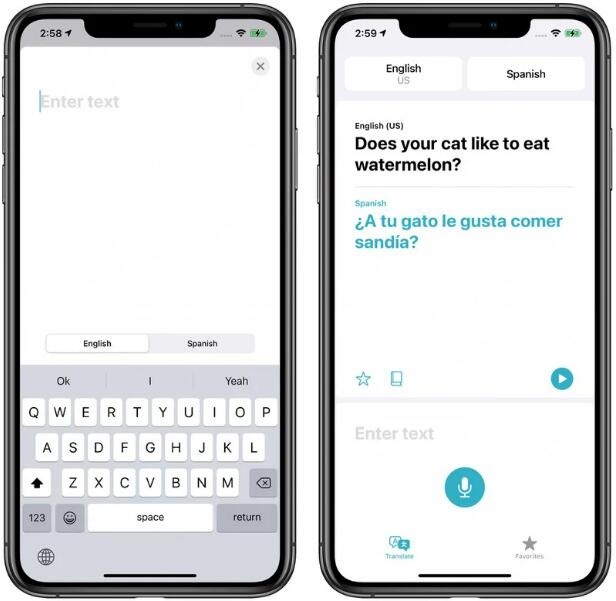
It also works completely offline. You can download the English and Spanish language packs to your device, which means you can get translations even when you’re in a subway, on a plane, or in an area with poor cell service. This is a crucial feature for travelers. The interface is clean, with favorites and a history tab to save common phrases. For iPhone users looking for a translation app for english to spanish that’s integrated and ad-free, this is a top choice.
Google Translate: The Veteran Powerhouse
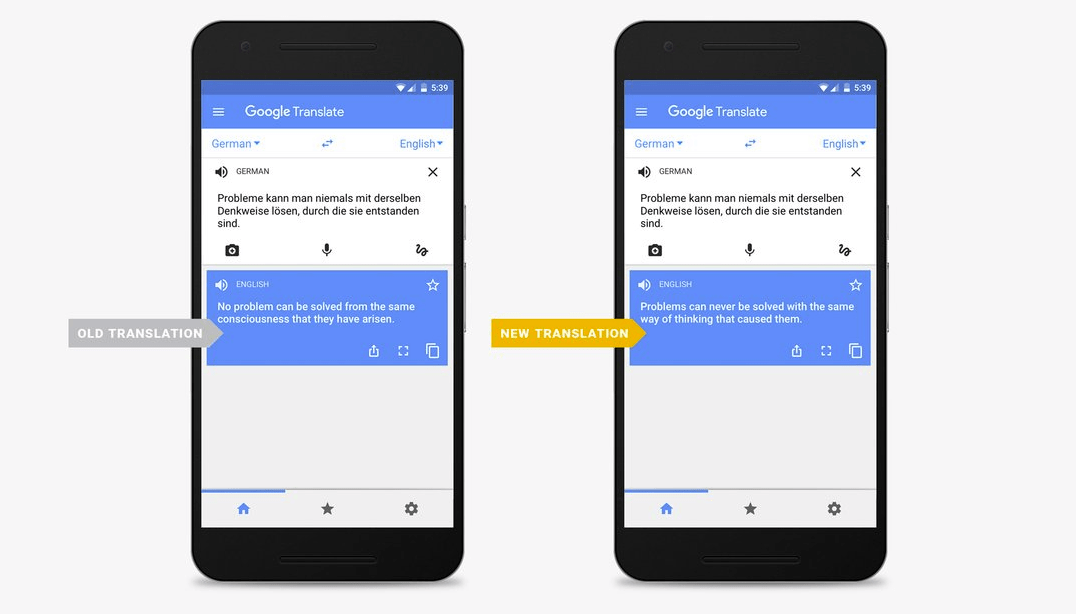
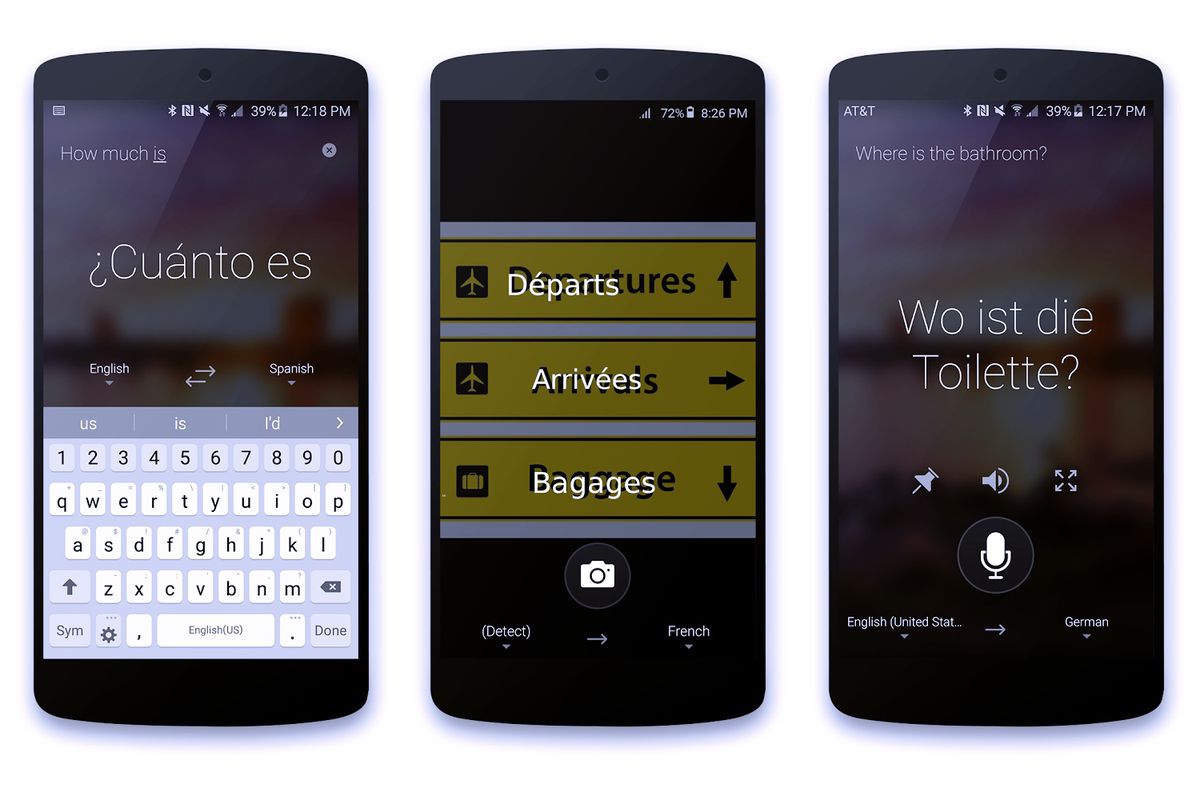
When people think of translation, Google Translate is often the first name that comes to mind, and for good reason. It’s one of the most comprehensive free english to spanish voice translator app options available. Its voice translation feature is robust: tap the microphone icon, speak in English, and it will both display and speak the Spanish translation. The reverse works just as well.
A major advantage is its incredible language coverage and additional features. Beyond basic voice translation, it offers a “conversation” mode with a split-screen for two languages, instant camera translation where you point your phone at text (like a menu or sign), and even the ability to draw characters. It supports offline translation for dozens of languages, including Spanish. While the interface can feel a bit cluttered with ads in the free version, its accuracy and feature set are hard to beat, making it an incredibly versatile english to spanish voice translation app free for everyone.
SayHi Translate: Focus on Natural Voice Conversations
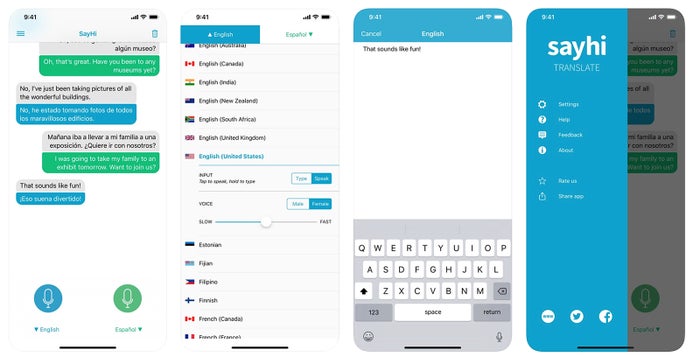
SayHi Translate lives up to its name by making voice conversations feel natural. This app specializes in speech-to-speech translation and supports a vast array of languages and dialects. For English to Spanish translation, it provides clear, synthesized voice output. You can even choose between different voice genders and adjust the speed of the spoken translation, which is great for learners who want to hear the words more clearly.
The app is straightforward: select English and Spanish, press the button for the language you’re about to speak, and talk. It picks up your speech and translates it almost immediately. It’s designed specifically for dialogue, so it’s perfect for situations like asking for directions, ordering food, or having a simple chat. While it may not have all the bells and whistles of camera translation, its core voice function is excellent, providing a dedicated translation app for english to spanish focused purely on spoken communication.
Microsoft Translator: Great for Group Chats and Offline Use
Microsoft Translator is a powerful and often underrated option in the free english to spanish voice translator app space. It excels in a few unique areas. First, its offline capabilities are superb; you can download very compact language packs for high-quality translation without an internet connection. Second, it has a fantastic multi-person conversation feature. You can start a live conversation, share a code, and have multiple people join on their own devices. Each person can speak or type in their own language, and everyone sees the translations. This is ideal for small meetings or group travel.
The app also includes voice translation, camera translation, and text translation. The interface is clean and professional. For anyone who needs a reliable, ad-free experience with strong offline performance and collaborative features, Microsoft’s offering is a fantastic english to spanish voice translation app free to consider.
iTranslate Voice: User-Friendly with Pro Options
iTranslate Voice offers a polished and user-friendly experience for voice translation. The free version allows you to translate spoken words between English and Spanish and many other languages. The voice recognition is generally accurate, and the app speaks the translation with a clear, natural-sounding voice. One nice touch is the phrasebook, which includes common pre-set phrases for travel, dining, and emergencies—you can tap them to hear the translation instantly, which is faster than speaking sometimes.
The free version is supported by ads and has some limitations, but it’s perfectly functional for casual use. For heavy users, a Pro subscription unlocks unlimited phrasebook entries, conversation transcripts, and removes ads. For someone who wants a well-designed, straightforward app to translate to english to spanish app via voice, iTranslate is a compelling choice.

Key Features to Look for in Your Translation App
Choosing the right app isn’t just about picking a name you recognize. You should think about how you’ll use it most often. Here are the critical features that separate a good free english to spanish voice translator app from a great one.
Offline Translation Capability
This is arguably the most important feature for a traveler or anyone who might not have consistent data access. Offline mode means you download language packs (for English and Spanish) to your phone beforehand. Once downloaded, the core translation functions work without any internet connection. Apps like Apple Translate, Google Translate, and Microsoft Translator all offer this. Always check the size of the download and make sure you get the packs before you need them.
Accuracy and Context Understanding
All apps claim to be accurate, but they handle context differently. Simple word-for-word translation often leads to confusion. Modern apps use neural machine translation to understand full sentences and phrases, resulting in more natural-sounding Spanish. For voice translation, good speech recognition is also key. The app must correctly hear your English words, even with an accent or background noise, to provide the right Spanish output. Testing a few apps with complex sentences is a good idea.
Real-Time Conversation Mode
A basic voice translator listens and then speaks. A conversation mode is designed for a flowing dialogue. It typically involves a hands-free, often split-screen interface where the app continuously listens and automatically detects which language is being spoken, flipping the translation direction seamlessly. This is perfect for face-to-face talks and is a hallmark of a top-tier english to spanish voice translation app free like Apple’s or Google’s.
Additional Handy Tools
While voice is the focus, other tools add tremendous value. Camera translation lets you instantly translate text in the real world—incredible for menus, signs, or documents. A phrasebook with saved favorites lets you quickly access common questions without speaking each time. Text-to-speech settings that allow you to control the speed or voice gender can aid comprehension. When you look for an app to translate to english to spanish app, consider which of these extras you might actually use.
How to Get the Most Out of Your Chosen App
Downloading the app is just the first step. To truly rely on it, you need to set it up properly and understand its quirks.
Preparing for Offline Use
Don’t wait until you’re in a dead zone to realize you need the offline pack. When you first install your chosen free english to spanish voice translator app, go into the settings or offline translation section. Look for “Download” or “Offline Packages” next to English and Spanish. Connect to Wi-Fi and download them. This might take a few minutes and use several hundred megabytes of storage, but it’s worth it for peace of mind.
Optimizing Voice Translation for Clarity
For the best results when using voice translation, speak clearly at a normal pace. Don’t shout or whisper. Hold the phone a natural distance from your mouth, and try to minimize background noise if possible. If the app mishears a word, most have a text field where you can manually type a correction. It’s also helpful to use complete, simple sentences rather than fragmented phrases, as this gives the AI more context to work with.
Using Conversation Mode Effectively
When using conversation mode, introduce the app to the other person. Show them the screen so they know when to speak and when to listen. Speak one complete sentence or thought at a time, then pause to let the app translate. It usually indicates it’s listening with a microphone animation and stops when it detects a pause in speech. This rhythm takes a minute to get used to but soon feels very natural, making the translation app for english to spanish feel like a real interpreter.
Beyond Basic Translation: Tips for Learners and Travelers
A good translation app does more than just convert words; it can be a bridge to deeper understanding and connection.
Using the App as a Learning Aid
If you’re trying to learn Spanish, use the app actively. Don’t just listen to the translation—repeat it. Try to say a simple English phrase, listen to the Spanish translation, and then say the Spanish yourself. Compare your pronunciation. Use the phrasebook to build vocabulary. The ability to hear correct pronunciation on demand is a powerful tool that turns a simple utility into a pocket tutor.
Navigating Travel Situations Smoothly
In travel scenarios, preparation is key. Before your trip, use your chosen app to translate to english to spanish app for key phrases you know you’ll need: “Where is the bathroom?”, “How much does this cost?”, “I need help.” Save these as favorites. Use camera translation for restaurant menus—it’s faster and more discreet than speaking into your phone for every item. For important conversations, like at a pharmacy or hotel front desk, use conversation mode and place the phone on the counter so both parties can see and hear.
Respecting Privacy and Cultural Nuances
Remember that translation apps are tools, not perfect human interpreters. They may miss subtle cultural nuances or formalities. A little effort goes a long way. Learning basic greetings like “Hola” (Hello) and “Gracias” (Thank you) shows respect. Be patient if you need to repeat something. Also, be mindful of privacy; avoid using the app for translating highly sensitive or confidential information, as voice data is often processed on company servers.
The world feels smaller when you can communicate across languages. With a powerful free english to spanish voice translator app on your smartphone, a conversation with a Spanish speaker is no longer a daunting challenge but an exciting opportunity. Whether you choose the integrated simplicity of Apple’s tool, the feature-rich environment of Google Translate, or the conversational focus of SayHi, you’re equipping yourself with a modern superpower. Download one today, test it out, and get ready to connect in a whole new way.
Try Leawo Video Converter Ultimate right now! Convert videos and audios in 180+ formats, download from 1000+ sites like YouTube and Facebook, rip and convert DVDs, burn videos and photos to DVD, create stunning photo slideshows, and enhance your media with powerful editing tools.
Get the Windows version | Get the Mac version | Use the time-limited promotional campaign
Some images used in this article are sourced from the internet.