TOOL HUNTER

Have you ever wondered how those adorable animated characters in children’s videos get their cute little voices? Or how educational apps manage to speak to kids in such engaging, childlike tones? The secret lies in modern AI technology that can transform ordinary text into charming baby voices that capture children’s attention and imagination.
This technology, known as baby voice generator software, has revolutionized how we create content for young audiences. Instead of hiring child voice actors or trying to modify adult voices, creators can now generate realistic baby and child voices with just a few clicks.
Table of Contents
- What Exactly is a Baby Voice Generator?
- Practical Applications of Baby Voice Technology
- Top Free Baby Voice Generator Options
- Choosing the Right Baby Voice Generator
- Common Questions About Baby Voice Generators
- The Future of Baby Voice Technology
- Getting Started with Baby Voice Generation
- Final Thoughts
What Exactly is a Baby Voice Generator?
A baby voice generator is a sophisticated tool that uses artificial intelligence and speech synthesis technologies to create authentic-sounding infant and child voices. These tools can simulate the unique vocal characteristics of babies and young children, including their higher pitch, softer tones, and sometimes even those cute speech patterns that make baby talk so endearing.
The applications for this technology are surprisingly diverse and extend far beyond simple entertainment. Content creators, educators, and developers are finding innovative ways to incorporate these charming voices into their projects.
Practical Applications of Baby Voice Technology

Educational Content Creation: Teachers and educational content developers use baby voice generator tools to create engaging learning materials. When children hear information delivered in a voice that sounds like their own, they’re more likely to pay attention and retain the information. This makes learning feel more like play than work.
Animated Video Production: YouTube creators and animation studios frequently utilize baby voice generator software to give their young characters authentic voices. This adds credibility to the characters and helps young viewers connect with them on a deeper level.
Interactive Storytelling: Modern audiobooks and interactive stories come alive when narrated by childlike voices. A quality baby voice generator can transform ordinary text into magical storytelling experiences that captivate young listeners.
Language Learning Tools: Language apps increasingly incorporate child voices to help young learners with pronunciation. Hearing words spoken in a voice similar to their own can make foreign languages feel more accessible and less intimidating to children.
Gaming Experiences: Game developers use child tts voice technology to create younger characters that sound authentic. This enhances the gaming experience and makes the virtual world feel more realistic and immersive.
Therapeutic Applications: Some therapists and counselors use gentle child voices in their apps and tools to help children feel more comfortable and understood during sessions.
Top Free Baby Voice Generator Options
Now that we understand what these tools can do, let’s explore some of the best free options available for creating adorable AI baby voices.
VoxBox: Comprehensive Voice Solution
When it comes to versatility and quality, VoxBox stands out as an exceptional baby voice generator. This powerful tool offers an impressive library of over 3,200 voices across 77 languages, including numerous child and baby voice options.

What makes VoxBox particularly impressive is its voice cloning capability. You’re not limited to pre-set voices – you can actually create custom baby voices or even clone specific child voices if you have sample audio. This opens up incredible possibilities for personalized content creation.
The interface is surprisingly user-friendly for such a powerful tool. Even if you’re new to voice generation technology, you’ll find it straightforward to navigate and operate. The free version provides 2,000 characters for conversion, which is quite generous compared to many other tools.
Creating Baby Voices with VoxBox Text-to-Speech:
The process of generating child voices with VoxBox is remarkably simple. After launching the application, you navigate to the Text to Speech section. From there, you can browse through the extensive voice library and select the perfect baby or child voice for your project.
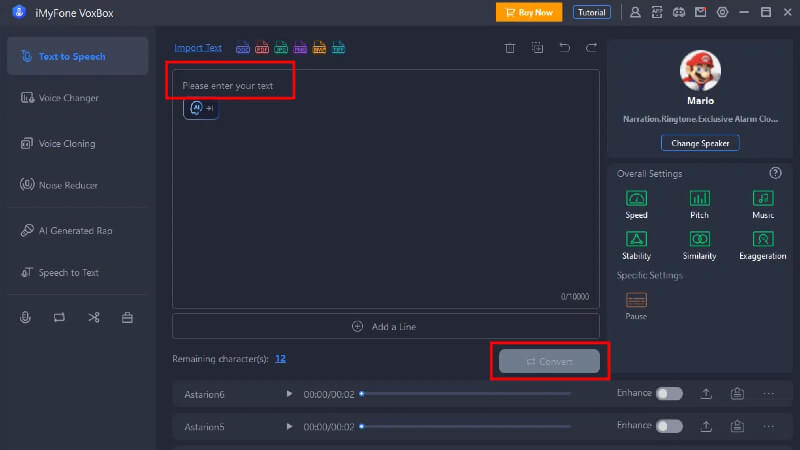
Once you’ve chosen your preferred voice, you simply type or paste your text into the provided field and click convert. Within seconds, you’ll have a professional-quality audio file featuring your text spoken in a charming child’s voice.
Advanced Voice Cloning Features:
For those needing even more customization, VoxBox offers sophisticated voice cloning capabilities. This feature allows you to create entirely unique baby voices by training the AI on sample audio.

The cloning process involves uploading a clean audio sample or recording yourself reading provided text. The AI then analyzes the vocal characteristics and creates a digital voice model that can speak any text you provide. This is particularly useful for maintaining consistent character voices across multiple projects.
iMyFone VoxBox.Best AI Voice Generator & AI Voice Cloner: Create Custom Voices Instantly.iMyFone VoxBox is a powerful free text-to-speech software offering 3,500+ lifelike AI voices in 250+ languages, all with 10 features in one tool. Create professional voiceovers and captivate audiences worldwide in just minutes with VoxBox AI.

Check More Details | Download Now! | Check All Deals
Narakeet: Web-Based Simplicity
For those who prefer working directly in their browser, Narakeet offers an excellent web-based baby voice generator solution. This platform specializes in creating natural-sounding child voices with minimal setup required.
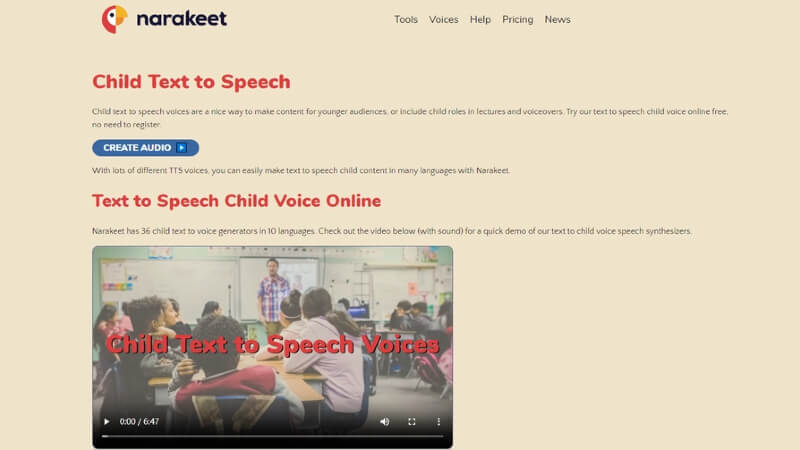
Narakeet provides access to over 18 distinct baby voices across 7 different languages. The platform includes automatic pitch control, which helps maintain that authentic childlike sound throughout your generated audio.
One of Narakeet’s standout features is its generous free tier, which allows users to create up to 20 audio files using child tts voice technology without any cost. This makes it perfect for testing the waters or for small-scale projects.
Using Narakeet’s Baby Voice Generator:
The process begins by visiting Narakeet’s Text to Speech page specifically designed for child voices. The interface guides you through selecting your preferred language and voice characteristics.
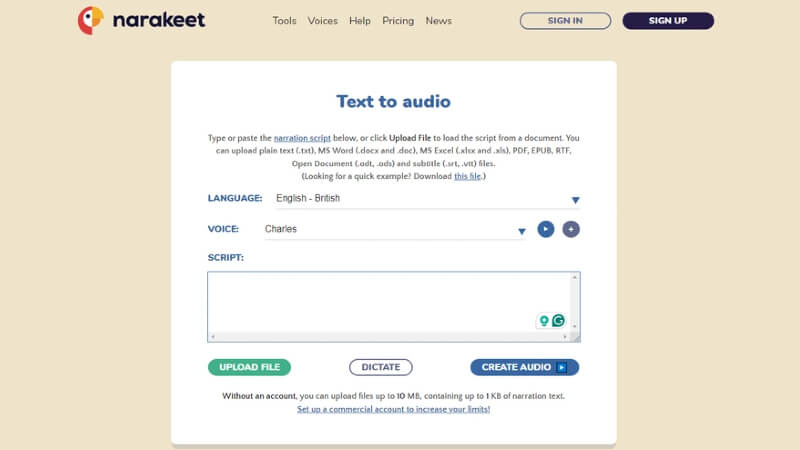
After inputting your text and adjusting any desired settings, you simply click the Create Audio button. The platform processes your request and delivers a downloadable audio file featuring your text spoken in a charming child’s voice.
The main limitation of Narakeet is its dependence on internet connectivity. Since it’s a web-based tool, you’ll need a stable internet connection for optimal performance. However, for quick projects and those who prefer not to download software, it’s an excellent choice.
Speechify: Multi-Platform Accessibility
Speechify takes a different approach by offering its baby voice generator technology across multiple platforms. Whether you prefer working on desktop, mobile devices, or through browser extensions, Speechify has you covered.
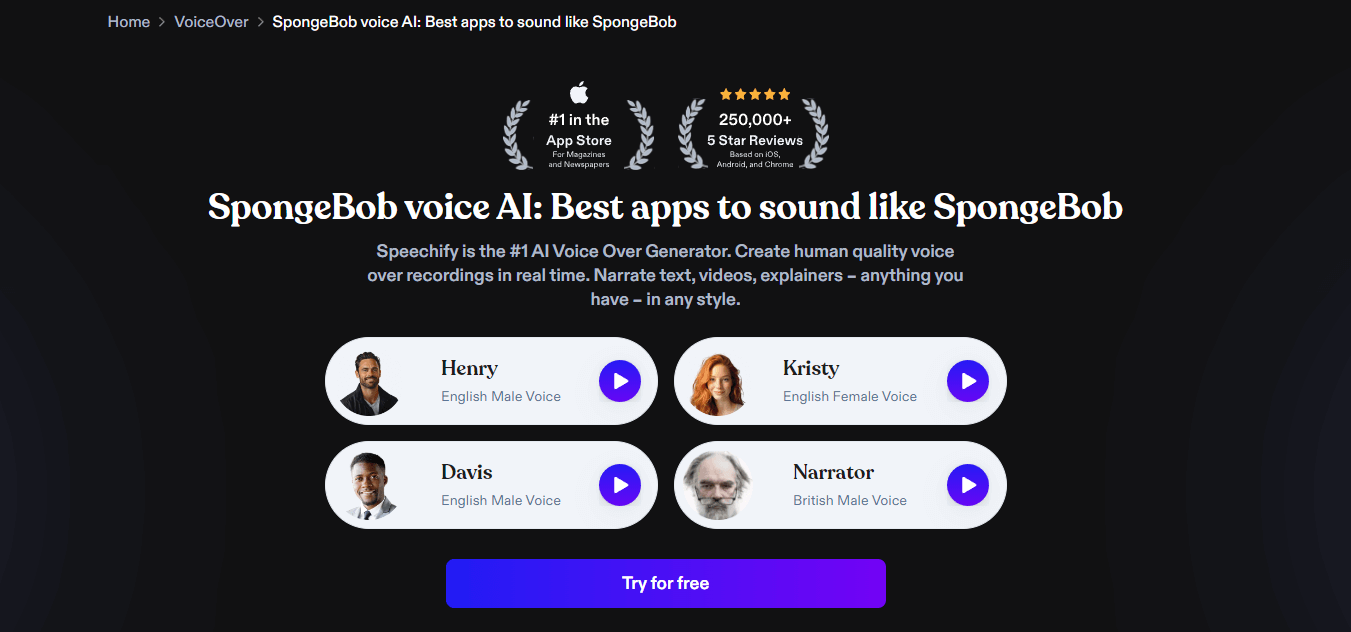
This tool offers approximately 50 natural-sounding AI voices, including several child voice options. One of its unique features is variable speed listening, allowing you to adjust the playback speed up to five times normal rate while maintaining voice clarity.
Speechify also includes intelligent content parsing that automatically skips headers, footers, and citations. This ensures that the final audio flows naturally, which is particularly important when creating content for children.
Generating Child Voices with Speechify:
The process varies slightly depending on which platform version you’re using, but the core functionality remains consistent. After installing and logging into the application, you select your preferred child voice from the available options.
Next, you input your text – either by typing directly, importing documents, or even using their image-to-text feature for printed materials. The tool then converts your text into speech using your selected child voice, and you can download the resulting audio file.
The main drawback of Speechify is its pricing structure, which can be prohibitive for casual users. However, for professionals who need consistent, high-quality child voice generation across multiple devices, it may be worth the investment.
Play AI: Advanced Emotional Range
Play AI brings something special to the table with its focus on emotional expression. This baby voice generator uses advanced Dialog voice AI models to create speech that’s not just accurate but emotionally resonant.
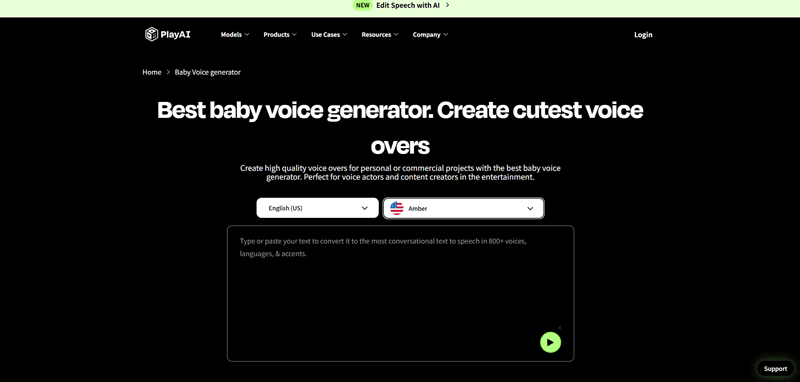
With 206 AI voices spanning over 30 languages, Play AI offers substantial variety. The platform specializes in creating contextually aware speech that adapts to the emotional content of your text. This means happy text sounds genuinely joyful, while serious content carries appropriate weight.
The voice cloning feature is particularly impressive, requiring only 30 seconds of sample audio to create a custom voice model. This makes it accessible even for users with limited audio samples to work with.
Key Advantages of Play AI:
The platform’s lower latency APIs ensure quick processing times, which is valuable when working on tight deadlines. The multiple customization options allow for fine-tuning that can make the difference between a generic child voice and one that feels truly unique.
For creators working on narrative-driven content where emotional authenticity matters, Play AI’s baby voice generator offers capabilities that simpler tools can’t match.
Typecast: Actor-Based Authenticity
Typecast takes an interesting approach by building its AI voices on performances from real voice actors. This includes 36 young performers whose voices form the basis of their child voice options.
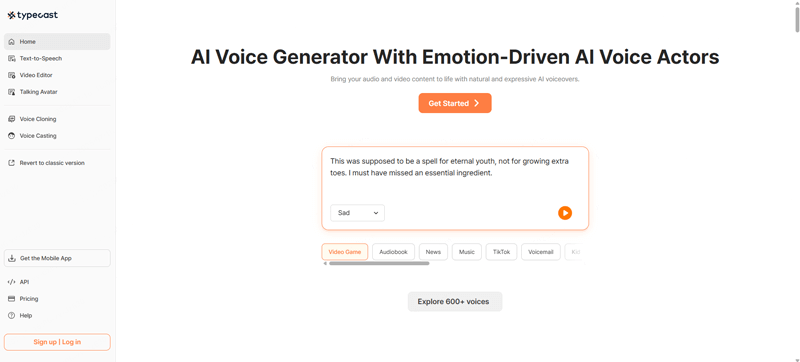
The platform supports 29 languages and specializes in emotional depth. You can adjust not just the basic voice characteristics but also the emotional tone – making a voice sound happy, sad, excited, or any other emotion that fits your content.
With over 600 unique AI voices in its library, Typecast offers remarkable variety. The platform also integrates with various video editing and voice casting workflows, making it particularly useful for professional content production.
Why Choose Typecast:
The actor-based approach results in voices that feel more human and less synthetic. The emotional range allows for nuanced performances that can adapt to different scenes or content types. For projects requiring specific emotional tones or professional-grade voice work, Typecast delivers exceptional results.
Choosing the Right Baby Voice Generator
With so many options available, selecting the right baby voice generator depends largely on your specific needs and circumstances.
For beginners or those with simple requirements, Narakeet’s web-based approach offers the easiest entry point. The straightforward interface and generous free tier make it ideal for experimentation and small projects.
For professionals needing consistent results across multiple projects and platforms, Speechify’s multi-device compatibility provides valuable flexibility. The ability to switch between desktop, mobile, and browser-based access can significantly streamline workflows.
Content creators working on emotionally nuanced projects might prefer Play AI or Typecast for their advanced emotional modeling. These platforms excel at creating voices that feel authentic and contextually appropriate.
For the broadest range of features and customization options, VoxBox remains the standout choice. The combination of extensive voice libraries, cloning capabilities, and flexible output options makes it suitable for virtually any baby voice generation need.
iMyFone VoxBox.Best AI Voice Generator & AI Voice Cloner: Create Custom Voices Instantly.iMyFone VoxBox is a powerful free text-to-speech software offering 3,500+ lifelike AI voices in 250+ languages, all with 10 features in one tool. Create professional voiceovers and captivate audiences worldwide in just minutes with VoxBox AI.
Check More Details | Download Now! | Check All Deals
Common Questions About Baby Voice Generators
How accurate are AI-generated baby voices?Modern baby voice generator technology has become remarkably sophisticated. While it may not perfectly replicate every nuance of a real infant’s voice, the results are convincing enough for most applications. The technology continues to improve rapidly.
Can I create custom baby voices?Yes, several platforms including VoxBox and Play AI offer voice cloning features that allow you to create custom baby voices based on audio samples. This is perfect for maintaining character consistency across projects.
Are there limitations to what these tools can do?While baby voice generator technology is impressive, it does have limitations. Extremely complex emotional nuances or unique speech patterns might not translate perfectly. However, for most applications, the results are more than adequate.
Is the technology suitable for commercial use?Most platforms allow commercial use of generated audio, though it’s always wise to check the specific terms of service for each tool. Some may have restrictions or require upgraded plans for commercial applications.
How do I choose between different child voice options?The best approach is to test several options with your specific text. Different voices work better with different types of content. Most platforms offer preview features that let you hear samples before committing to a particular voice.
The Future of Baby Voice Technology
As AI technology continues to advance, we can expect baby voice generator tools to become even more sophisticated. Future developments might include even more realistic emotional modeling, better handling of complex speech patterns, and improved ability to mimic specific age ranges within childhood.
The applications for this technology will likely expand as well. We might see more personalized educational tools, advanced therapeutic applications, and even more immersive gaming and entertainment experiences featuring authentic child voices.
Getting Started with Baby Voice Generation
If you’re new to baby voice generator technology, the best approach is to start with a free tool that matches your technical comfort level. Experiment with different voices and text types to get a feel for what’s possible.
Most platforms offer tutorials or guides to help you get the best results. Don’t be afraid to try different approaches – sometimes a slight adjustment to your text or voice selection can make a significant difference in the final result.
Remember that context matters when choosing baby voices. A voice that works perfectly for a playful cartoon character might not be suitable for an educational narration. Consider your audience and purpose when selecting voices and adjusting settings.
Final Thoughts
The availability of free baby voice generator tools has democratized voice creation in exciting ways. Whether you’re a teacher creating engaging learning materials, a content producer developing children’s entertainment, or a developer building interactive applications, these tools open up new possibilities for connecting with young audiences.
The technology has reached a point where creating authentic-sounding child voices is accessible to virtually anyone with a computer and internet connection. As the tools continue to improve and become even more user-friendly, we can expect to hear many more charming AI-generated child voices in the content we create and consume.
The key is finding the right tool for your specific needs and taking the time to learn its features and capabilities. With a bit of practice and experimentation, you’ll be creating delightful child voices that enhance your projects and captivate your young audience.
Some images courtesy of iMyFone