TOOL HUNTER

Ever since the Venom movies hit the big screen, fans everywhere have been completely obsessed with the character’s deep, menacing voice. It’s just so cool and unique that it’s no wonder people want to sound like that themselves, especially when they’re gaming or chatting with friends online. The good news is that you don’t need to be a Hollywood actor to pull it off. With the right venom voice changer app, you can transform your ordinary speaking voice into that iconic, gravelly tone in real-time.
Whether you’re looking to prank your friends, add some flair to your live streams, or just have a good time, learning how to sound like venom is easier than you might think. There are several software options available that specialize in this kind of voice transformation. This guide will walk you through the best tools for the job and show you exactly how to set everything up for platforms like Discord.
Table of Contents
- What Makes the Venom Voice So Special?
- Top-Rated Venom Voice Changer Applications
- Setting Up Your Venom Voice on Discord
- Tips for Perfecting Your Venom Voice
- Advanced Venom Voice Customization
- Troubleshooting Common Issues
- Creative Uses for Your Venom Voice
- The Future of Voice Changing Technology
- Choosing the Right Venom Voice Changer for You
- Conclusion
What Makes the Venom Voice So Special?
Before we dive into the technical stuff, it’s worth talking about why everyone is so crazy about this voice. The character Venom, from the Spider-Man universe, has a voice that is both powerful and unsettling. It’s a deep, layered, almost demonic sound that really sets it apart. In the movies, this voice was brought to life by actor Tom Hardy, who provided the voice for the symbiote creature.

Recreating this effect requires more than just pitching your voice down. A proper venom voice change involves adding distortion, depth, and that signature menacing quality. This is where specialized AI voice changers come into play, as they can apply complex effects in real-time without a noticeable delay.
Top-Rated Venom Voice Changer Applications
If you’re ready to start sounding like the iconic anti-hero, you’ll need a reliable piece of software. The market has several options, each with its own strengths and weaknesses. We’ve tested and compiled a list of the most effective venom voice generator tools that can help you achieve that perfect Venom sound.
MagicMic Voice Changer
When it comes to a versatile and user-friendly venom voice changer app, MagicMic often comes out on top. It’s designed to be accessible for beginners while still offering enough advanced features to satisfy experienced users. The software works seamlessly on both Windows and Mac computers, making it a great choice for almost anyone.
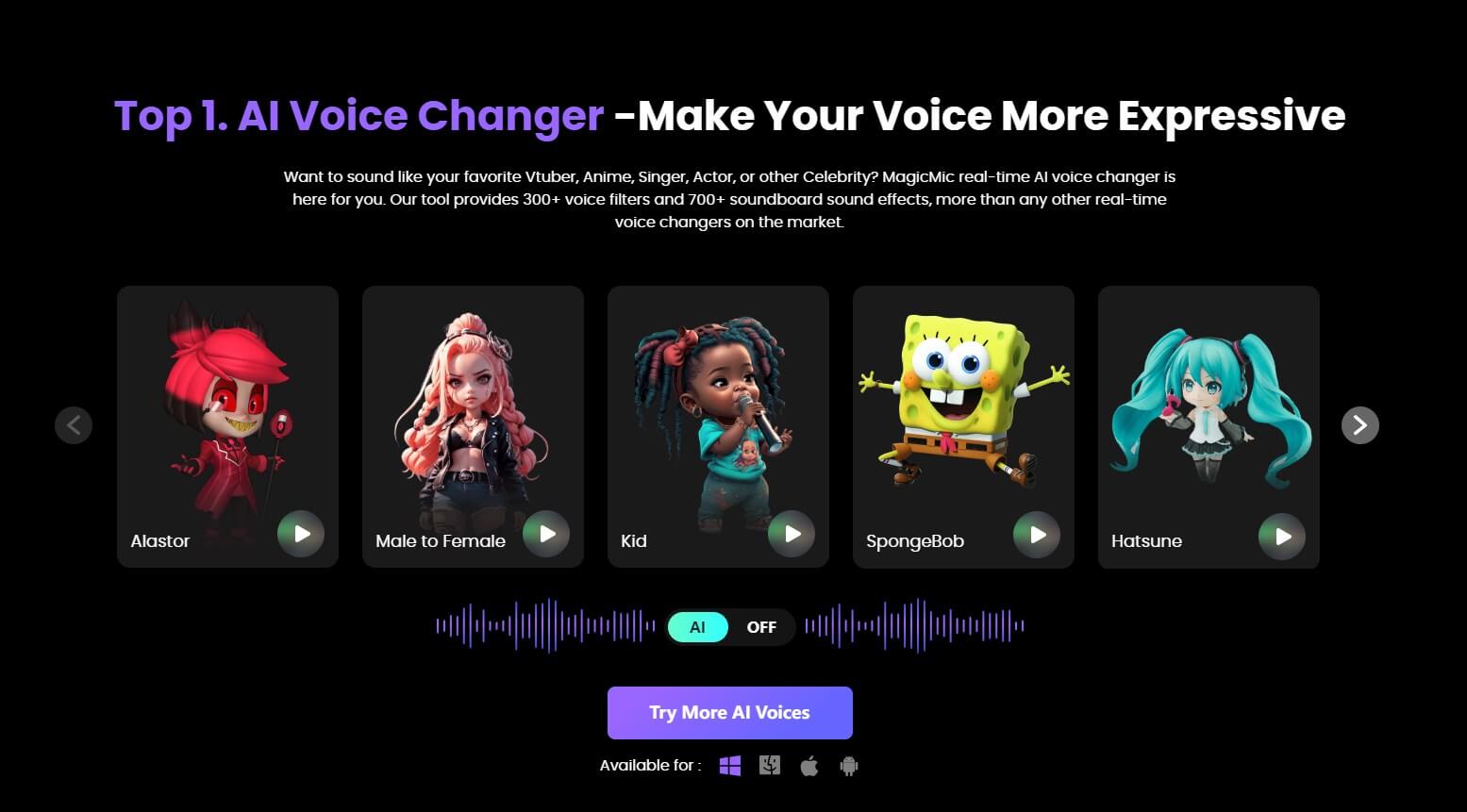
One of the standout features of MagicMic is its extensive library of voice effects. Beyond the Venom voice, you’ll find hundreds of other options including cartoon characters, celebrities, and creepy horror voices. The venom soundboard within the application gives you quick access to various Venom-related sounds and phrases that you can trigger with a single click.
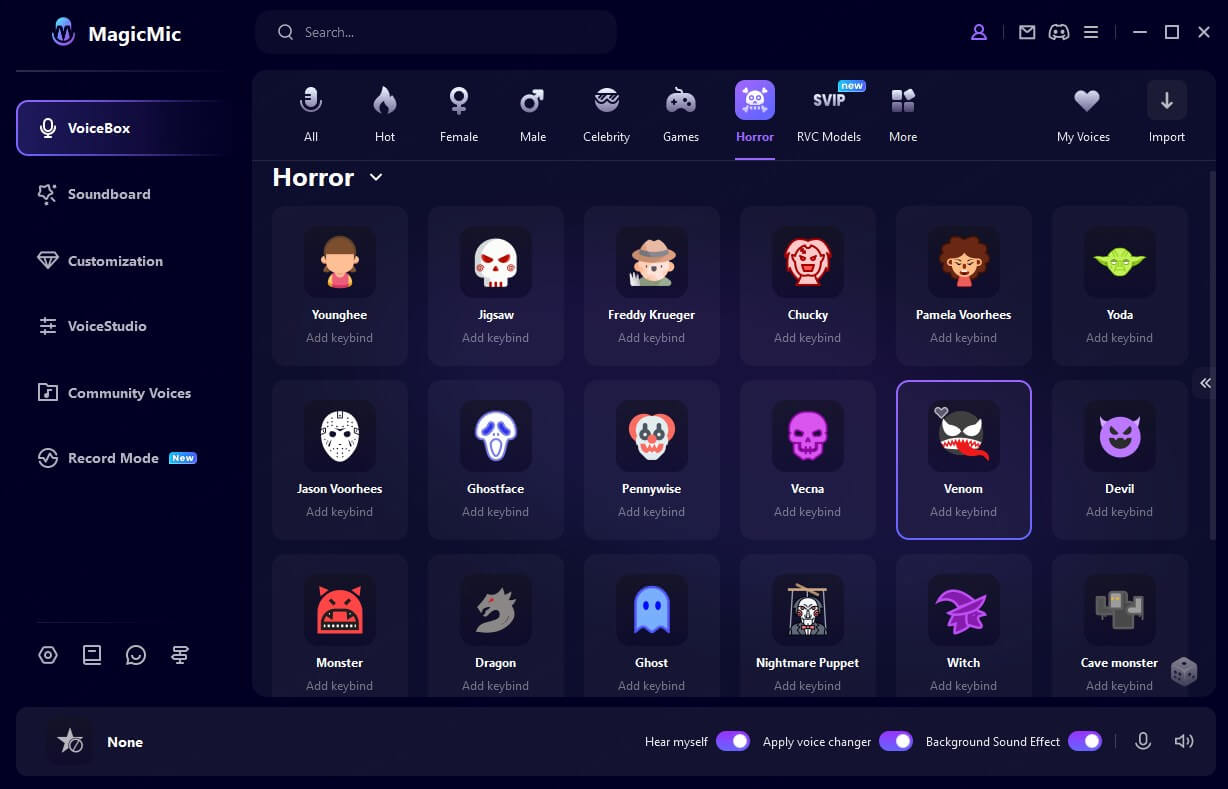
What really sets MagicMic apart is its real-time processing capability. The voice change happens instantly without any noticeable lag, which is crucial when you’re in the middle of an online game or conversation. The software also maintains good audio quality, so you don’t end up with that robotic, distorted sound that plagues some voice changers.
The interface is clean and intuitive, with the venom voice changer options easily accessible. You don’t need to navigate through multiple menus or deal with complicated settings. It’s pretty much a one-click solution once you have it set up.
iMyFone MagicMic.Best Real Time AI Voice Changer.MagicMic is a professional real-time AI voice changer that changes your voice while communicating online. It’s easy to use, has extremely low latency, features high quality AI voices and is compatible with all systems. Discover 500+ AI voices and 100K+ meme soundboards with MagicMic today!

Check More Details | Download Now! | Check All Deals
Voicemod Voice Changer
Voicemod has built a strong reputation in the voice changing community, and for good reason. This venom voice changer app offers a solid selection of voice effects, including a well-executed Venom voice. One of its biggest advantages is that it has a free version, which makes it accessible to people who want to try out voice changing without making a financial commitment.
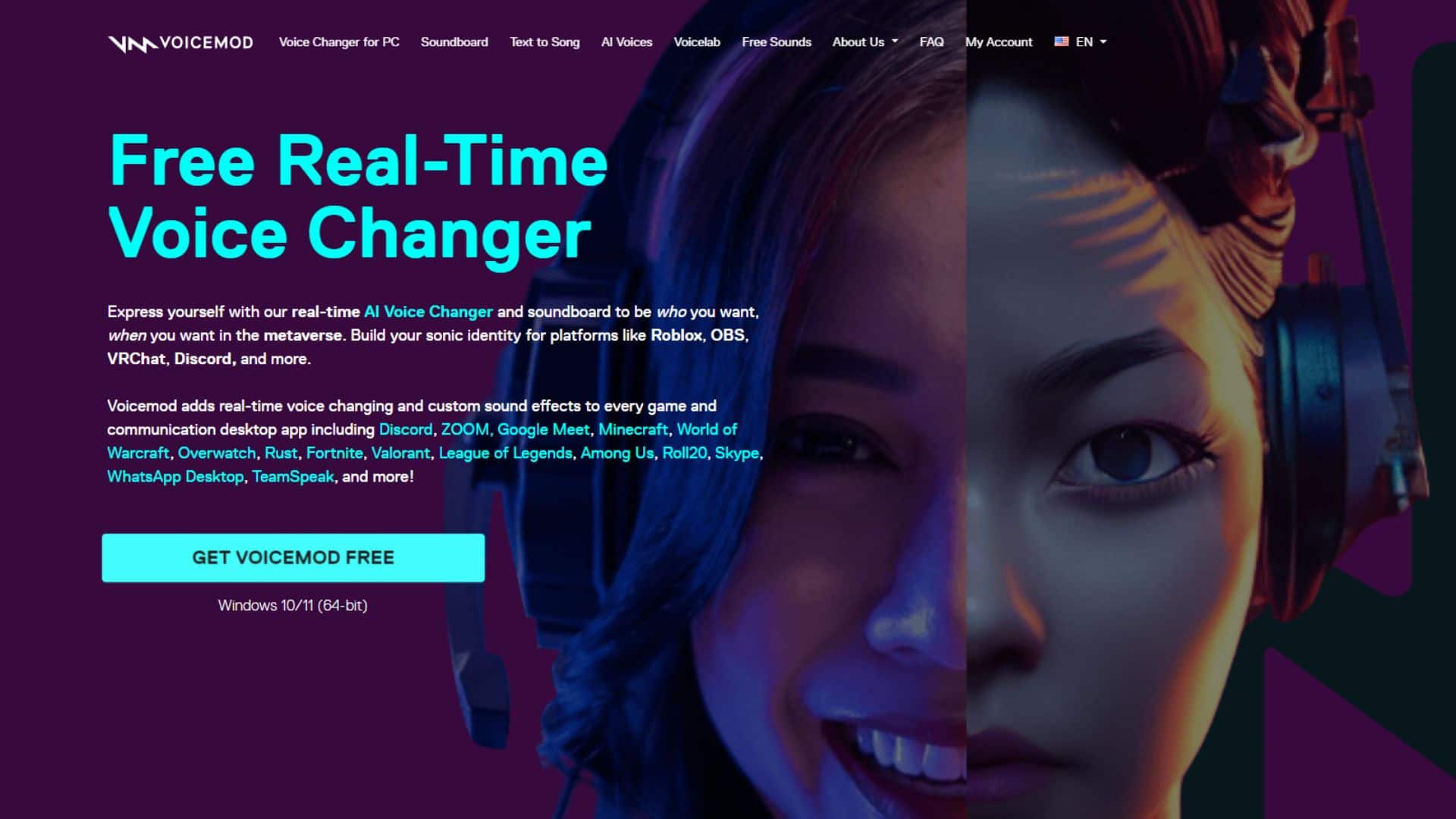
The software integrates smoothly with most applications and games, and it’s relatively lightweight, meaning it won’t slow down your system while you’re gaming. The voice quality is generally good, though some users note that the free version has limitations compared to the paid option.
For those wondering how to sound like venom without spending money, Voicemod’s free tier might be worth exploring. The setup process is straightforward, and you can be up and running with your new Venom voice in just a few minutes.
MorphVOX Voice Changer
MorphVOX has been around for quite some time and has developed a loyal following among gamers. This venom voice changer app is known for its advanced voice changing technology that goes beyond simple pitch shifting. It uses sophisticated algorithms to create more realistic and convincing voice transformations.
The Venom voice effect in MorphVOX is particularly impressive because it maintains clarity while still delivering that deep, layered sound. The software also includes background effects and sound quality improvements that can enhance your overall audio experience.
While MorphVOX might have a slightly steeper learning curve than some other options, the results are often worth the extra effort. The software offers extensive customization options, allowing you to fine-tune your Venom voice until it sounds just right.
Voxal Voice Changer
If you’re looking for a straightforward, no-fuss venom voice changer app, Voxal might be exactly what you need. It’s designed to be simple and efficient, with a clean interface that doesn’t overwhelm you with unnecessary options. Despite its simplicity, it delivers solid voice changing capabilities.
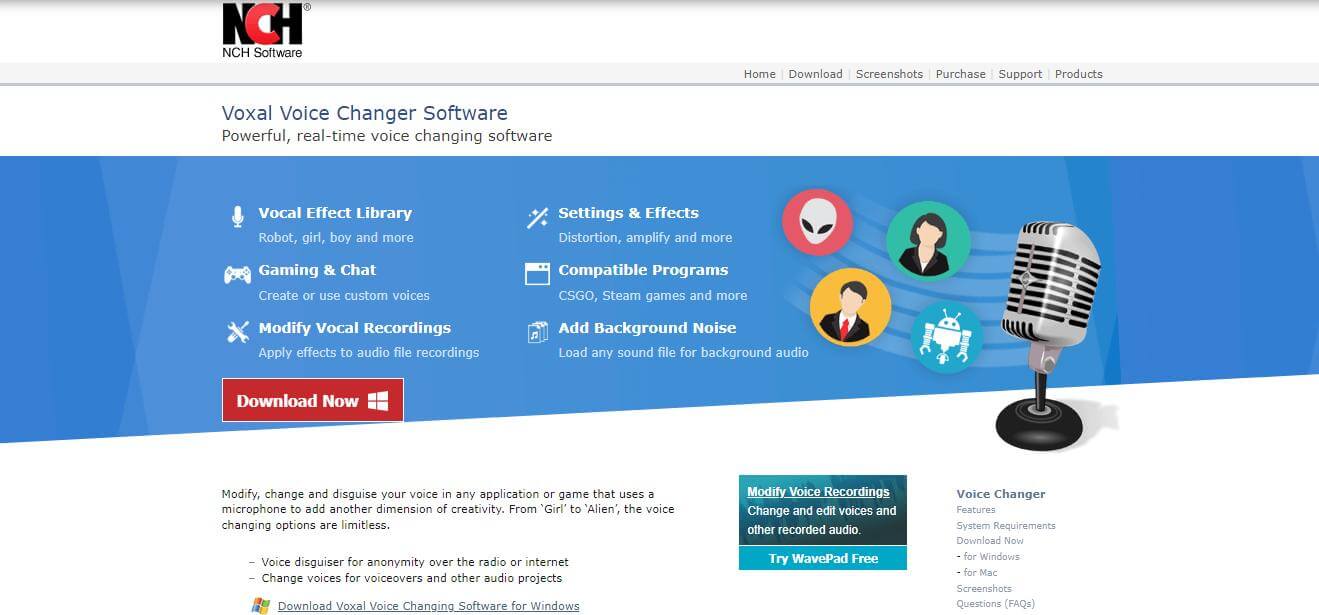
Voxal works by processing your voice in real-time and applying the selected effect before it reaches whatever application you’re using. This means it’s compatible with virtually any program that uses your microphone, including games, chat applications, and streaming software.
The venom soundboard functionality isn’t as extensive as some other options, but the core voice changing works well. The software is also light on system resources, so you won’t notice any impact on game performance while using it.
Clownfish Voice Changer
Clownfish takes a different approach to voice changing by functioning as a system-wide application. Once installed, it integrates directly with your operating system, making the venom voice changer available to every program that accesses your microphone.
This system-level integration means you don’t need to configure Clownfish separately for each application. Once you’ve selected your Venom voice effect, it will work everywhere automatically. This can be a huge time-saver if you use multiple applications where you want the voice effect.
Clownfish is completely free, which makes it an attractive option for budget-conscious users. The voice quality is decent, though it may not match the sophistication of some paid alternatives. Still, for a free venom voice generator, it does a respectable job.
Setting Up Your Venom Voice on Discord
Now that you’re familiar with the available software options, let’s talk about how to actually use your new Venom voice on Discord. This is where most people want to use their voice changer, whether for gaming with friends or participating in community servers.
Discord doesn’t have built-in voice changing features, so you’ll need to use one of the third-party applications we discussed above. The setup process is similar for most voice changers, though the exact steps might vary slightly depending on which one you choose.
Configuring MagicMic for Discord
Since MagicMic is one of the most popular and user-friendly options, let’s use it as an example for setting up your venom voice changer app with Discord. The process is straightforward and should only take a few minutes.
First, you’ll need to download and install MagicMic on your computer. Make sure to get the version that matches your operating system (Windows or Mac). Once installed, launch the application.
The next step is to configure your audio settings within MagicMic. You’ll want to set your microphone as the input device so the software can capture your voice. The interface makes this process simple with clear labels and instructions.
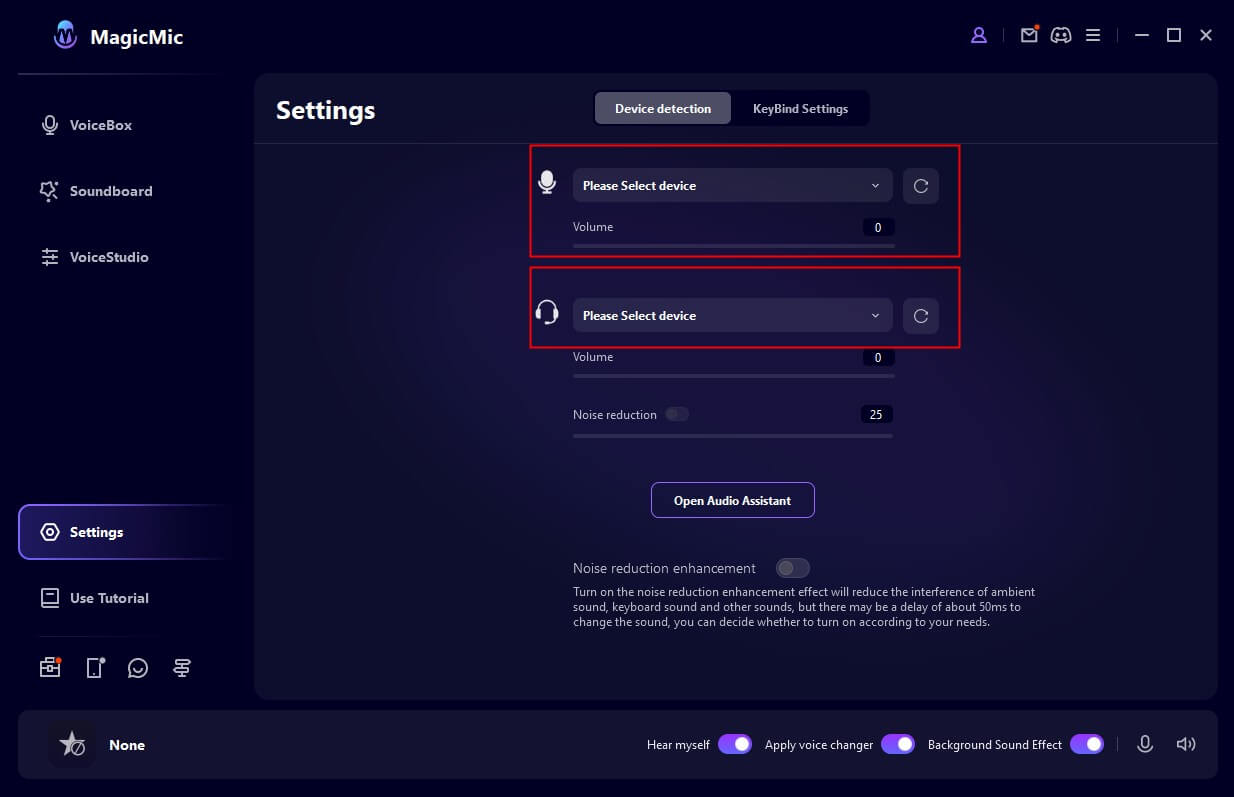
Now comes the fun part: selecting your Venom voice effect. Browse through the available voice options until you find the Venom voice. Most voice changers will have a preview function that lets you hear what you’ll sound like before you commit to using it in conversation.
Once you’ve found the perfect Venom voice, make sure the voice changer feature is activated. There’s usually a toggle switch or button that turns the effect on and off. Keep it on for now.
The final step is to configure Discord to use MagicMic as your input device. Open Discord and go to User Settings (the gear icon near your username). Navigate to the “Voice & Video” section in the left sidebar. Under “Input Device,” select “MagicMic Virtual Audio Device” from the dropdown menu.
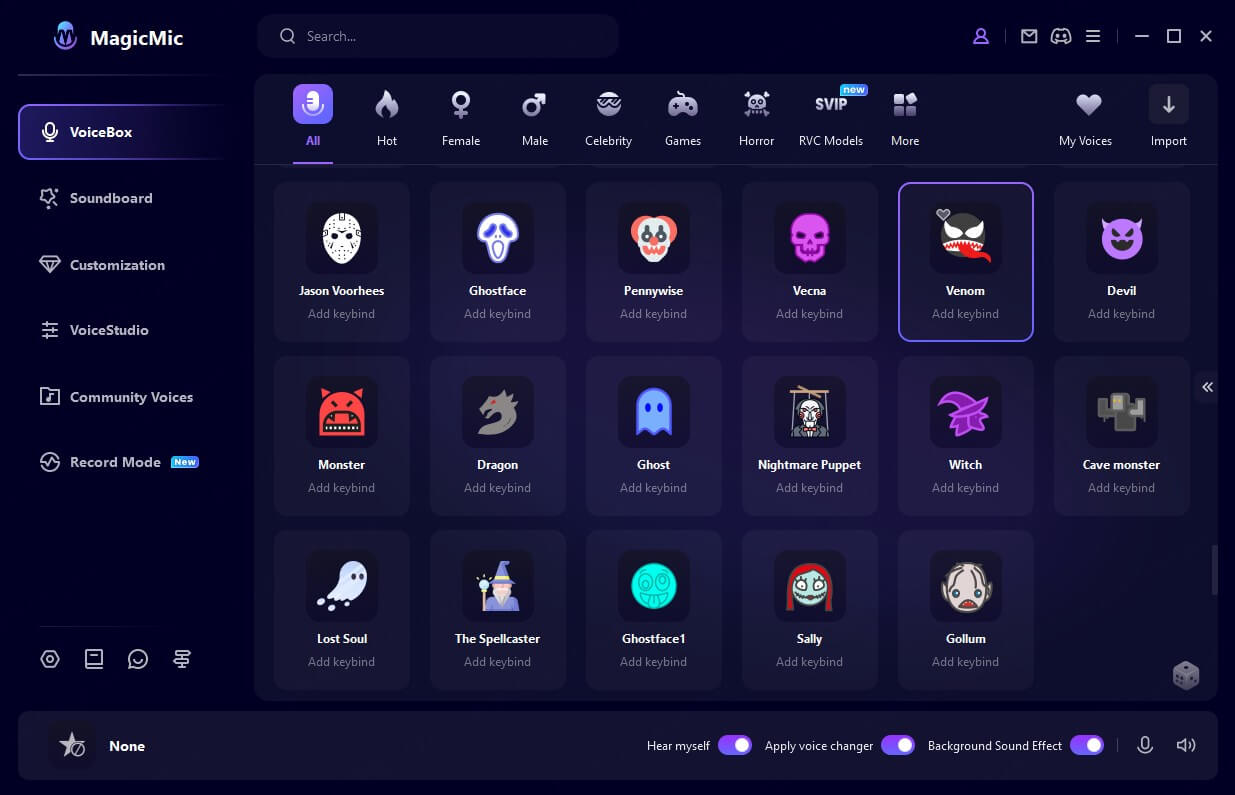
That’s it! You should now sound like Venom to everyone in your Discord calls. You can test it by using the “Let’s Check” microphone test feature in Discord’s voice settings. If everything is working properly, you’ll hear your transformed voice when you speak.
Tips for Perfecting Your Venom Voice
Having the right software is important, but how you use it also matters. Here are some tips to help you get the most convincing Venom voice possible:
Speak clearly and at a moderate pace. The voice changer will handle adding the effects, but if you mumble or speak too quickly, the result might be difficult to understand.
Experiment with different distances from your microphone. Being too close can cause distortion, while being too far away might make you sound faint. Find the sweet spot where your voice comes through clearly but with plenty of presence.
Practice your delivery. The Venom character has a very specific way of speaking – it’s menacing, confident, and sometimes playful. Try to capture that attitude in your tone and phrasing.
Use the venom soundboard sparingly. While it’s fun to have access to pre-recorded lines and sounds, overusing them can become annoying to others. Use them for emphasis or at particularly dramatic moments.
Test your setup before joining important calls or streams. Make sure everything is working properly and that your voice sounds the way you want it to. There’s nothing worse than discovering technical issues in the middle of a conversation.
Advanced Venom Voice Customization
For those who want to go beyond the preset Venom voice options, many voice changers offer advanced customization features. This allows you to fine-tune your voice to get exactly the sound you’re looking for.
Most venom voice changer applications include equalizer settings that let you adjust bass, treble, and mid-range frequencies. Boosting the lower frequencies can make your voice sound deeper and more powerful, while careful adjustment of the higher frequencies can add that signature gravelly texture.
Some applications also offer formant shifting, which changes the character of your voice without affecting the pitch in the same way as a simple pitch shifter. This can result in a more natural-sounding transformation that preserves the unique qualities of your voice while still achieving the Venom effect.
If you’re using a venom voice generator with AI capabilities, you might have access to even more sophisticated customization options. These can include adjusting the level of distortion, adding reverb or echo effects, and fine-tuning the balance between your natural voice and the added effects.
iMyFone MagicMic.Best Real Time AI Voice Changer.MagicMic is a professional real-time AI voice changer that changes your voice while communicating online. It’s easy to use, has extremely low latency, features high quality AI voices and is compatible with all systems. Discover 500+ AI voices and 100K+ meme soundboards with MagicMic today!
Check More Details | Download Now! | Check All Deals
Troubleshooting Common Issues
Even with the best software, you might occasionally run into technical problems. Here are some common issues and how to solve them:
If your voice changer isn’t working in Discord, double-check that you’ve selected the correct input device in Discord’s settings. It should be the virtual audio device created by your voice changer, not your physical microphone.
If there’s an echo or feedback, make sure you’re using headphones rather than speakers. When your transformed voice comes out of speakers and gets picked up by your microphone again, it creates a loop that causes echoing.
If the voice quality sounds robotic or distorted, try adjusting the buffer settings in your voice changer software. Increasing the buffer size can sometimes improve stability at the cost of a slight increase in latency.
If certain applications won’t work with your voice changer, check if those applications have their own audio settings that might be overriding your system defaults. Some games and programs have exclusive control over audio devices, which can interfere with voice changers.
If you’re experiencing performance issues or lag, make sure you’re using the latest version of your voice changer software. Updates often include performance improvements and bug fixes.
Creative Uses for Your Venom Voice
Once you have your venom voice changer app set up and working properly, there are countless ways to have fun with it. Beyond the obvious use in gaming and Discord chats, consider these creative applications:
Content creation is a natural fit for voice changers. If you make YouTube videos, TikTok content, or live streams, using a Venom voice can add an entertaining element to your productions. It’s particularly effective for reaction videos, commentary, or character work.
Podcasting is another area where a well-executed Venom voice can shine. Whether you’re creating a superhero-themed podcast or just want to include a memorable character voice segment, the Venom voice can add production value and entertainment.
Online presentations and virtual meetings might seem like an unusual place for a Venom voice, but used judiciously, it can be a great icebreaker. Of course, you’ll want to make sure your audience will appreciate the humor before using it in a professional context.
Voice acting practice is another excellent application. If you’re interested in developing your voice acting skills, experimenting with different character voices like Venom can be valuable practice. The instant feedback from the voice changer helps you understand how different vocal techniques affect the final result.
Prank calls with friends (with their permission, of course) can be hilarious when you’re using a convincing Venom voice. Just remember to keep it lighthearted and know when to reveal the joke.
The Future of Voice Changing Technology
Voice changing technology has come a long way in recent years, and it continues to evolve rapidly. The current generation of venom voice changer applications already offers impressive results, but future developments promise even more realistic and versatile voice transformations.
AI and machine learning are playing an increasingly important role in voice changing. Instead of simply applying preset effects, advanced systems can analyze your voice and generate a completely new voice that maintains your speech patterns and inflections while completely changing the sound. This technology is what powers the most sophisticated venom voice generator tools available today.
Real-time voice conversion is another area of active development. While current systems work with minimal delay, researchers are working on techniques that reduce latency even further while improving sound quality. This is particularly important for gaming and live streaming where timing is critical.
Custom voice model training is becoming more accessible. Some voice changers now allow you to train custom models based on sample audio, which means you could potentially create a Venom voice that’s uniquely yours rather than using a generic preset.
Cloud-based processing is another trend to watch. By offloading the computational work to powerful servers, cloud-based voice changers can offer more sophisticated effects without requiring high-end hardware on the user’s computer.
Choosing the Right Venom Voice Changer for You
With so many options available, selecting the best venom voice changer app can feel overwhelming. Your choice should depend on your specific needs, budget, and technical comfort level.
If you’re new to voice changing and want something that works right out of the box, MagicMic is an excellent starting point. Its user-friendly interface and reliable performance make it suitable for beginners while still offering enough features to keep more advanced users satisfied.
If budget is your primary concern, Clownfish offers a completely free solution that provides basic voice changing capabilities. While it may not have all the bells and whistles of paid alternatives, it gets the job done without costing anything.
If you’re serious about audio quality and customization, MorphVOX might be worth the investment. Its advanced features give you more control over the final sound, allowing you to fine-tune your Venom voice to perfection.
If you want to try before you buy, Voicemod’s free version provides a good middle ground. You can experience decent voice changing capabilities without spending money, with the option to upgrade to the premium version if you need more features.
No matter which venom voice changer you choose, the most important thing is that it works reliably with your preferred applications and delivers the sound quality you’re looking for. Don’t be afraid to try out a few different options until you find the one that fits your needs perfectly.
Conclusion
Transforming your voice to sound like Venom is an entertaining way to enhance your online interactions, whether you’re gaming, streaming, or just having fun with friends. With the right venom voice changer app, the process is straightforward and the results can be incredibly convincing.
From user-friendly options like MagicMic to free alternatives like Clownfish, there’s a voice changing solution for every budget and skill level. Setting up your venom voice generator with Discord takes just a few minutes, and once configured, you can switch between your normal voice and your Venom voice with a single click.
Remember that while the technical aspect is important, how you use your new voice is what really brings the character to life. Practice your delivery, experiment with different approaches, and most importantly, have fun with it. Whether you’re terrifying your friends in a multiplayer game or adding production value to your content, a well-executed Ven