TOOL HUNTER

Ever wanted to sound like a completely different person while gaming with friends or streaming to an audience? Maybe you’ve dreamed of pulling off the perfect prank with a celebrity voice, or simply wanted to maintain some privacy online. Well, the days of boring, robotic voice changers are over. Welcome to the world of iMyFone MagicMic, where your vocal imagination can run wild.
iMyFone MagicMic.Best Real Time AI Voice Changer.MagicMic is a professional real-time AI voice changer that changes your voice while communicating online. It’s easy to use, has extremely low latency, features high quality AI voices and is compatible with all systems. Discover 500+ AI voices and 100K+ meme soundboards with MagicMic today!
Check More Details | Download Now! | Check All Deals
Table of Contents
- What Exactly is MagicMic?
- Why MagicMic Stands Out From Other Voice Changers
- MagicMic’s Incredible Voice Library
- The Amazing MagicMic Soundboard Experience
- Who Actually Uses MagicMic?
- Getting Started With MagicMic
- Advanced Features You’ll Love
- Compatibility With Your Favorite Apps
- Free vs Paid – What’s the Difference?
- What Real Users Are Saying
- Creative Ways to Use MagicMic
- Is MagicMic Right For You?
What Exactly is MagicMic?
MagicMic is this super cool software that lets you change your voice in real-time. Imagine talking into your microphone but sounding like SpongeBob, a famous politician, or even switching your gender voice instantly. That’s what this tool does, and it does it incredibly well. Whether you’re a gamer, streamer, or just someone who loves having fun with friends online, MagicMic brings a whole new level of entertainment to your digital life.
The technology behind it is pretty impressive too. It uses something called RVC AI voice models, which is a fancy way of saying the voice changes sound incredibly realistic. Unlike those old voice changers that made you sound like a robot from a 1980s sci-fi movie, MagicMic keeps your voice natural and clear, just with a different character or tone.
Why MagicMic Stands Out From Other Voice Changers
You might be wondering what makes MagicMic so special when there are other voice changers out there. Well, let me break it down for you.
First off, the variety is absolutely insane. We’re talking about over 500 different AI voices you can choose from. That’s more than any other voice changer I’ve come across. Whether you want to sound like a cartoon character, a celebrity, or even create your own unique voice, the possibilities are practically endless.
Then there’s the soundboard feature. Oh man, the soundboard is a game-changer literally. With over 100,000 different sound effects at your fingertips, you can instantly play anything from classic meme sounds to custom audio clips you’ve uploaded yourself. It’s perfect for reacting to things in games or just making your friends laugh during a Discord call.



The real-time aspect is what really seals the deal though. There’s practically zero delay when you’re using MagicMic. This means when you’re in the middle of an intense gaming session, your voice changes happen instantly without any awkward lag that throws off your timing. The software is super lightweight too, so it won’t slow down your computer or affect your game performance.
MagicMic’s Incredible Voice Library
Let’s talk about the voices themselves because this is where the magic really happens. The voice library in MagicMic is like a candy store for voice enthusiasts. You’ve got everything from popular cartoon characters to famous celebrities and everything in between.
Want to sound like Alastor from Hazbin Hotel? They’ve got you covered. Feel like impersonating Morgan Freeman for your next storytelling session? Yep, that’s there too. How about switching your gender voice to completely surprise your gaming buddies? MagicMic makes it happen with stunning realism.
The voice quality is what really impressed me. Unlike some voice changers where the audio comes out distorted or unnatural, MagicMic uses advanced AI technology to maintain the clarity and natural flow of your speech. The transformed voices actually sound like real people (or characters) rather than computerized approximations.



What’s really cool is that new voices are being added regularly. The team behind MagicMic is constantly updating the library with fresh content, so there’s always something new to play with. Whether you’re into anime characters, movie villains, or just want to sound like a cute animal, you’ll find plenty of options to keep things interesting.
The Amazing MagicMic Soundboard Experience
Now let’s dive into one of my favorite features – the soundboard. If you’ve ever watched a streamer on Twitch or YouTube and wondered how they play those perfect sound effects at just the right moment, chances are they’re using a soundboard. And MagicMic has one of the best soundboards I’ve ever used.
We’re talking about a library of over 100,000 different sounds. That’s not a typo – one hundred thousand sounds! You’ve got everything from classic meme sounds like the fart noise or Vine references to game-specific sounds from titles like Fortnite, Valorant, and Among Us.



The organization is really well done too. Sounds are categorized so you can quickly find what you’re looking for. There are sections for gaming sounds, meme sounds, reaction sounds, and more. You can even create your own custom categories and organize your favorite sounds for quick access.
But here’s where it gets really powerful – you can upload your own sounds too. That means you can add inside jokes with your friends, custom sound bites from your favorite shows, or literally any audio clip you want. The MagicMic soundboard becomes your personal collection of audio goodness that you can unleash at any moment.
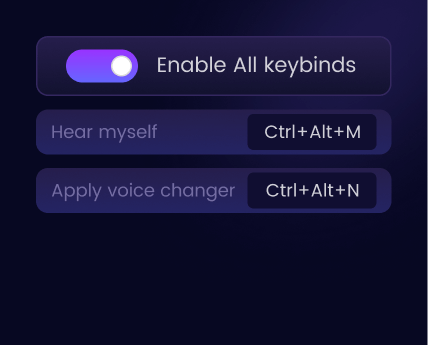
The keybinding feature is a lifesaver for gamers. You can assign specific sounds to keyboard shortcuts, so you can trigger them instantly without having to click through menus. When you’re in the middle of a heated battle in your favorite game, you don’t have time to search for the perfect sound effect – you need it now, and MagicMic delivers.
Who Actually Uses MagicMic?
You might be thinking this sounds fun, but who actually uses this software in their daily life? The answer is – pretty much everyone who communicates online!
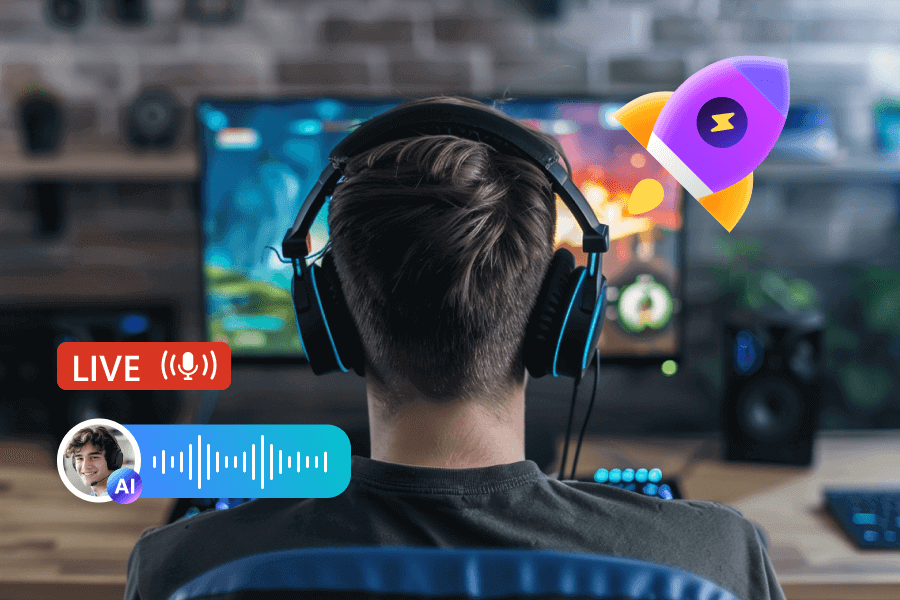
Gamers love MagicMic for obvious reasons. It adds a whole new layer of fun to gaming sessions. Imagine playing an RPG and actually sounding like your character, or pulling off hilarious pranks on your friends with unexpected voice changes. The gaming experience becomes so much more immersive and entertaining.
Streamers and content creators are huge fans too. If you’re trying to build an audience on platforms like Twitch or YouTube, having unique voice options and sound effects can really help you stand out from the crowd. It makes your content more engaging and memorable for viewers.
But it’s not just for entertainment purposes. Some people use MagicMic for privacy reasons. If you’re not comfortable using your real voice in online games or chat rooms, changing your voice can help protect your identity while still allowing you to communicate effectively.
Even professionals are getting in on the action. Online teachers use it to make their lessons more engaging, voice actors use it for practice and experimentation, and remote workers occasionally use it to add some fun to boring video meetings (though maybe check with your boss first on that one!).


Getting Started With MagicMic
The best part about MagicMic is how easy it is to get started. You don’t need to be a tech wizard to set this up. The installation process is straightforward, and the interface is intuitive and user-friendly.
After you download and install the software, you’ll need to configure your audio settings. This basically means telling MagicMic which microphone you’re using for input and which speakers or headphones you’re using for output. The software guides you through this process, so even if you’re not super familiar with audio settings, you’ll be fine.
Once you’re set up, using the voice changer is as simple as selecting a voice from the library and starting to talk. The change happens instantly, and you’ll hear the transformed voice through your headphones in real-time. If you don’t like how a particular voice sounds, just click on a different one – no complicated settings to adjust.
The soundboard is equally easy to use. You can browse through the categories, preview sounds by clicking on them, and when you find ones you like, you can add them to your favorites or assign them to keyboard shortcuts. Within minutes, you’ll be playing sound effects like a pro.
Advanced Features You’ll Love
While MagicMic is incredibly easy for beginners to pick up and use, it also has some powerful advanced features for those who want to dive deeper.
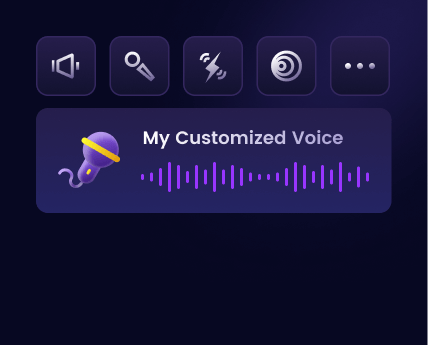
The Voice Studio is one of these advanced features that’s really impressive. This lets you create your own custom voice filters by adjusting various audio parameters. You can play with pitch, tone, resonance, and other settings to craft a voice that’s completely unique to you. It’s like having your own professional audio engineering studio built right into the software.
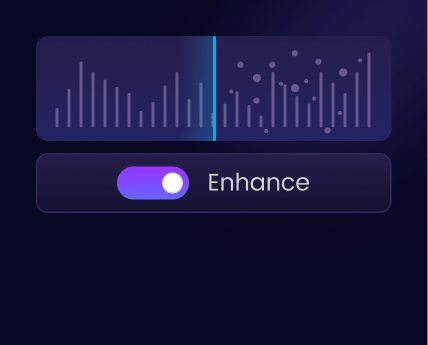
Then there’s the noise reduction technology. If you’ve ever used a microphone for gaming or streaming, you know how annoying background noise can be – keyboard clicks, fan noises, echoes, all that stuff. MagicMic’s noise reduction feature cleans up your audio with a single click, making your voice sound crisp and clear regardless of your recording environment.
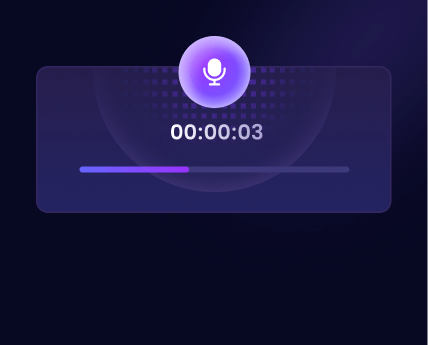
The recording feature is another gem. Besides changing your voice in real-time, you can also record your voice and then apply voice effects to the recording. This is perfect for creating voiceovers for videos, producing audio content, or just saving your funniest voice moments to share with friends later.
Compatibility With Your Favorite Apps
One of the biggest concerns people have with voice changers is whether they’ll work with the apps and games they actually use. With MagicMic, you don’t have to worry about compatibility issues.
MagicMic works with all the popular communication platforms. Whether you’re using Discord to chat with your gaming squad, Zoom for work meetings, Skype to call family, or any other voice chat application, MagicMic integrates seamlessly. The process is usually as simple as selecting MagicMic as your input device in the app’s audio settings.
For gamers, the compatibility is equally impressive. MagicMic works with all the major gaming platforms and titles. We’re talking about games like Fortnite, Valorant, League of Legends, Minecraft, Roblox, PUBG, and pretty much any other game that has voice chat functionality. The software doesn’t interfere with game performance, so you get all the fun of voice changing without any of the lag or technical issues.
Streamers will be happy to know that MagicMic plays nicely with streaming software too. Whether you’re using OBS, Streamlabs, or any other broadcasting software, you can easily incorporate MagicMic into your setup to add voice effects and soundboard elements to your streams.
Free vs Paid – What’s the Difference?
Now, I know what you’re probably thinking – “This sounds amazing, but how much is it going to cost me?” Well, here’s the good news: MagicMic has both free and paid versions, so you can try it out before committing any money.
The free version of MagicMic is actually pretty generous. You get access to 5 different voice filters that change daily, so you always have some variety to play with. The free version also includes some popular soundboard effects, and you can still use the basic voice changing features in real-time.
But if you really want to unlock the full potential of MagicMic, the paid version is where it’s at. With the premium version, you get access to all 500+ AI voices, not just a rotating selection of 5. You also get unlimited access to the entire soundboard library with over 100,000 sounds, and you can import as many custom sounds as you want.
The paid version also unlocks the advanced features like the Voice Studio for creating custom voices, noise reduction technology, voice recording capabilities, and RVC AI voice models for the most realistic voice transformations. If you’re serious about voice changing, the paid version is definitely worth the investment.
iMyFone MagicMic.Best Real Time AI Voice Changer.MagicMic is a professional real-time AI voice changer that changes your voice while communicating online. It’s easy to use, has extremely low latency, features high quality AI voices and is compatible with all systems. Discover 500+ AI voices and 100K+ meme soundboards with MagicMic today!

Check More Details | Download Now! | Check All Deals
What Real Users Are Saying
Don’t just take my word for it – MagicMic has been downloaded over 40 million times worldwide and has users in more than 90 countries. The user reviews are overwhelmingly positive, with people praising everything from the voice quality to the ease of use.
Content creators on YouTube have been particularly vocal about their love for MagicMic. Popular YouTubers with hundreds of thousands of subscribers have created tutorials and reviews showing off the software’s capabilities. The general consensus is that MagicMic offers better voice quality and more features than other voice changers in the same price range.
Gamers appreciate how lightweight the software is. Unlike some resource-heavy applications that can slow down your games, MagicMic runs smoothly in the background without affecting performance. The zero-latency voice changing means your reactions and conversations flow naturally, which is crucial in competitive gaming situations.
The customer support also gets high marks from users. If you ever run into issues or have questions, the MagicMic team is responsive and helpful. There’s an active Discord community where users share tips, custom voices, and soundboard creations, making it easy to get the most out of the software.
Creative Ways to Use MagicMic
Once you start using MagicMic, you’ll probably come up with your own creative applications, but here are some ideas to get you started:
For gaming, try matching your voice to your character. If you’re playing a fantasy RPG, use a mystical or ancient-sounding voice. In a horror game, use a creepy voice to enhance the atmosphere. The voice changing can make role-playing games incredibly immersive.
When streaming, use the soundboard to add comedic timing to your content. Play a sad trombone when you fail at something, a dramatic sound effect when something surprising happens, or a victory fanfare when you succeed. These audio cues make your stream more entertaining and professional.
For content creation, MagicMic opens up possibilities for character voices in your videos. You can create multiple distinct voices for different segments or characters without needing to recruit voice actors. This is especially useful for animated content or storytelling channels.
In online education, teachers can use different voices to represent historical figures, literary characters, or scientific concepts. This approach makes learning more engaging and memorable for students of all ages.
Even in casual Discord calls with friends, MagicMic can turn an ordinary conversation into a hilarious experience. Impersonate celebrities, create inside jokes with custom sounds, or just surprise everyone by suddenly sounding completely different.
Is MagicMic Right For You?
At the end of the day, whether MagicMic is worth it depends on what you’re looking for. If you occasionally want to play around with voice changing for fun, the free version might be all you need. But if you’re serious about gaming, streaming, or content creation, the paid version offers incredible value for the price.
The software is constantly being updated with new voices, features, and improvements, so your investment continues to pay off over time. The development team is clearly committed to making MagicMic the best voice changer on the market, and it shows in the quality and reliability of the product.
Considering the entertainment value, creative possibilities, and professional applications, MagicMic is one of those tools that’s just plain fun to have. It’s the kind of software you didn’t know you needed until you try it, and then you wonder how you ever managed without it.
So why not give it a shot? Download the free version and play around with it. See how it feels to sound like your favorite character or celebrity. Experiment with the soundboard and make your friends laugh. You might just discover that MagicMic becomes an essential part of your digital toolkit.
Some images courtesy of iMyFone