TOOL HUNTER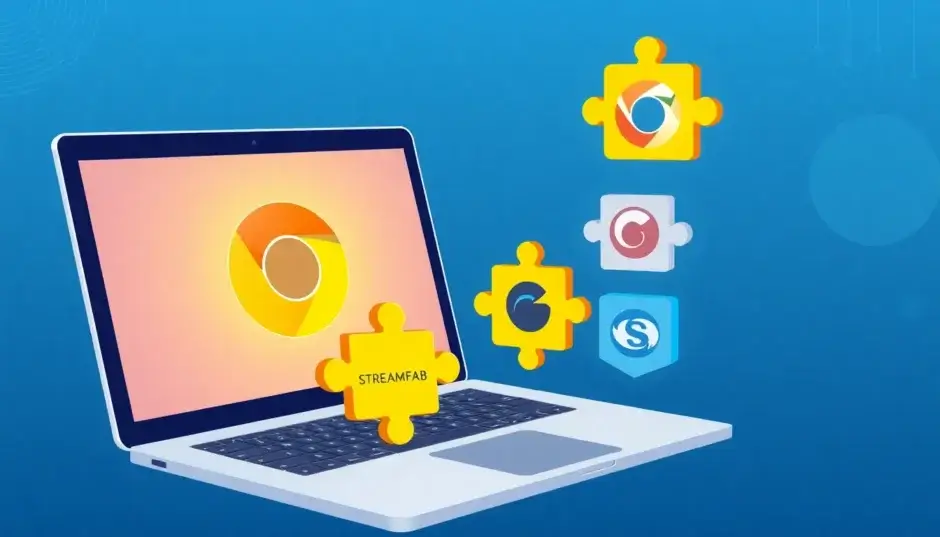

Best OnlyFans Downloader Chrome Extension 2024: Top Picks & Expert Guide
Are you tired of buffering or want to keep your favorite OnlyFans content for offline viewing? An OnlyFans downloader Chrome extension can be a convenient solution. But with many options available, choosing the right one can be tricky. In this guide, we’ll explore the best OnlyFans downloader Chrome extension options for 2024, covering their features, pros, cons, and essential safety tips.
Table of Contents
Why You Might Need an OnlyFans Downloader Chrome Extension
OnlyFans doesn’t offer a native download button for most content. While you can stream videos, saving them for offline access is another story. Here’s why you might consider a downloader:
- Offline Viewing: Watch your favorite creators’ content without an internet connection, perfect for travel or areas with poor connectivity.
- Personal Backup: Keep a copy of content you’ve paid for, in case the creator deletes it or your subscription lapses.
- Convenience: Access content from multiple devices without needing to log in each time.
However, it’s important to remember that downloading content should be for personal use only, respecting the creator’s rights and OnlyFans’ terms of service.
How to Choose the Right OnlyFans Downloader Chrome Extension
Not all downloaders are created equal. Here are key factors to consider:
- Ease of Use: Look for a simple, intuitive interface that doesn’t require technical skills.
- Download Quality: Ensure it supports HD or even 4K video quality.
- Batch Downloading: If you want to save many videos at once, check for bulk download capabilities.
- DRM Support: Some content may be DRM-protected; not all extensions can handle that.
- Cost: Many extensions are free, but some offer premium features for a fee.
- Privacy and Security: Avoid extensions that ask for unnecessary permissions or require logging in through their own popup.
Top OnlyFans Downloader Chrome Extensions in 2024
Based on extensive research and user reviews, here are the top contenders for 2024:
1. Video DownloadHelper
Video DownloadHelper is a popular, versatile extension that supports downloading from over 1000 websites, including OnlyFans. It’s known for its reliability and user-friendly interface.
Key Features:
- Detects videos automatically on the page.
- Supports multiple formats (MP4, MKV, WebM).
- Offers HD video downloads.
- Free version available, with premium upgrade for unlimited downloads.
How to Use:
- Install Video DownloadHelper from the Chrome Web Store.
- Go to OnlyFans and play the video you want.
- Click the Video DownloadHelper icon in your toolbar.
- Select the desired format and resolution, and download.
Pros:
- Reliable and widely used.
- Easy to use.
- Supports many sites.
Cons:
- Free version has download limits.
- Does not support DRM-protected videos.
2. Downloader for OnlyFans.com (GitHub)

This open-source extension, available on GitHub, was specifically designed for OnlyFans. It adds download buttons directly to the page, making it straightforward to save content.
Key Features:
- Adds download buttons to posts and galleries.
- Supports images, GIFs, audio, and videos.
- Bulk download from timeline or messages.
- Customizable options (e.g., separate folders).
How to Install (Manual):
- Download the extension ZIP from GitHub.
- Unzip it to a folder.
- Go to chrome://extensions/ and enable Developer Mode.
- Click “Load unpacked” and select the folder.
Pros:
- Free and open-source.
- No ads.
- Built for OnlyFans.
Cons:
- Not available on the Chrome Web Store (removed).
- May require manual installation.
- No DRM support.
3. Bulk Media Downloader
As the name suggests, this extension focuses on downloading multiple media files at once. It’s suitable for users who want to save entire albums or many videos efficiently.
Key Features:
- Downloads videos, images, and audio in bulk.
- Dark and light themes.
- Simple interface.
How to Use:
- Install Bulk Media Downloader from the Chrome Web Store.
- Visit OnlyFans and log in.
- Play a video or open a page with media.
- Click the extension icon to open the grabber.
- Refresh the page and select the media links to download.
Pros:
- Good for batch downloads.
- Free to start (limited).
Cons:
- Slow download speed.
- May not catch all videos.
- Paid plan required after 10 downloads.
4. Locoloader Extension
Locoloader is a browser extension that works with Chrome and Firefox. It’s designed to download videos from OnlyFans and other sites, offering multiple resolutions.

Key Features:
- Paste a post link to get download options.
- MP4 download in 720p, 240p, or source quality.
- Also supports conversion to MP4 via VLC commands.
- Free and ad-free.
How to Use:
- Install Locoloader extension.
- Copy the link to an OnlyFans post.
- Paste it into Locoloader’s input field.
- Click a download button for your preferred quality.
Pros:
- Simple and free.
- No ads.
- Works on desktop.
Cons:
- Cannot handle DRM-protected content.
- Requires manual link copying.
5. StreamFab OnlyFans Downloader for Chrome (Browser Extension)
StreamFab offers a desktop software and a browser extension. The extension is designed to work with Chrome and Edge, providing a seamless way to download OnlyFans videos.
Key Features:
- Download in up to 1080p.
- Batch download from collections.
- Saves videos as MP4.
- Integrates with the StreamFab ecosystem.
How to Use:
- Install the StreamFab extension from the official site.
- Log in to OnlyFans.
- Navigate to a video and click the download button.
Pros:
- High-quality downloads.
- Reliable brand.
- Good for batch downloads.
Cons:
- Requires a paid subscription for full features.
- The extension alone may have limitations.
Comparison Table: Quick Overview
| Extension | Ease of Use | Quality | Batch Download | DRM Support | Price |
|---|---|---|---|---|---|
| Video DownloadHelper | Easy | HD | No | No | Free/Premium |
| Downloader for OnlyFans | Moderate | HD | Yes | No | Free |
| Bulk Media Downloader | Easy | HD | Yes | No | Free/Paid |
| Locoloader | Easy | HD | No | No | Free |
| StreamFab Extension | Easy | 1080p | Yes | Yes | Paid |
How to Safely Install and Use OnlyFans Downloader Chrome Extensions

Installing an extension from the Chrome Web Store is generally safe, but you should always check permissions and reviews. For extensions from GitHub, follow these steps:
- Download the Extension: Get the ZIP file from the official repository.
- Enable Developer Mode: Go to chrome://extensions/ and toggle Developer Mode.
- Load Unpacked: Click “Load unpacked” and select the extracted folder.
- Test: Visit OnlyFans and ensure the extension works as expected.
Safety Tips:
- Only use extensions from trusted sources.
- Avoid extensions that ask for your OnlyFans password.
- Check permissions—if an extension wants access to all websites, be cautious.
- Keep your browser and extensions updated.
Legal and Ethical Considerations
Downloading content from OnlyFans is a gray area. While it’s generally acceptable for personal use if you have a subscription, you must not redistribute or use it commercially. Always respect the creator’s intellectual property and OnlyFans’ terms of service. According to the GitHub repository for the OnlyFans Downloader, downloading for private use is allowed, but reproduction, publication, or distribution is strictly prohibited.
Frequently Asked Questions
Can I download OnlyFans videos with a Chrome extension?
Yes, many Chrome extensions can download OnlyFans videos, but they may not work for DRM-protected content. For example, Apify’s OnlyFans Downloader Chrome Extension provides a companion workflow for saving media you own or have permission to access.
Is it legal to download OnlyFans content?
Downloading for personal use is generally considered legal if you have a subscription, but redistribution is prohibited. As stated in the GitHub FAQ, as long as you are paying a subscription, it’s legal to download content for personal use.
Will the creator know if I download their content?
No, OnlyFans does not notify creators when someone downloads their content. This is confirmed in the GitHub FAQ.
Are these extensions safe?
Most are safe if downloaded from official sources, but you should always check permissions and reviews. Be wary of extensions that ask for excessive permissions or require you to log in through their popup, as highlighted in the StreamFab guide.
Additional Tips for Maximizing Your Experience
Beyond choosing the right extension, there are several practices you can adopt to ensure a smooth and secure downloading experience. Here are some expert tips:
Keep Your Browser Updated
Chrome regularly updates its security features, which can affect extension compatibility. Always ensure your browser is up-to-date to avoid issues with your downloader.
Use a VPN for Privacy
While downloading content is generally safe, using a VPN can add an extra layer of privacy, especially if you’re concerned about your ISP tracking your online activities. A VPN can also help if you encounter geo-restrictions.

Organize Your Downloads
If you download a lot of content, consider creating a dedicated folder on your computer for OnlyFans videos. This helps keep your files organized and makes it easier to manage your personal library.
Check for Updates Regularly
Extensions, especially open-source ones, may receive updates that fix bugs or add new features. Check the developer’s page or GitHub repository periodically for updates.
Test with a Free Account
Before committing to a paid extension, test its free version with a free OnlyFans account (if available) to ensure it works as expected. This can save you from wasting money on a tool that doesn’t meet your needs.
Common Issues and Troubleshooting
Even with the best extensions, you might encounter issues. Here are some common problems and solutions:
Extension Not Detecting Videos
If your extension fails to detect videos, try refreshing the page or restarting your browser. Sometimes, OnlyFans updates its player, temporarily breaking extensions. Clearing your browser cache can also help.
Downloads Stuck or Failing
If downloads are stuck or fail, check your internet connection and ensure you have enough storage space. Some extensions have daily download limits, so you might need to wait or upgrade.
Video Quality Lower Than Expected
Some extensions only download the default quality. Check the settings to ensure you’re selecting the highest available resolution. Also, note that some videos are only available in certain qualities based on your subscription.
Extension Causing Browser Slowness
If your browser becomes slow, try disabling other extensions or updating the downloader. Some extensions are resource-heavy, so consider using a lighter alternative if performance is an issue.
Alternatives to Chrome Extensions
If Chrome extensions aren’t working for you, consider other methods to download OnlyFans content:
- Desktop Software: Programs like StreamFab or 4K Video Downloader offer more robust features, including DRM support and higher download speeds.
- Online Services: Some websites offer download services, but they may require you to log in with your OnlyFans credentials, which is risky. Avoid these if possible.
- Screen Recording: As a last resort, you can use screen recording software to capture videos, but this results in lower quality and is more time-consuming.
Conclusion
Choosing the best OnlyFans downloader Chrome extension in 2024 depends on your needs. For simplicity and reliability, Video DownloadHelper is a solid choice. For batch downloading, consider Bulk Media Downloader or the GitHub project. If you need DRM support, you might need a desktop solution like StreamFab. Always prioritize safety and respect creators’ rights.
We hope this guide helps you find the perfect tool. Happy downloading!