TOOL HUNTER

Summary: Trying to play a region 3 DVD in the US can be frustrating due to regional locks. This guide explains what a region 3 DVD player is compatible with and provides three effective methods to watch your discs, including using region-free software, converting the DVD, or purchasing a multi-region hardware player. You’ll find everything you need to enjoy your region 3 dvd collection without limits.
Ever brought back a cool DVD from a trip to Southeast Asia, only to have your US player reject it? Or maybe a friend sent you a movie that just won’t play. That annoying “Wrong Region” message is all thanks to DVD region codes, a digital rights management system. If you’re holding a region 3 dvd and living in the US, you’ve hit a common wall. But don’t worry, it’s a wall you can easily climb over. This isn’t about breaking rules; it’s about finding smart, legitimate ways to access the content you own. Let’s dive into what these codes mean and, more importantly, how to get around them.
What is a Region 3 DVD and Why Won’t It Play in the US?
First things first, let’s clear up the confusion. A DVD region code is like a digital fence. Movie studios and distributors use it to control where and when a film is released. It’s about copyright protection and managing distribution rights across the globe. Every commercially sold DVD has a region code embedded in it, and most DVD players are programmed to only play discs from their own specific region.
The world is divided into several DVD regions:
- Region 1: United States, Canada
- Region 2: Europe, Japan, South Africa, Middle East
- Region 3: Southeast Asia and East Asia (including Hong Kong, Taiwan, South Korea)
- Region 4: Australia, New Zealand, Latin America
- Region 5: Russia, Africa, India
- Region 6: China
- Regions 7 and 8 are reserved for special use.
So, a region 3 dvd player sold in, say, Thailand is built to only recognize discs marked for Region 3. Conversely, a DVD player bought in the US is a Region 1 device. It’s a strict system: a Region 1 player and a region 3 dvd simply don’t speak the same language, which is why you get that error.

Will a region 3 dvd player work with your US-bought discs? Nope. And will your US player play that region 3 dvd? Unfortunately, not directly. The codes are usually printed on the back of the DVD case or on the disc itself—a small globe with a number inside. But just because the default setting is “no,” doesn’t mean there aren’t perfectly good ways to say “yes.” Here are three proven methods to solve this puzzle.
Method 1: Use a Region-Free Software Media Player
The simplest and most cost-effective solution is to use your computer with a special kind of software called a region-free media player. Think of this as a universal translator for your DVD drive. These programs ignore the region code entirely, allowing you to pop in any disc from any part of the world and hit play.
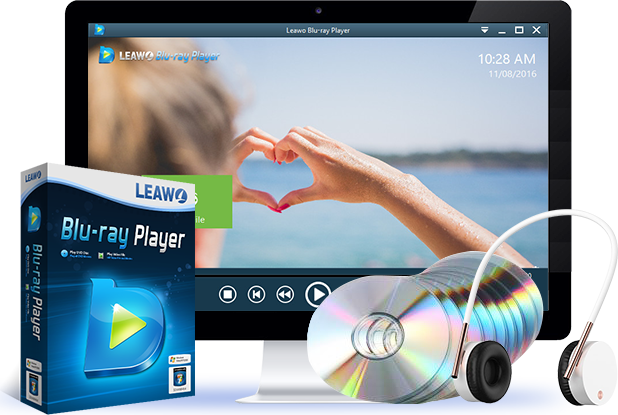
A great example of this is a free Blu-ray and DVD player software. It’s designed to bypass regional restrictions, disc encryption, and other playback locks. This means you can play that region 3 dvd on your Windows or Mac computer without any hiccups. Beyond just DVDs, these players often handle a ton of other formats—like Blu-ray discs, ISO image files, and all your common video files (MKV, MP4, AVI, etc.)—in high quality.

Why choose this method?
- It’s Free: The core playback functionality is often completely free.
- No Permanent Changes: You don’t have to alter your physical DVD drive’s firmware.
- Versatility: It turns your computer into a powerful, multi-format home theater.
- High Quality: Many support up to 4K video output and advanced audio codecs for a great experience.
Simply download and install the software, insert your region 3 dvd into your computer’s drive, open the program, and select the disc. It should start playing immediately, menu and all, just as if it were a local disc. It’s the digital equivalent of having a region 3 dvd player right on your desktop.
Try Leawo Blu-ray Player right now! 100% Free 4K UHD Blu-ray/DVD/4K HD Video Player in the World!
Get the Windows version | Get the Mac version | Use the time-limited promotional campaign
Method 2: Convert Your Region 3 DVD to a Digital File
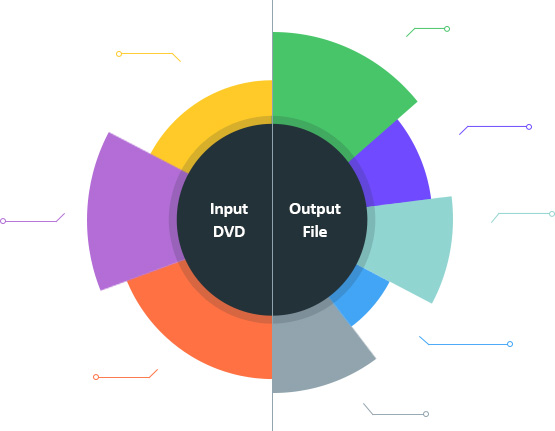
Maybe you don’t want to be tied to your computer. Perhaps you want to watch the movie on your tablet, phone, or a different media device like a Roku or Apple TV. In that case, converting your physical region 3 dvd into a universal digital video file is a brilliant workaround. This process, often called “ripping,” copies the content off the disc, removes the region lock and other protections, and saves it as an MP4, MKV, or another common format.
To do this, you need a capable DVD ripper tool. These applications are built to decrypt and convert DVDs. A robust option like a professional DVD converter can handle not just region codes but also CSS encryption, making your movie truly portable.

How to Convert a Region 3 DVD:
- Load the Disc: Insert your region 3 dvd into your computer’s drive. Open your DVD ripper software and use the ‘Add Disc’ or similar button to import the movie. You can often choose to rip the full disc with menus or just the main movie.
- Choose Your Format: This is the fun part. Select what you want to convert the DVD into. Want it for your iPhone? Choose an MP4 preset. For a smart TV or Plex server, MKV might be better. Good software offers profiles for hundreds of devices and formats.
- Customize (Optional): You can often tweak settings like video quality, resolution, subtitles, and audio tracks. You can even select specific chapters.
- Convert and Save: Pick a folder on your computer to save the new file and click the Convert or Start button. Once it’s done, you’ll have a region-free video file you can copy, stream, or watch anywhere, forever.
This method effectively creates a permanent, flexible copy of your movie. You’re no longer asking “will a region 3 dvd player solve this?” because you’ve removed the region from the equation entirely.
Try Leawo DVD Ripper right now! Rip DVDs to video and audio in 180+ formats with 6X faster speed and 100% original quality retained.
Get the Windows version | Get the Mac version | Use the time-limited promotional campaign
Method 3: Invest in a Multi-Region or Code-Free DVD Player
If you’re a physical media enthusiast with a collection from around the world, the most straightforward hardware solution is to buy a dedicated multi-region DVD player. These are sometimes called “region-free” or “code-free” players. They are modified (or designed from the factory) to ignore region codes on DVDs, and sometimes even on Blu-rays.
You can find these players from various electronics brands. One popular example is a certain LG model that is known for being multi-region out of the box. The main appeal is convenience: it works just like any other DVD player. You plug it into your TV, put in any disc—your US Region 1 discs, your new region 3 dvd, even discs from Europe—and it plays without complaint.

What to Look For in a Multi-Region DVD Player:
- True Region-Free Playback: Ensure it explicitly states it plays DVDs from all regions (1-6).
- Upscaling: Many modern players can upscale standard DVD video to near-HD quality through an HDMI connection.
- File Playback: A useful bonus is a USB port that lets you play digital video files from a flash drive.
- Format Support: Check if it can also play CDs, MP3s, and DivX files for added utility.
This is the closest you’ll get to having a universal region 3 dvd player in your living room. It’s a one-time purchase that solves the problem for your entire existing and future disc collection.
Making Your Choice
So, which method is right for you?
- For quick, free, and computer-based viewing: Go with a region-free software media player.
- For ultimate flexibility and portability to other devices: Convert your region 3 dvd to a digital file.
- For the simplest, most authentic living-room experience with a large disc collection: Buy a multi-region DVD player.
Each method effectively answers the core question: how to make a region 3 dvd player experience possible in a Region 1 country. You don’t have to miss out on great films from other parts of the world. With a little know-how and the right tool, you can tear down that digital fence and enjoy a truly global movie library.
Some images are sourced from the internet.