TOOL HUNTER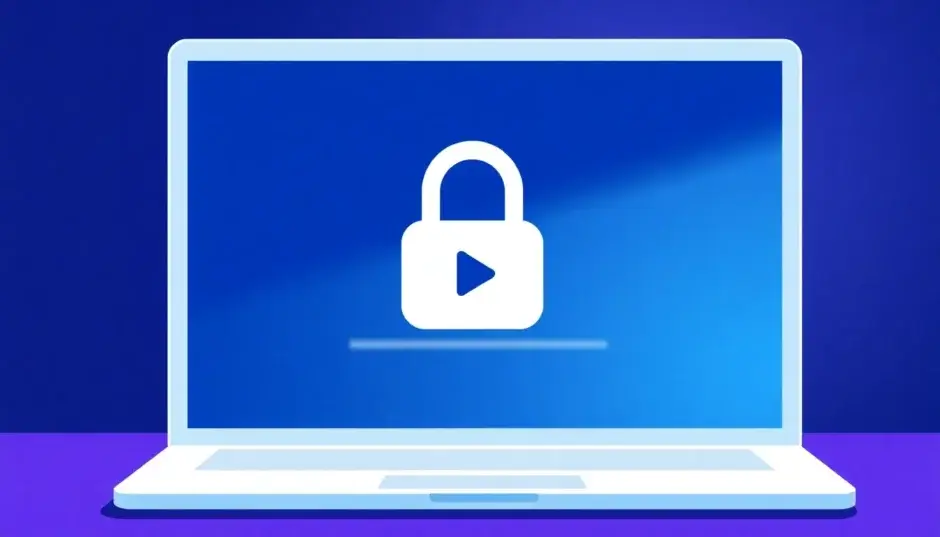

Summary: Ever clicked a YouTube link only to find the video is private? This guide explains exactly what private YouTube videos are and reveals practical methods for how to watch a private video on YouTube. We’ll cover everything from getting official permission to alternative viewing techniques and how to save these videos once you have access.
It’s a frustratingly common scenario. You save a link to a helpful tutorial, a memorable concert clip, or a friend’s shared video, only to return later and be greeted by the message: “This video is private.” The content hasn’t been deleted, but it’s been placed behind a digital wall. This leaves many wondering if there’s a way to watch a private video on YouTube, or if they need a special private YouTube video viewer. The short answer is: it’s tricky, but not always impossible. This article will walk you through the realities of private videos and explore the avenues available for viewing private YouTube videos.
What Are Private YouTube Videos?
Let’s start with the basics. A private YouTube video is a visibility setting chosen by the video’s uploader. Unlike public or unlisted videos, a private video is not searchable on YouTube, won’t appear in your subscription feed, and cannot be seen by the general public. Think of it as a digital invitation-only event.
The uploader has complete control and can grant access to a maximum of 50 specific Google accounts via email invitation. Only those invited individuals can watch the video by logging into their YouTube/Google account. This makes private videos perfect for sharing family moments with relatives, collaborating on confidential business projects, or getting feedback on a video draft from a select group before a public launch.

Because of these strict restrictions, there is no magic “private YouTube video viewer” that can bypass YouTube’s security. Access fundamentally relies on the creator’s permission. However, if you find yourself needing to watch a private video on YouTube, there are a few legitimate and semi-legitimate paths you can explore.
How to Watch a Private Video on YouTube: 3 Methods
Since private videos are designed for restricted access, directly viewing them without an invite is against YouTube’s terms. The methods below range from the most ethical and reliable to clever workarounds that have worked for some users in the past.
Method 1: Request Access Directly (The Official Way)
This is the most straightforward and recommended method for viewing private YouTube videos. If you know who uploaded the video, reach out to them and politely ask if they would be willing to add your Google email address to the video’s viewer list.
Here’s how it typically works:
- Contact the video owner through a comment on their public video, a social media DM, or email if you have it.
- Clearly state which video you’d like access to (providing the original link helps).
- If they agree, they will need the exact email address associated with your YouTube/Google account.
- They add that email in YouTube Studio under the video’s privacy settings.
- You will then be able to watch the video when logged into that account.

This method guarantees access and respects the creator’s wishes. It’s the only 100% reliable way for viewing private YouTube videos.
Method 2: The URL Modification Trick (A Historical Glitch)
Over the years, users have discovered a quirky trick that sometimes allowed access to private or unlisted videos. It’s important to stress that this does not work consistently and YouTube frequently patches such glitches. It’s more of a historical footnote now, but some still report occasional success.
The idea was to manipulate the video’s URL structure. A standard YouTube watch URL looks like: youtube.com/watch?v=VIDEO_ID.
The trick involved changing it to: youtube.com/v/VIDEO_ID or youtube.com/embed/VIDEO_ID.

Why might this have worked? In the past, different YouTube players (like the old Flash player or the embeddable player) sometimes had slightly different permission checks. However, YouTube has largely unified its systems. Today, attempting this will most often result in a “Video unavailable” error or simply redirect you back to the standard private video warning page. While it costs nothing to try, don’t get your hopes up. It’s not a dependable private YouTube video viewer solution.
Method 3: Check if You’re Already Invited (The Simple Overlook)
Sometimes, the solution is simpler than you think. If someone shared a private video link with you, ensure you are logged into the correct Google account. The invitation is tied to a specific email address. If you have multiple accounts (e.g., a personal Gmail and a work Gmail), you might be logged into the wrong one. Try logging out and then logging back in, or try accessing the link from an incognito/private browser window and logging in with the email you believe was invited.
How to Save a Private YouTube Video for Offline Viewing
Once you have successfully gained access to a private video through an invitation, you might want to download it for offline viewing. This ensures you can watch it later even if the uploader decides to remove your access or delete the video entirely. Please note that downloading videos may violate YouTube’s Terms of Service, and you should only do this for personal use and with content you have permission to save.
Historically, some dedicated video downloader software claimed the ability to download private videos if you had the invite link. However, as of 2025, major downloaders like CleverGet have explicitly stopped supporting this feature due to technical and policy changes from YouTube.
The most reliable method now is to use screen recording software while the video is playing on your screen. This approach effectively creates a personal copy.
Recommended Steps for Recording:
- Gain Access First: Use Method 1 to get official permission to watch the private video.
- Choose a Screen Recorder: Use a reputable screen recording tool. Many operating systems have built-in options (like Xbox Game Bar on Windows or QuickTime Player on Mac), or you can use third-party software.
- Configure Settings: Set the recorder to capture your system audio and the specific browser window or screen area. Choose a high output resolution (like 1080p) and format (MP4 is widely compatible).
- Play and Record: Start the recorder, then play the YouTube private video from start to finish without interruptions.
- Save the File: Stop the recording and save the file to a secure location on your computer.
This method turns your computer into a makeshift private YouTube video viewer and recorder, preserving the content for your personal archive.

(Image showing a video downloader interface, now repurposed to illustrate the concept of accessing a video source for recording.)
Try Leawo Screen Recorder right now! Record all activities on your computer screen as HD screencast, webcam video, system and microphone audio, and capture screenshots effortlessly, perfect for tutorials, online classes, presentations, gameplay, and meetings.
Get the Windows version | Get the Mac version | Use the time-limited promotional campaign
Why Would a Video Be Made Private?
Understanding the “why” can help you decide how to approach requesting access. Common reasons include:
- Personal Content: Family videos, personal vlogs, or home movies meant only for close friends and family.
- Content Review: Creators often upload videos as “Private” to get feedback from editors, collaborators, or beta testers before the public release.
- Licensing or Copyright Issues: A creator may temporarily privatize a video while disputing a copyright claim or reviewing licensed content.
- Updating or Correcting Content: The video might be outdated or contain an error, and the creator is working on a new version.
- Channel Strategy: Some creators privatize old content to refresh their channel’s public image.
Important Legal and Ethical Considerations
When exploring how to watch private YouTube videos, it’s crucial to stay within ethical and legal boundaries.
- Respect Privacy: A private video is private for a reason. Attempting to circumvent access without permission is a violation of the uploader’s privacy and YouTube’s Terms of Service.
- No Hacking Tools: Avoid any website or software that claims to be a “private YouTube video viewer” hack or password cracker. These are almost always scams designed to deliver malware or steal your personal information.
- Copyright Still Applies: Even if you gain access to a private video, the copyright remains with the owner. You do not have the right to redistribute, re-upload, or use the content commercially.
- Personal Use: Any recording or download should be strictly for your own personal, offline viewing.
Final Thoughts on Viewing Private YouTube Videos
So, is there a surefire way to watch a private video on YouTube? The most honest and effective path is always through direct communication and permission from the video owner. The idea of a universal private YouTube video viewer is a myth; YouTube’s security on private content is robust for a reason.
The URL trick is a relic of the past with sporadic success, and while screen recording is a viable option after you have access, it’s not a method for gaining that initial access. The core takeaway is that viewing private YouTube videos hinges on the relationship and trust between you and the content creator. If the video is important to you, a polite request is your best and most respectful tool.
Some images are sourced from the internet.