TOOL HUNTER

Ever since Roblox introduced voice chat, the gaming community has been buzzing with excitement. Being able to talk with friends while exploring different worlds adds a whole new dimension to the experience. But what if you want to take it a step further and change your voice while playing? That’s where a Roblox voice changer comes in handy.
Using a voice changer for Roblox can make your gaming sessions more entertaining, whether you want to sound like a robot, a monster, or just disguise your voice for fun. If you’ve been wondering how to get a voice changer on Roblox, you’re in the right place. This guide will walk you through everything you need to know, from setting up voice chat to exploring the best voice changers for Roblox available today.
How to Enable Voice Chat on Roblox
Before diving into voice changers, you’ll need to make sure voice chat is enabled on your Roblox account. Roblox isn’t just one game—it’s a massive platform with thousands of user-created experiences. The introduction of voice chat in late 2021 was a game-changer, allowing players to communicate using their real voices instead of just text.
However, there’s an important requirement: you must be at least 13 years old to use voice chat on Roblox. The platform takes safety seriously, so you’ll need to verify your age before accessing this feature.
Verifying Your Age on Roblox
Here’s how to confirm your age so you can start using voice chat:
Step 1: Log into your Roblox account and click on the Settings icon (it looks like a gear).
Step 2: Navigate to “Account Info” and look for the “Verify My Age” option.
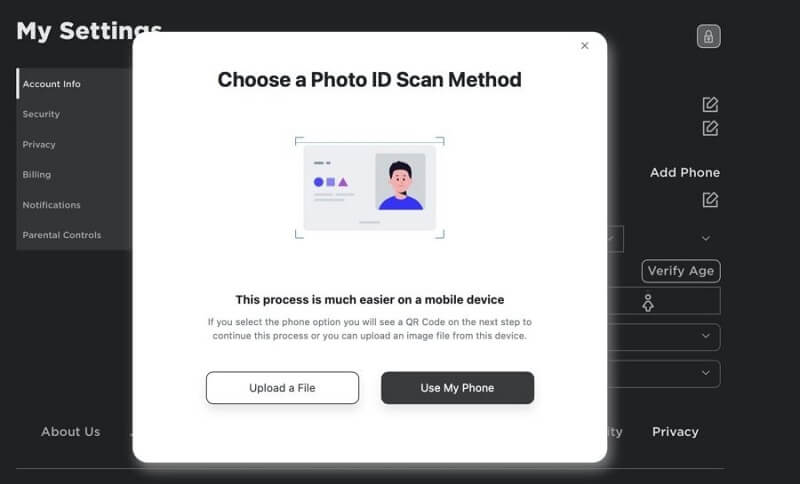
Step 3: A QR code will appear on your screen. Use your smartphone to scan this code—it will take you to the verification process.
Step 4: Follow the on-screen instructions to scan a government-issued ID and take a selfie. This helps Roblox confirm your identity and age.
Once your age is verified, you’re ready to enable voice chat.
Activating Voice Chat Feature
The process differs slightly depending on whether you’re using a computer or mobile device:
On Windows or Mac:
- Click the gear icon in the top-right corner
- Select “Settings” from the dropdown menu
- Go to the “Privacy” tab
- Toggle on the “Spatial Voice Chat” option
On Mobile Devices:
- Tap the three dots icon
- Select the Settings (cog) icon
- Navigate to “Privacy”
- Enable voice chat from there
Remember, the friends you want to voice chat with also need to be 13 or older and have completed the verification process. Otherwise, they won’t be able to hear you or participate in voice chats.
Top Voice Changers for Roblox
Now for the fun part—changing your voice while playing Roblox! A good Roblox voice changer can transform your gaming experience, letting you sound completely different while communicating with other players. Here are some of the best options available for voice changers for Roblox.
MagicMic Roblox Voice Changer
When it comes to voice changer Roblox options, MagicMic stands out as a top choice for many players. Its user-friendly interface makes it accessible even if you’ve never used voice modification software before.
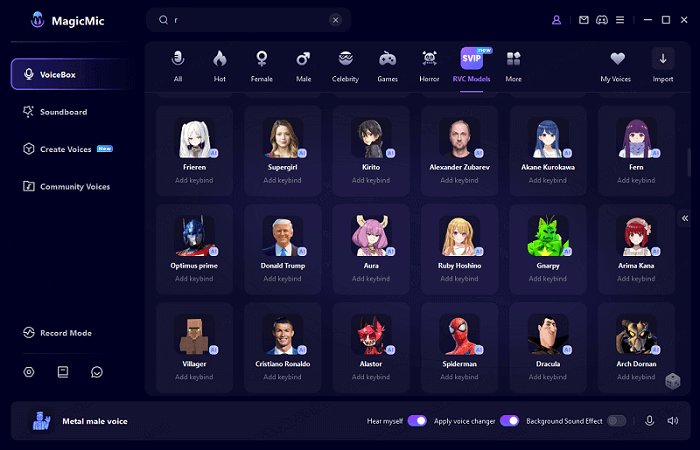
What makes MagicMic particularly impressive is its massive library of voice filters and sound effects. You can instantly transform your voice into hundreds of different characters and creatures with just one click. The software works seamlessly with Roblox, making it simple to set up and start using right away.
Compatibility: Windows and Mac
Key Features:
- Over 300 voice effects for instant voice changing
- Huge collection of 100,000+ meme soundboards
- Real-time voice modification during gameplay
- Voice recording and audio editing capabilities
- Custom voice creation with voice studio features
- Convenient keybinds for quick voice switching during games
iMyFone MagicMic.Best Real Time AI Voice Changer.MagicMic is a professional real-time AI voice changer that changes your voice while communicating online. It’s easy to use, has extremely low latency, features high quality AI voices and is compatible with all systems. Discover 500+ AI voices and 100K+ meme soundboards with MagicMic today!

Check More Details | Download Now! | Check All Deals
How to Use MagicMic with Roblox
Setting up this voice changer for Roblox is straightforward:
Step 1: Download and install MagicMic on your computer, then launch the application.
Step 2: Configure your audio settings by selecting your microphone as the input device and your headphones or speakers as the output device.
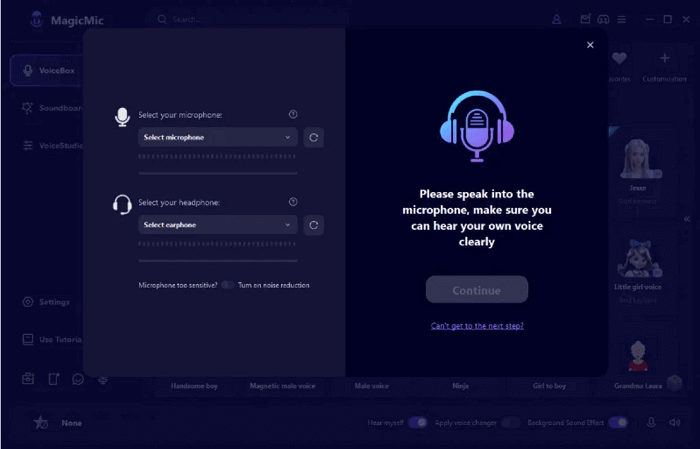
Step 3: Browse through the voice filters and select one that you like. You can also add sound effects from the extensive library or import your own custom sounds.
Step 4: Open Roblox and go to Settings. Choose “Voice Changer Virtual Audio Device” as your microphone input. Now when you speak in Roblox, your voice will be transformed in real-time!
Watch the Video
Voicemod Voice Changer
Voicemod is another popular choice for Roblox players looking to modify their voices. This AI-powered voice changer offers real-time voice transformation with a focus on gaming applications.
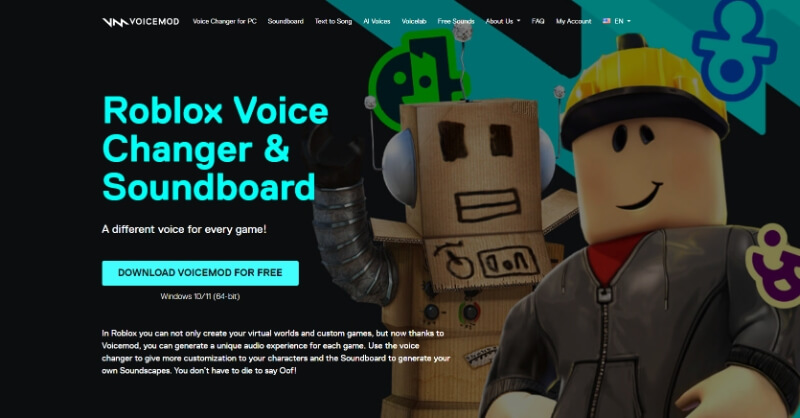
One of Voicemod’s standout features is its soundboard functionality, which lets you play sound effects during your gaming sessions. This can add another layer of fun to your Roblox adventures beyond just changing your voice.
Main Features:
- Instant voice transformation while playing Roblox
- Integrated soundboard for custom sound effects
- Collection of 90+ preset voice options
- Easy integration with Roblox as default microphone
- Free version available with optional premium upgrade
MorphVox Voice Changer
MorphVox takes a more technical approach to voice changing, using advanced algorithms to create realistic voice modifications. It’s particularly good at reducing background noise, which can improve your overall audio quality during Roblox sessions.
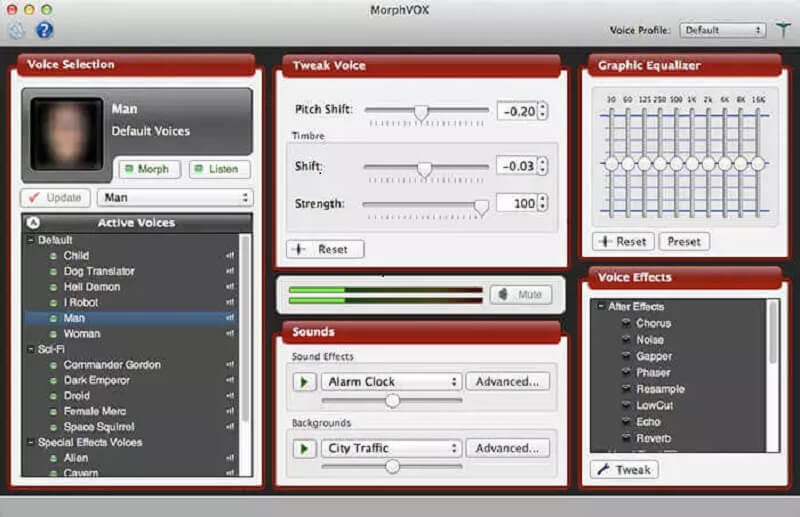
The software offers a wide range of voice effects, from fantasy creatures like aliens and monsters to more practical options like gender and age modifications. You can even create and save custom voice presets for different gaming scenarios.
Main Features:
- Voice-learning technology for natural-sounding results
- Background noise cancellation for clearer audio
- Diverse selection of base voice effects
- Custom voice preset creation and storage
- Immersive sound effects to enhance gameplay
Voxal Voice Changer
Voxal has been around for years, building a reputation as a reliable voice modification tool. While its interface might look a bit dated compared to some newer options, it performs well without putting too much strain on your computer’s resources.
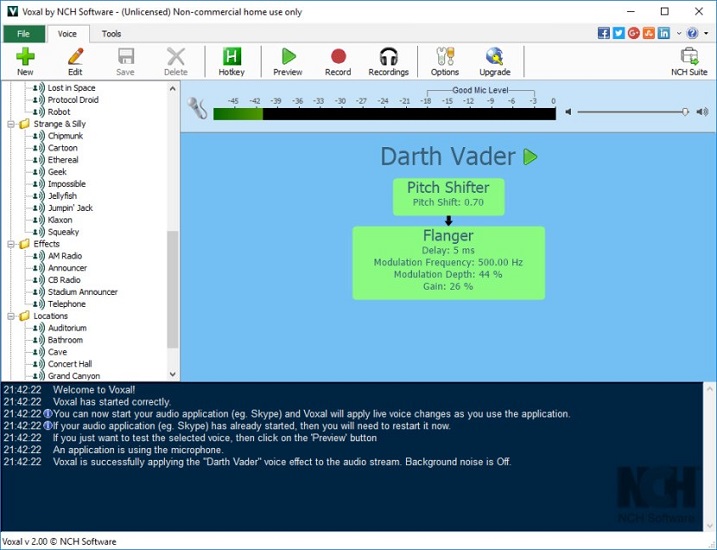
The software works by becoming your default microphone input, which means once it’s running, any application that uses your microphone—including Roblox—will receive your modified voice. You can switch between different voices and effects using keyboard shortcuts without having to alt-tab out of your game.
Main Features:
- Simple, intuitive interface
- Low system resource usage
- Seamless integration with Roblox
- Variety of voice effects and background sounds
- Real-time voice changing capabilities
Clownfish Voice Changer
Clownfish takes a different approach by operating at the system level rather than as a separate application. Once installed, it automatically becomes available as a microphone option across your entire system, including Roblox.
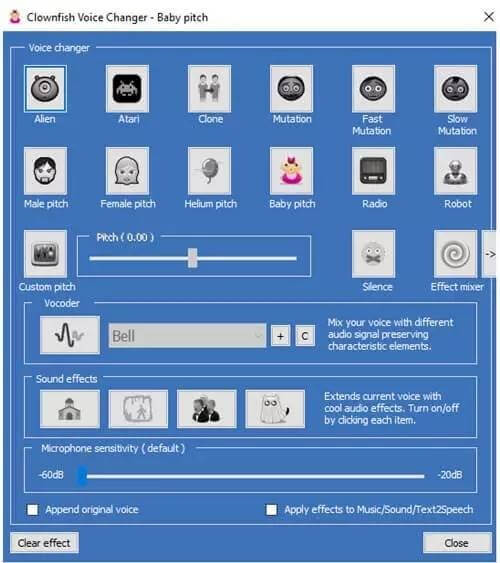
This voice changer is completely free, which makes it an attractive option for players who want to try voice modification without spending money. While it has fewer preset voices than some paid alternatives, it covers the basics well and even supports additional effects through VST plugins.
Main Features:
- System-level voice modification
- 12 built-in voice presets
- Customizable pitch and sound effects
- Multiple voice profile support
- Free to use with VST plugin compatibility
Unictool MagicVox Voice Changer
MagicVox is particularly popular among anime fans, offering over 400 anime-inspired voice options. The software provides real-time voice transformation with good audio quality and stability.
In addition to voice changing, MagicVox includes an extensive library of sound effects that you can trigger during your Roblox sessions. The software works with various communication platforms beyond just Roblox, making it versatile for different uses.
Main Features:
- Customizable voice keybindings
- Anime-style voice options
- 600+ sound effects and memes
- Multi-platform compatibility
- Real-time voice transformation
How to Choose the Right Roblox Voice Changer
With so many options for voice changers for Roblox, how do you pick the right one? Here are some factors to consider:
Ease of Use: If you’re new to voice changers, look for software with a simple interface and straightforward setup process. MagicMic and Voicemod are particularly user-friendly in this regard.
Voice Variety: Consider how many different voice options you want. Some players are happy with a handful of basic voices, while others want hundreds of options to choose from.
System Compatibility: Make sure the voice changer works with your operating system. Most work with Windows, but Mac support is less common.
Performance Impact: Some voice changers use more computer resources than others. If you have an older computer, look for lightweight options that won’t slow down your game.
Price: Voice changers range from completely free to subscription-based models. Think about your budget and how much you’re willing to spend.
Additional Features: Some voice changers offer extra functionality like soundboards, voice recording, or custom voice creation. Consider whether these features are important to you.
Common Questions About Roblox Voice Changers
Is using a voice changer allowed on Roblox?
Yes, using third-party voice changers is generally permitted on Roblox as long as you’re not using them to harass other players or violate the platform’s community guidelines. The software simply modifies your audio input before it reaches Roblox, similar to using a special microphone.
How do voice changers work with Roblox?
Voice changers work by intercepting your microphone input, modifying it according to your selected voice effect, and then sending the modified audio to Roblox (and any other applications using your microphone). To Roblox, it just sounds like you’re using a normal microphone—just with a different voice!
Can I use voice changers with other apps?
Absolutely! Most voice changers work system-wide, meaning they’ll modify your voice in any application that uses your microphone. This includes Discord, Skype, Zoom, and other games besides Roblox.
Are there mobile voice changers for Roblox?
Currently, there aren’t dedicated voice changer apps that work directly with Roblox on mobile devices. The voice chat feature on mobile doesn’t support third-party voice modification in the same way that desktop versions do. If you want to use a voice changer with Roblox, you’ll need to play on a computer.
Do I need special equipment to use a voice changer?
No special equipment is needed beyond what you normally use for gaming—a microphone and headphones. Most voice changers work with any standard microphone, from built-in laptop mics to high-end gaming headsets.
Tips for Using Voice Changers on Roblox
To get the most out of your voice changer Roblox experience, keep these tips in mind:
Test your audio first: Before joining a game, test your modified voice to make sure it sounds the way you want and isn’t too loud or quiet.
Consider your audience: Some voice effects can be annoying if overused. Pay attention to how other players are reacting to your voice changes.
Don’t forget about gameplay: While voice changers are fun, remember that Roblox is ultimately about playing games. Don’t get so caught up in voice changing that it distracts from actually playing.
Respect other players: Even with a voice changer, you should still follow Roblox’s community guidelines and be respectful to other players.
Experiment with different voices: Part of the fun of using a voice changer for Roblox is trying out different character voices. Don’t be afraid to experiment and find voices that match your gaming personality.
Enhancing Your Roblox Experience
Using a voice changer can make your Roblox sessions more immersive and entertaining. Whether you’re role-playing as a specific character, adding comedic effect to your interactions, or just having fun with friends, the right voice changer can elevate your gaming experience.
The key is finding a balance between having fun with voice modification and still being able to communicate effectively with your team. After all, Roblox is often about collaboration and working together, so you’ll want to make sure your modified voice isn’t so extreme that it makes communication difficult.
iMyFone MagicMic.Best Real Time AI Voice Changer.MagicMic is a professional real-time AI voice changer that changes your voice while communicating online. It’s easy to use, has extremely low latency, features high quality AI voices and is compatible with all systems. Discover 500+ AI voices and 100K+ meme soundboards with MagicMic today!
Check More Details | Download Now! | Check All Deals
Final Thoughts on Roblox Voice Changers
Learning how to get a voice changer on Roblox opens up new possibilities for creativity and fun in your gaming sessions. With the right software, you can completely transform your voice to match whatever character or persona you want to portray.
Whether you choose MagicMic for its extensive voice library, Voicemod for its user-friendly interface, or one of the other excellent options available, you’re sure to find a voice changer that fits your needs and enhances your Roblox experience.
Remember to always use voice changers responsibly and in accordance with Roblox’s community guidelines. The goal is to add to the fun of the game, not to disrupt other players’ experiences.
So why not give it a try? Download a voice changer today and discover how much more entertaining your Roblox adventures can become when you can sound like anyone—or anything—you want to be!
Some images courtesy of iMyFone