TOOL HUNTER

Ever wondered how to take a video with Snapchat without constantly pressing that record button? Maybe you want to set up your phone and record a hands-free tutorial, or perhaps you’re trying to capture a group moment without someone having to hold the device. Well, you’re in luck! Snapchat actually has a built-in feature that lets you record videos completely hands-free. This guide will walk you through exactly how to record Snapchat video without touching your screen, plus we’ll cover some extended recording techniques and answer common questions.
Learning how to take video on Snapchat hands-free can really level up your content creation game. It gives you the freedom to frame your shots perfectly and be more present in the video yourself. Whether you’re making a quick snap for friends or creating content for your story, this feature is incredibly useful.
How to Record Snapchat Video Without Holding the Button
The process for how to record a video from Snapchat without keeping your finger on the screen is surprisingly straightforward. It uses a simple locking mechanism that many users don’t even know exists! Here’s the step-by-step process for how do you take video on Snapchat in this hands-free mode:
First, open your Snapchat app and make sure you’re on the camera screen. You’ll see the familiar circular button at the bottom of the screen – that’s your record button. Instead of just tapping it, press and hold the button as if you were recording a normal video.
While you’re holding the record button, look to the left side of it. You should notice a small padlock icon appearing. This is your key to hands-free recording! Now, without lifting your finger, slide it over to this padlock symbol. You’ll feel a slight vibration and see the padlock change appearance, indicating that the recording is now locked.
Once locked, the recording will continue without you needing to touch the screen at all. You can now set your phone down, prop it up somewhere, or just hold it without worrying about keeping pressure on the button. The app will keep capturing video until you decide to stop it.
To stop the recording, simply tap the stop button that appears on the screen. It’s usually in the same area where the record button was, making it easy to find when you’re ready to end your video.
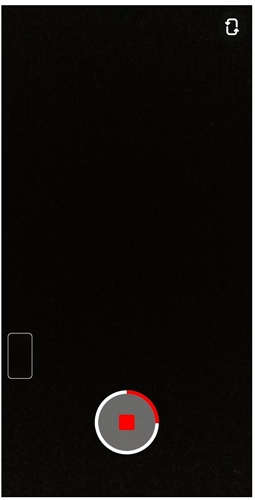
After stopping, you’ll be taken to the editing screen where you can add filters, text, drawings, or music to your creation. From here, you can save the video to your device or send it directly to friends or your story. That’s all there is to learning how to take a video with Snapchat without the constant button holding!
Recording Longer Videos with Hands-Free Mode
Now that you know the basic method for how to record Snapchat video without holding the button, let’s talk about extended recording. The hands-free feature isn’t just for short clips – you can actually record much longer videos this way, which is perfect for tutorials, monologues, or capturing longer events.
When you activate the hands-free mode, Snapchat can record continuously for up to 60 seconds. The app automatically divides this into six separate 10-second segments that play seamlessly one after another. This is really helpful when you’re figuring out how to take video on Snapchat that needs to be longer than the standard quick snap.
Here’s how to make the most of extended hands-free recording:
Start by launching Snapchat and getting to the camera screen. Before you begin recording, think about whether you want to use the front or rear camera – you can switch between them using the camera flip icon. This is especially important for hands-free recording since you might be positioning your phone at a distance.
Initiate the recording by pressing and holding the record button, then slide to the padlock just like before. Once the recording is locked, you can position your phone exactly where you want it. You might prop it against books on a table, use a phone stand, or even get creative with whatever’s around to get the perfect angle.
The recording will continue automatically, capturing up to six 10-second segments in sequence. You’ll see these stacking up at the bottom of your screen as each one completes. Don’t worry about the transitions between segments – they’ll play back smoothly without any interruption when viewed.
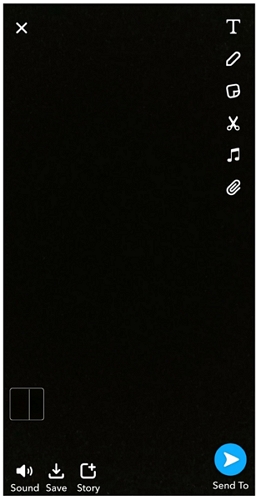
One of the best parts about this extended recording method is that you can trim out the beginning if needed. Let’s say you had to fumble a bit while positioning your phone – you can easily trim that part out by tapping on the timeline at the bottom left corner and adjusting the start point.
After you’ve finished recording and made any edits, you can save the video to your memories or camera roll, share it with specific friends, or add it to your story for all your connections to see. Mastering how to record a video from Snapchat using extended hands-free mode opens up so many creative possibilities!
Common Questions About Snapchat Video Recording
When learning how to take a video with Snapchat, several questions tend to come up frequently. Let’s address some of the most common ones to help you become a Snapchat video pro.
How do you record continuous videos on Snapchat?Continuous recording on Snapchat is exactly what we covered with the extended hands-free mode. The app allows you to record up to 60 seconds of continuous footage, which it automatically splits into consecutive 10-second snaps. The recording happens seamlessly, with each snap stacking after the previous one finishes. You don’t need to do anything special beyond activating the hands-free mode – the app handles the continuous recording automatically. This is perfect for when you need to record something longer without interruption.
What’s the maximum length for a single snap video?A single snap video maxes out at 10 seconds – you can’t have a single snap that’s longer than that. However, as we’ve discussed, you can record multiple snaps back-to-back using the continuous recording method. When you’re planning how to take video on Snapchat, keep this time limit in mind. If you need exactly 10 seconds, the single snap is perfect. For anything longer, you’ll want to use the continuous recording approach that strings multiple snaps together.
Can you record video calls on Snapchat?Yes, you can record Snapchat video calls, but there’s an important privacy consideration. Snapchat will notify the other person that you’re recording the screen during a video call. The platform takes user privacy seriously, so it’s always good etiquette to let the other person know you plan to record before you start. You can use your phone’s built-in screen recording function or a third-party screen recording app to capture video calls. Just remember that the notification can’t be disabled, so transparency is key.
Is it possible to save someone else’s Snapchat video?Saving other people’s Snapchat videos is possible, but it comes with limitations. The straightforward method is using a screen recorder, but this will typically send a notification to the original sender. If you want to save someone’s video without them knowing, there’s a more complicated method that involves using airplane mode and clearing cache, but this only works if you haven’t viewed the snap yet and it’s quite technical. It’s worth noting that saving others’ content without permission raises ethical considerations, so use your best judgment.
Enhancing Your Snapchat Videos with Desktop Editing
Once you’ve mastered how to record Snapchat video, you might want to take your content to the next level with more advanced editing. While Snapchat has built-in editing tools, sometimes you need more control and features than what a mobile app can offer. This is where desktop video editing software comes in handy.
Filme – Best Video Editor for Beginners.Explore Your Creativity, Limitless
Check More Details | Download Now! | Check All Deals
Filme is a powerful yet user-friendly video editor available for both Windows and macOS. It’s perfect for beginners who want professional-looking results without a steep learning curve. If you’re creating content for Snapchat, having a tool like Filme can dramatically improve the quality and engagement of your videos.
The software includes all the basic editing tools you’d expect – trimming, cropping, rotating, speed adjustment, and color correction. These fundamental features are implemented in an intuitive way that makes them accessible even if you’ve never edited video before. When you’re learning how to take a video with Snapchat that stands out, having these basic editing capabilities on your computer gives you much more precision than trying to edit on a small phone screen.
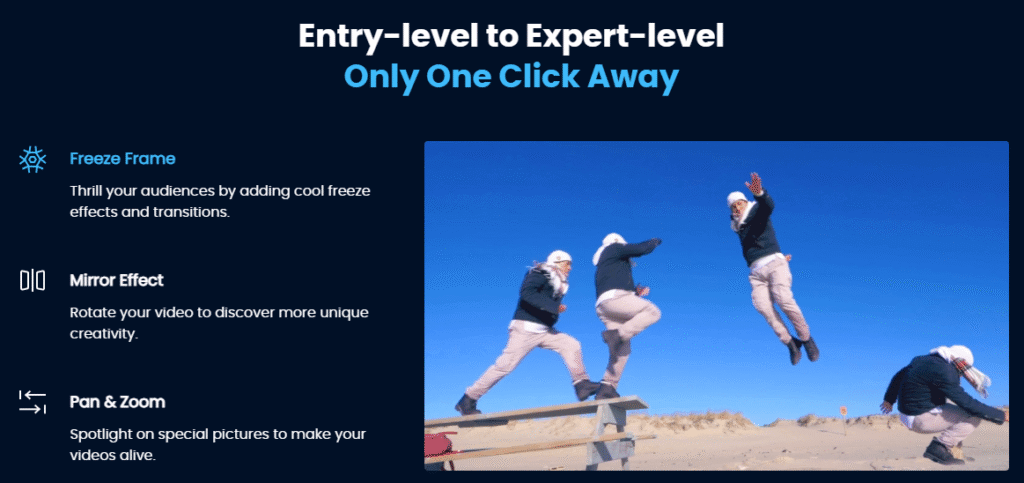
Where Filme really shines is in its advanced features. It offers a wide range of filters, effects, and transitions that can make your Snapchat videos look polished and professional. With just a click, you can apply cinematic color grading, add smooth transitions between clips, or incorporate special effects that would be impossible to create within the Snapchat app itself.
Text and stickers are another area where Filme excels. The software provides numerous fonts, styles, and animation options for adding text to your videos. You can create attractive titles, captions, or any other text elements you need. Similarly, the sticker and GIF library offers plenty of options to make your videos more engaging and entertaining – perfect for the Snapchat audience that appreciates fun visual elements.
For those times when you want to create a slideshow or compilation, Filme includes professionally designed templates that make the process incredibly simple. You just add your photos or video clips, and the template handles the rest, creating a polished slideshow that you can then share to Snapchat or other platforms.
Audio editing is another strength of Filme. You can easily add background music, sound effects, or voiceover to your videos. There’s even a voice changer feature if you want to get creative with how you sound in your snaps. Good audio quality can make a huge difference in how professional your videos feel, so these features are valuable when you’re working on how to record Snapchat video content that really grabs attention.
Finally, Filme offers export settings specifically optimized for social media platforms, including Snapchat. You can choose the perfect aspect ratio, resolution, and file format to ensure your videos look their best when uploaded to Snapchat. This attention to platform-specific requirements saves you from the guesswork of trying to figure out the ideal export settings on your own.
Filme – Best Video Editor for Beginners.Explore Your Creativity, Limitless
Check More Details | Download Now! | Check All Deals
Tips for Better Snapchat Videos
Now that you know how to record Snapchat video without holding the button and have discovered tools to enhance your content, let’s talk about some general tips for creating better Snapchat videos regardless of your recording method.
Lighting is arguably the most important factor in video quality. Whenever possible, position yourself facing a natural light source like a window. Avoid having bright lights behind you, as this will leave your face in shadow. If you’re recording indoors without good natural light, even a simple desk lamp pointed toward your face can make a big difference in video quality.
Audio quality is just as important as video, especially if you’re speaking in your snaps. The built-in microphone on your phone works fine for casual use, but if you’re creating more polished content, consider using an external microphone. There are affordable lavalier mics that plug directly into your phone’s headphone jack or charging port that can dramatically improve audio clarity.
Stability is crucial for professional-looking video. While knowing how to take a video with Snapchat hands-free lets you set your phone down, you’ll get even better results if you use some kind of stabilization. This could be as simple as leaning your phone against a stable object, or you could invest in a small tripod or phone stand. Shaky video can be distracting and make your content look amateurish.
Think about your background and composition. Before you start recording, take a quick look at what’s behind you. A cluttered or distracting background can take attention away from your content. Similarly, pay attention to how you’re framed in the shot – you generally want your eyes about one-third of the way down from the top of the frame for a pleasing composition.
When planning how to record Snapchat video content, consider the story you want to tell. Even short videos benefit from having a beginning, middle, and end. Think about what you want to communicate and plan your shots accordingly. This is especially important when using the continuous recording feature for longer content.
Engagement is key on Snapchat. Use the platform’s built-in features like filters, lenses, and stickers to make your videos more interactive and fun. Don’t be afraid to use the drawing tools to highlight something important or add handwritten text. These native features are part of what makes Snapchat content unique and engaging.
Finally, practice makes perfect. The more you experiment with different recording techniques and editing approaches, the better you’ll understand what works for your style and audience. Don’t be afraid to try new things – some of the best Snapchat content comes from creative experimentation!
Putting It All Together
Learning how to take a video with Snapchat without holding the button opens up a world of creative possibilities. No longer are you limited to what you can capture while keeping your finger pressed on the screen. Whether you’re recording a quick hands-free snap or creating longer, more polished content, this feature gives you the flexibility to focus on your performance rather than your phone handling.
The hands-free recording function, combined with the ability to capture extended videos and enhanced with desktop editing tools like Filme, provides a complete toolkit for creating standout Snapchat content. Remember that great videos come from a combination of technical knowledge and creative vision – now that you have the technical side covered, you can focus on bringing your creative ideas to life.
As you continue to explore how to record Snapchat video in different ways, don’t forget to have fun with the process. Snapchat is ultimately about sharing moments and stories, so while technical quality is important, authenticity and creativity are what will really make your content resonate with your audience.
Some images courtesy of imyfone