TOOL HUNTER

Summary: If you’ve ever asked yourself “how long do Hulu downloads last,” you’re not alone. Understanding Hulu’s offline viewing rules is key to managing your entertainment. This guide dives deep into the download limits, explains exactly how you can download Hulu episodes, and explores ways to enjoy your favorite shows without the usual restrictions.
Streaming on the go is a modern necessity, but what happens when you lose your internet connection? That’s where downloading shows comes in handy. Let’s break down everything you need to know about getting your Hulu content ready for offline viewing.
Table of Contents
- How Long Do Hulu Downloads Last? The Straight Facts
- Can I Download Hulu Episodes? Official App Limitations
- Navigating Hulu with Ads Download Restrictions
- How to Download Shows on Hulu for Offline Viewing on Mobile
- Unlocking True Freedom: Beyond Official Hulu Download Limits
- Managing Your Hulu Downloads Library
- Frequently Asked Questions About Hulu Downloads
How Long Do Hulu Downloads Last? The Straight Facts
So, how long do Hulu downloads last? This is the million-dollar question for anyone planning a trip or commuting through areas with spotty service. Hulu has a specific policy in place. For any title you download, you have a total of 30 days to start watching it before it expires. Think of it as a month-long rental from the moment you hit download.
But the clock keeps ticking even after you press play. Once you begin watching a downloaded episode or movie, you enter a different phase. Hulu then gives you 48 hours to finish it. This two-day window starts the moment you begin playback, not when you pause. So if you start a movie on a Friday night, you have until Sunday night to see the credits, even if you only watched the first ten minutes.
It’s crucial to remember that these rules apply to downloads made directly through the official Hulu app. The duration is fixed by Hulu’s digital rights management (DRM) and licensing agreements. There’s no way to extend this timeframe within the app itself, aside from one handy feature: renewal.

Can I Download Hulu Episodes? Official App Limitations
Can I download Hulu episodes using just the app? The answer is yes, but with several important caveats. First and foremost, you must be a subscriber to Hulu (No Ads) or Hulu (No Ads) + Live TV plan. The basic, ad-supported subscription does not include the download feature. If you’re on the cheaper plan and see no download icon, this is why.
Secondly, not every single show or movie on Hulu is available for download. The platform designates certain titles as downloadable, and you’ll identify them by a small download icon (usually a downward arrow) on the episode or film’s details page. If the icon isn’t there, that particular content is streaming-only.
There are also device and quantity limits. You can download content on up to 5 supported devices linked to your account. However, you are capped at a total of 25 downloads across all these devices. This includes both movies and individual TV show episodes. Once you hit 25, you’ll need to remove some older downloads to make space for new ones.
Supported devices primarily include mobile platforms:
- iPhones and iPads running the latest iOS/iPadOS.
- Android phones and tablets.
- Amazon Fire tablets.
Noticeably absent from this list? Your Windows PC or Mac. The official Hulu website on a desktop browser does not offer a download function. So if your main question is “can I download Hulu episodes to my laptop,” the native app answer is unfortunately no.
Navigating Hulu with Ads Download Restrictions
For subscribers on a budget, the Hulu with ads download capability is a major point of confusion. As mentioned, the official download feature is a premium perk reserved for the no-ads tiers. If you’re paying the lower monthly fee to tolerate commercials, you cannot download shows directly through the Hulu app for offline viewing. The download icon simply won’t appear.
This creates a significant gap for users who want to save on subscription costs but also need content for flights or areas with poor connectivity. The ads themselves are also part of the experience; even if you could download, you’d likely be required to stream the ads, defeating the purpose of offline viewing in places without internet.
This limitation is precisely why many users search for workarounds or third-party tools. The desire for a truly downloadable Hulu experience, free from both connectivity and subscription-tier restrictions, is a powerful driver in the streaming community.
How to Download Shows on Hulu for Offline Viewing on Mobile
For eligible subscribers, the process to download Hulu episodes on a phone or tablet is straightforward.
Step 1: Ensure you have the latest version of the Hulu app installed on your iOS or Android device. Log in with your Hulu (No Ads) account credentials.
Step 2: Navigate through the app to find the show or movie you want. Remember, look for the download icon. You can also tap the “Downloads” tab (often located at the bottom of the screen) to see a curated list of available downloadable titles.
Step 3: For a TV series, open the series page, select the season, and then find the specific episode. Tap the download icon next to the episode title.
Step 4: The app will begin downloading the file to your device’s local storage. You can monitor progress in the Downloads section. Make sure you have a stable Wi-Fi connection to avoid errors or incomplete files.

Once complete, you can find all your saved content in the Downloads library. This is your portal for offline viewing. Keep an eye on the expiration labels next to each title to know when your 30-day or 48-hour clock is running.
Unlocking True Freedom: Beyond Official Hulu Download Limits
The official method works, but its limitations—the 30-day expiry, 48-hour viewing window, ad-free subscription requirement, and 25-title cap—can feel restrictive. This leads many to seek solutions for a more permanent and flexible downloadable Hulu library.
This is where dedicated video downloader software comes into play. These third-party tools are designed to record or save streaming video as standard video files (like MP4 or MKV) directly to your computer’s hard drive. The key advantages are substantial:
- No Expiry: Downloaded files are yours forever. No 30-day limit, no 48-hour viewing window.
- No Subscription Tier Lock: They often work with any active Hulu account, including the ad-supported plan.
- Higher Quality & Format Control: Some tools allow you to choose resolution (like 1080p) and format, and even batch download entire seasons.
- Ad-Free Viewing: When used with an ad-supported plan, these tools can provide a final file with no commercials.
- Playback on Any Device: The resulting standard video file can be transferred to phones, tablets, USB drives, or played on any media player that supports the format, completely independent of the Hulu app.
One such tool frequently highlighted for this purpose is CleverGet Video Downloader. It operates by integrating a browser within its interface. You log into your Hulu account through it, play the video you want, and the software can analyze and download the stream. It handles the separation of video, audio, and subtitle tracks, allowing you to remux them into a single, high-quality file.

Try Leawo CleverGet Hulu Downloader right now! Download Hulu movies and TV shows with selected subtitles in batch to 1080p MP4/MKV files for offline watching, breaking all Hulu download limitations.
Get the Windows version | Get the Mac version | Use the time-limited promotional campaign
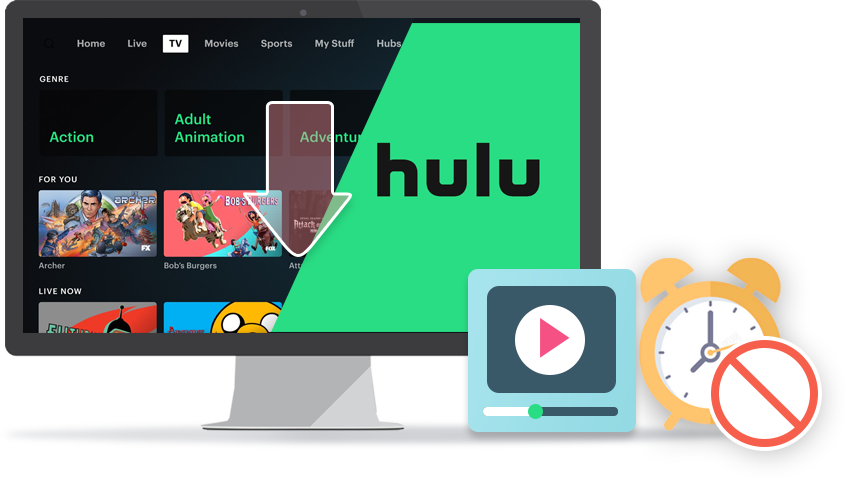
Using a Downloader for Hulu Content
The general workflow with such software is user-friendly:
- Install and launch the downloader program on your Windows PC or Mac.
- Within the program, navigate to the Hulu website and log into your account.
- Browse and play the TV show episode or movie you wish to save.
- The software will detect the available streams. You typically get options to select video quality, audio language, and subtitles.
- Choose your preferences and start the download. The file is saved directly to a folder you specify on your computer.

This method effectively creates a personal, permanent media library from your Hulu subscription. It answers the wish for a truly downloadable Hulu experience without platform-imposed constraints. Of course, it’s essential to use such tools responsibly and in accordance with copyright laws and Hulu’s Terms of Service for personal, non-redistributable use.
Managing Your Hulu Downloads Library
Whether you use the official app or another method, managing your downloads is important. For app users, here are some essential tips:
Renewing Expiring Downloads: Before a download’s 30-day shelf life ends, you can often renew it. Go to your Downloads library in the app. If a title is nearing expiration, there should be a refresh or renew icon (often a circular arrow) next to it. Tapping this will reset the 30-day timer, as long as the title is still available on Hulu. You don’t have to re-download the entire file.
Deleting Downloads: To free up space on your device, you can easily remove watched content. In the Downloads library, tap “Edit” or look for a delete option. Select the titles you want to remove and confirm. This also helps you stay under the 25-download cap.
Troubleshooting Missing Downloads: If your downloads disappear before their expiry, a few things could have happened. The content may have been removed from Hulu entirely. Your subscription might have changed (e.g., you switched back to an ad-supported plan). Or, you might have logged out of the app on that device. Also, downloads are typically only accessible within the United States due to licensing; using Hulu abroad with a VPN can sometimes disrupt access to your downloaded library.

Frequently Asked Questions About Hulu Downloads
Why is there no download icon on my Hulu video?This usually means one of two things: you are not subscribed to the required Hulu (No Ads) plan, or that specific title is not licensed for offline download by Hulu. Check your subscription status in account settings first.
Can I transfer my official Hulu downloads to another device?No. Downloads made through the official Hulu app are encrypted and locked to both your account and the device they were downloaded on. You cannot copy the file and play it on another phone or a computer. They are only playable within the Hulu app where they were saved.
How long do Hulu downloads last if I never start watching?They last for the full 30-day period from the moment of download. The 48-hour countdown only activates upon first playback.
Why are my downloads taking forever or failing?Slow or unstable internet connection is the most common cause. Download over a strong Wi-Fi signal. Also, ensure your device has sufficient storage space available. Try pausing and resuming the download, or canceling it and starting again.
Can I download on multiple devices simultaneously?Yes, you can have active downloads on different devices, but remember the total concurrent limit is 25 across all devices tied to your single account.
In conclusion, understanding how long do Hulu downloads last (30 days unwatched, 48 hours once started) is the first step to mastering offline viewing. While the official app provides a convenient solution for ad-free subscribers, its limitations are clear. For those wondering can I download Hulu episodes with more freedom—especially on the Hulu with ads download tier—third-party downloader software presents an alternative path to building a personal, unrestricted library. By weighing the pros and cons of each method, you can choose the best approach to ensure your favorite shows are always available, no matter where you are or what your internet connection looks like.
Some images are from the internet.