TOOL HUNTER

Ever wondered how your favorite streamers get those cool robotic voices during their live sessions? Or how musicians create those pitch-perfect vocal effects that sound almost otherworldly? The secret lies in autotune technology, specifically autotune voice changer software that can transform your ordinary voice into something extraordinary.
Whether you’re looking to enhance your gaming streams, create unique content for social media, or just have fun with friends, having the right autotune voice changer can make all the difference. The best part? You don’t need to be a professional audio engineer to use them – most modern voice changers are surprisingly user-friendly.
Table of Contents
- What Exactly is an Autotune Voice Changer?
- Top Desktop Autotune Voice Changers for PC and Mac
- Best Online Autotune Voice Changers
- Mobile Autotune Voice Changer Applications
- How Autotune Voice Changer Technology Works
- Practical Applications of Autotune Voice Changers
- Setting Up Your Autotune Voice Changer
- Troubleshooting Common Autotune Voice Changer Issues
- Future Trends in Autotune Voice Changer Technology
What Exactly is an Autotune Voice Changer?
An autotune voice changer is a software tool that modifies your voice in real-time by adjusting its pitch and tone. Unlike basic voice changers that simply alter how your voice sounds, autotune technology specifically focuses on correcting or creatively modifying the musical pitch of your voice.
The technology works by analyzing the incoming audio signal from your microphone, detecting the pitch of your voice, and then adjusting it to match desired parameters. This can range from subtle corrections that make your singing voice sound more in-tune to dramatic robotic effects that completely transform how you sound.
Many people use autotune voice changer applications for gaming, live streaming, content creation, and even professional music production. The ability to apply these effects in real-time means you can sound like a robot, chipmunk, or professional singer while talking with friends on Discord or streaming to thousands of viewers.
Top Desktop Autotune Voice Changers for PC and Mac
When it comes to serious voice modification, desktop applications often provide the most features and the highest quality results. Here are some of the best autotune voice changer options for your computer:
MagicMic Autotune Voice Changer
If you’re looking for a comprehensive solution that works across multiple platforms, MagicMic stands out as one of the most versatile autotune voice changer applications available today. What makes it particularly appealing is its extensive library of voice effects and user-friendly interface that doesn’t require technical expertise to navigate.
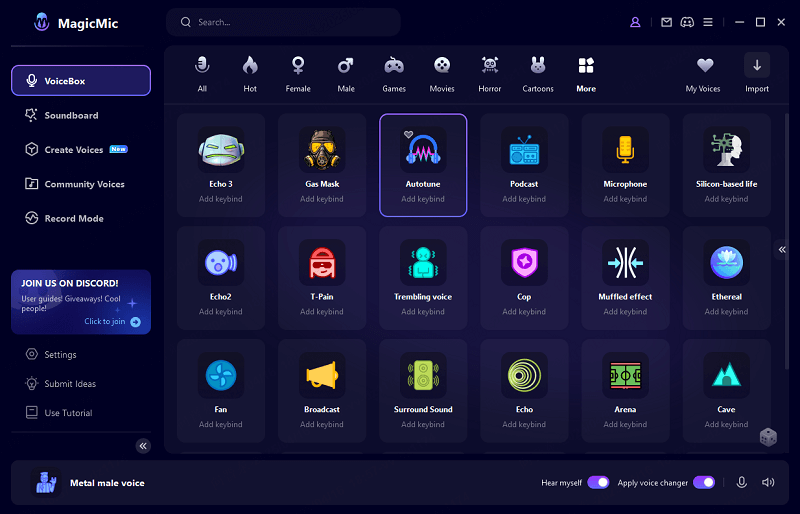
The software includes specific autotune effects that can give your voice that characteristic robotic sound popularized by artists like T-Pain and Kanye West. But it’s not just about the autotune effect – MagicMic offers hundreds of other voice filters that can transform you into different characters, creatures, or even celebrities.
One of the most practical features for gamers and streamers is the real-time voice changing capability. This means you can apply autotune effects while live on Discord, Twitch, or any other streaming platform without any noticeable delay. The software processes your voice instantly, allowing for natural conversations with your modified voice.
The soundboard functionality adds another layer of entertainment value, with thousands of meme sounds and audio clips that you can trigger with hotkeys during your streams. This combination of voice changing and sound effects makes MagicMic particularly popular among content creators who want to keep their audience engaged and entertained.
Compatibility: Windows, Mac, iOS, Android
Key Advantages:
- Real-time autotune voice changer functionality
- Extensive library of over 500 voice filters
- User-friendly interface suitable for beginners
- Low system resource usage
- Customizable hotkeys for quick effect switching
- Regular updates with new voice effects
Potential Limitations:
- Being a relatively new product, some advanced features are still evolving
- The free version has limited voice effects compared to the premium version
iMyFone MagicMic.Best Real Time AI Voice Changer.MagicMic is a professional real-time AI voice changer that changes your voice while communicating online. It’s easy to use, has extremely low latency, features high quality AI voices and is compatible with all systems. Discover 500+ AI voices and 100K+ meme soundboards with MagicMic today!

Check More Details | Download Now! | Check All Deals
Voicemod Auto Tune Voice Changer
Voicemod has established itself as a go-to choice for gamers looking to add some vocal flair to their streaming sessions. The software includes several autotune-inspired voice effects that can give your voice that characteristic robotic quality that’s become so popular in modern music and internet culture.
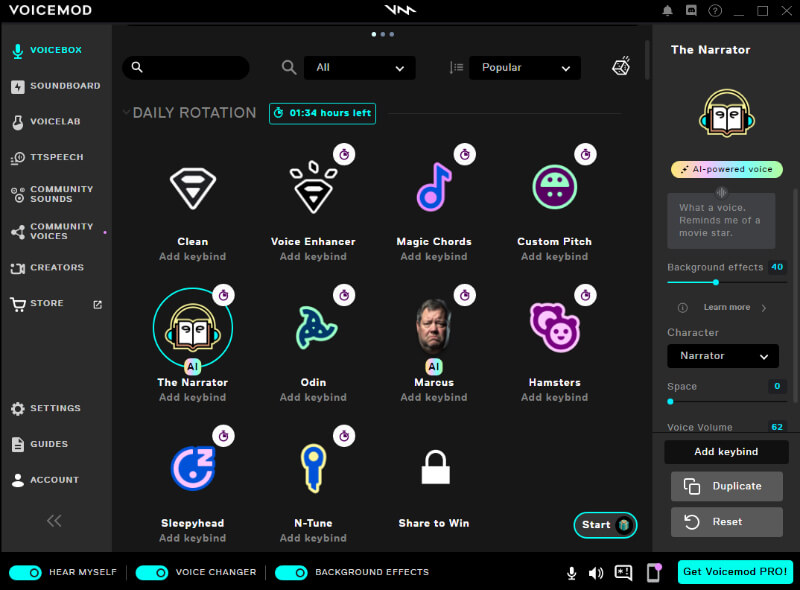
What sets Voicemod apart is its deep integration with gaming platforms and streaming software. The autotune voice changer effects work seamlessly with games, meaning you can sound like a robot while coordinating with your team in competitive matches. The voice changing happens in real-time with minimal latency, so there’s no awkward delay between you speaking and your teammates hearing your modified voice.
The interface is designed with gamers in mind, featuring large, easily clickable buttons that you can use even when you’re in the middle of an intense gaming session. The software also includes a comprehensive soundboard with various effects that complement the voice changing features.
Compatibility: Windows
Key Advantages:
- Optimized for gaming and streaming
- Simple interface perfect for quick voice changes
- Low CPU usage
- Regular updates with new content
- Strong community and support resources
Potential Limitations:
- Windows exclusivity limits Mac users
- Some users report occasional stability issues
- The autotune effects can sometimes sound artificial
VB-Audio VoiceMeeter
For users who need professional-grade audio routing capabilities alongside voice modification, VB-Audio VoiceMeeter offers a powerful solution. This software functions as a virtual audio mixer, giving you precise control over how audio is processed and routed between applications.
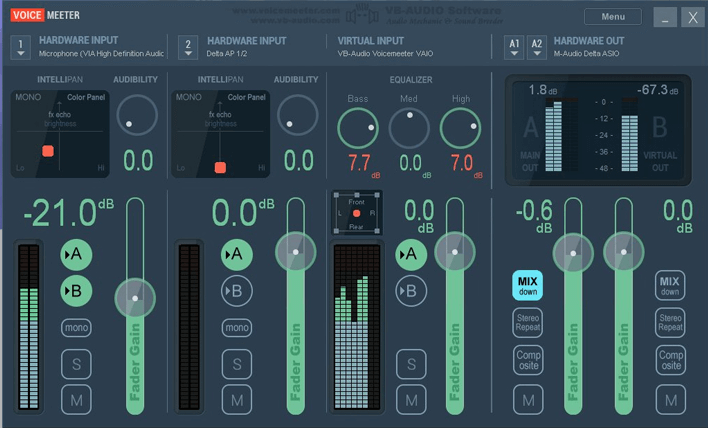
While VoiceMeeter isn’t primarily a voice changer in the traditional sense, its audio processing capabilities can be used to create autotune-like effects when combined with other tools or through its built-in effects. The software allows you to set up complex audio chains where your microphone input can be processed, modified, and then sent to applications like Discord, Skype, or streaming software.
The learning curve is significantly steeper than dedicated voice changers like MagicMic or Voicemod, but the payoff is much greater control over your audio. You can fine-tune exactly how your voice is processed rather than relying on preset effects.
Compatibility: Windows
Key Advantages:
- Professional-grade audio control
- Free to use
- Extremely flexible audio routing
- Low latency performance
- Regular updates and improvements
Potential Limitations:
- Steep learning curve for beginners
- Requires technical knowledge to set up voice effects
- Interface can be overwhelming for casual users
Best Online Autotune Voice Changers
Not everyone wants to download and install software for voice changing. If you’re looking for quick, in-browser solutions, these online autotune voice changers might be exactly what you need:
Soundation’s Vocal Tuner
Soundation offers a professional-grade online music studio that includes vocal tuning capabilities. While it’s primarily designed for music production rather than real-time voice changing, its vocal tuner can apply autotune effects to pre-recorded audio.
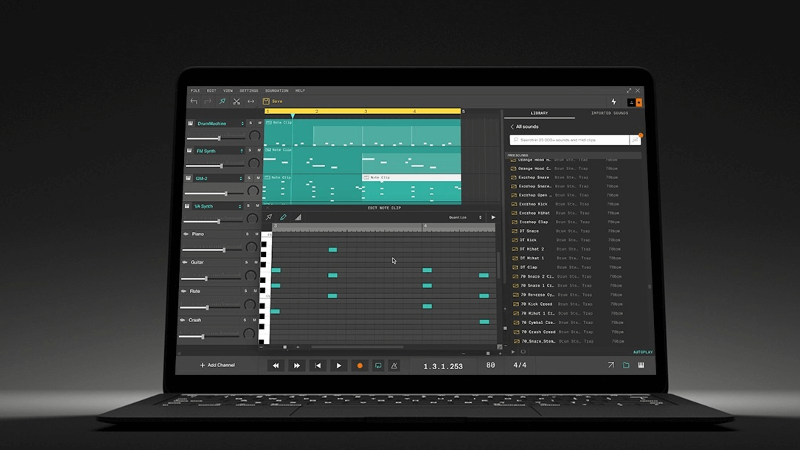
The platform provides a balanced approach to pitch correction, allowing you to choose between natural-sounding corrections or the more pronounced robotic effect associated with autotune. The interface is similar to professional DAW (Digital Audio Workstation) software, giving you precise control over how the effect is applied.
Since it’s web-based, you can access Soundation from any computer with a modern browser, without worrying about compatibility issues. This makes it particularly useful for quick edits or when you’re working on a computer where you can’t install software.
Compatibility: Web-based (all major browsers)
Key Advantages:
- No installation required
- Professional-grade tuning algorithms
- Free tier available
- Works on any operating system
- Integrated with broader music production tools
Potential Limitations:
- Not suitable for real-time voice changing
- Requires uploading audio files for processing
- Internet connection required
Voice Changer.io Autotune Voice Changer
For those who need a straightforward, no-fuss solution for applying autotune effects to voice recordings, Voice Changer.io offers a simple web-based tool. The interface is designed for ease of use, with clear controls and instant preview capabilities.
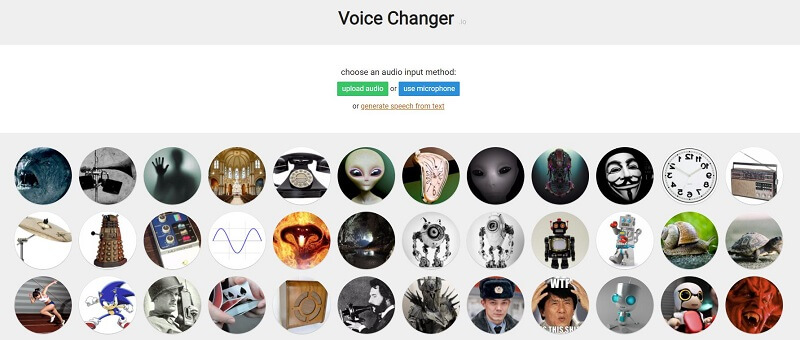
The platform includes several autotune-inspired effects that can give your recordings that characteristic robotic sound. You can adjust the intensity of the effect and preview the results before downloading the processed audio file.
While it lacks the real-time capabilities of desktop applications, it’s perfect for one-off projects or situations where you need to quickly process a voice recording without installing software. The website is mobile-friendly, so you can even use it on your smartphone for quick voice edits.
Compatibility: Web-based (all major browsers and mobile devices)
Key Advantages:
- Completely free to use
- Simple, intuitive interface
- No registration required
- Mobile-friendly design
- Quick processing times
Potential Limitations:
- No real-time voice changing
- Limited customization options
- Basic audio quality compared to professional tools
Mobile Autotune Voice Changer Applications
Smartphones have become powerful enough to handle real-time voice processing, making mobile autotune voice changer apps increasingly popular. Here are some of the best options for your mobile device:
VoiceFX
VoiceFX brings professional-grade voice changing capabilities to Android devices. The app includes several autotune-inspired effects alongside a wide range of other voice modifications, from gender swapping to creature voices.
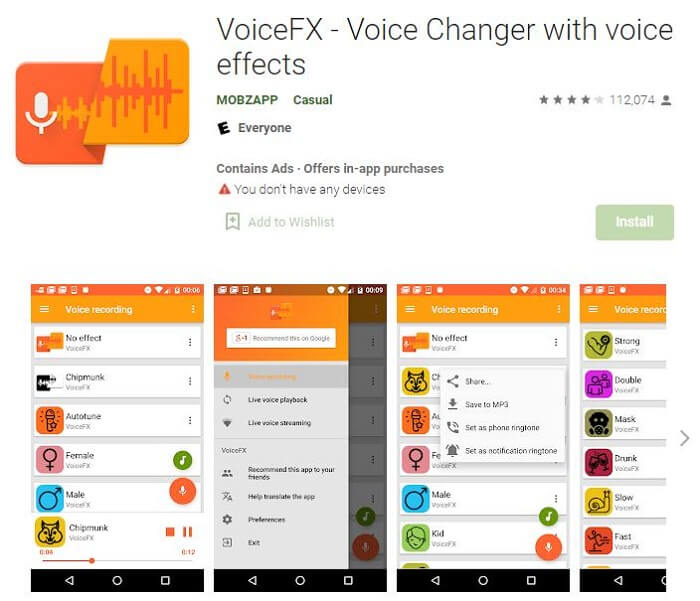
What makes VoiceFX stand out is its low-latency performance, which is crucial for real-time applications like voice chats or live streaming from your phone. The effects process quickly enough that you can have natural conversations without awkward delays.
The interface is optimized for touch screens, with large, easily tappable buttons for switching between effects. The app also includes recording functionality, allowing you to capture your modified voice and share it directly to social media platforms.
Compatibility: Android
Key Advantages:
- Optimized for mobile performance
- Low latency real-time processing
- Simple, mobile-friendly interface
- Recording and sharing capabilities
- Regular updates with new effects
Potential Limitations:
- Limited to Android devices
- Some effects require in-app purchases
- Battery intensive during extended use
Auto Tune Voice Changer for Girls
Despite its gender-specific name, this app offers autotune voice changing capabilities suitable for all users. The interface is deliberately simple, making it accessible even for those who aren’t technologically inclined.
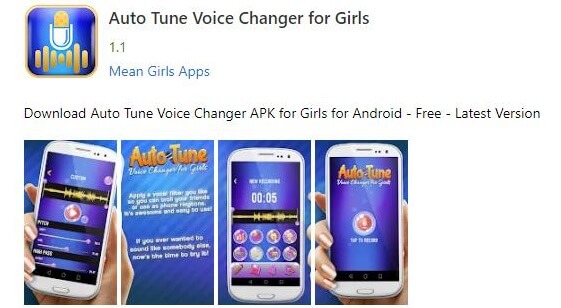
The app focuses specifically on pitch-based effects, including several variations of autotune that can make your voice sound robotic, musical, or artificially perfected. The real-time processing works well for voice calls and recording, though the quality isn’t quite at the level of more professional applications.
For casual users who want to experiment with autotune effects without complexity, this app provides a straightforward solution. The simple controls mean you can start changing your voice within seconds of installing the app.
Compatibility: Android
Key Advantages:
- Extremely simple interface
- Lightweight and doesn’t slow down your device
- Specifically designed for voice pitch modification
- Real-time processing for calls
- Free to use with optional purchases
Potential Limitations:
- Limited to basic autotune effects
- Not updated frequently
- Audio quality limitations
How Autotune Voice Changer Technology Works
Understanding how autotune technology functions can help you make better use of these tools. At its core, autotune is a digital signal processing technology that measures and adjusts the pitch of audio signals.
The process begins with the software analyzing the incoming audio from your microphone. It detects the fundamental frequency of your voice – essentially, the musical note you’re closest to singing or speaking. The software then compares this detected pitch to a predetermined scale (usually the chromatic scale used in Western music).
If your voice deviates from the target notes in the scale, the software automatically adjusts the pitch to the nearest correct note. The speed and intensity of this correction determine whether the effect sounds natural or creates the characteristic robotic sound associated with autotune.
Modern autotune voice changer applications give you control over several parameters:
- Correction Speed: How quickly the software corrects pitch deviations
- Scale: The musical scale to which your voice is being corrected
- Humanize: Settings that introduce slight imperfections for a more natural sound
- Formant Control: Adjustments that affect the tonal character without changing pitch
iMyFone MagicMic.Best Real Time AI Voice Changer.MagicMic is a professional real-time AI voice changer that changes your voice while communicating online. It’s easy to use, has extremely low latency, features high quality AI voices and is compatible with all systems. Discover 500+ AI voices and 100K+ meme soundboards with MagicMic today!
Check More Details | Download Now! | Check All Deals
Practical Applications of Autotune Voice Changers
The uses for autotune voice changer technology extend far beyond just making your voice sound robotic. Here are some practical applications where these tools can be incredibly useful:
Content Creation and Streaming
For streamers and content creators, having a unique voice can be a significant part of their brand identity. Autotune effects can help create memorable character voices or add comedic timing to reactions. The real-time nature of modern voice changers means these effects can be applied during live streams, creating engaging moments for viewers.
Many successful streamers use voice changers to create specific personas or to enhance certain types of content. Gaming streams, in particular, benefit from voice modification when role-playing characters or reacting to in-game events.
Music Production and Practice
While professional musicians use dedicated autotune software like Antares Auto-Tune for final productions, more accessible autotune voice changers can be valuable practice tools. Singers can use them to understand how their voice would sound with perfect pitch correction, helping them identify areas for improvement in their technique.
The creative possibilities are also extensive – you can experiment with robotic vocal effects before committing to them in a recording, or use the voice changer as a writing tool to explore different vocal styles.
Online Communication
In the world of remote work and online socializing, voice changers can add an element of fun to otherwise routine interactions. Team meetings, online classes, and virtual hangouts can be spiced up with occasional voice effects, breaking the ice and creating memorable moments.
The key is using these tools appropriately – most autotune voice changer applications allow you to toggle effects on and off quickly, so you can use them for comic relief without disrupting serious conversations.
Privacy Protection
For users concerned about voice-based identification, autotune effects can provide a layer of privacy by making your voice less recognizable. While not as secure as dedicated voice anonymization tools, autotune can alter your vocal characteristics enough to prevent casual identification while preserving the intelligibility of your speech.
Setting Up Your Autotune Voice Changer
Getting the most out of your autotune voice changer requires proper setup. While each application has its specific installation process, here’s a general guide that applies to most desktop voice changers:
Microphone Selection and Configuration
The quality of your microphone significantly impacts the results you’ll get from any voice changer. While you don’t need professional studio equipment, a decent USB microphone will provide much better results than built-in laptop or webcam microphones.
Position your microphone consistently, about 6-8 inches from your mouth, and use pop filters if possible to reduce plosive sounds (like “p” and “b” sounds) that can distort autotune effects.
Audio Routing Setup
Most voice changers work by creating a virtual audio device that appears as an input option in other applications. You’ll typically need to select this virtual device as your microphone input in programs like Discord, Zoom, or streaming software.
Some applications like VB-Audio VoiceMeeter offer more sophisticated routing options, allowing you to mix multiple audio sources or apply additional processing before the sound reaches its destination.
Effect Customization
Don’t just settle for the default settings. Take time to experiment with the various parameters offered by your chosen autotune voice changer. Adjusting the correction speed, scale selection, and formant controls can dramatically change the character of the effect.
Many applications include preset configurations that mimic popular artists or specific use cases. These can be excellent starting points that you can then fine-tune to match your voice and preferences.
Troubleshooting Common Autotune Voice Changer Issues
Even with the best software, you might encounter technical challenges. Here are solutions to some common problems:
Latency and Delay Issues
If there’s a noticeable delay between speaking and hearing the modified voice, check your audio buffer settings. Lower buffer sizes reduce latency but require more processing power. Finding the right balance for your system is key.
Also ensure you’re using ASIO drivers if available, as these typically offer lower latency than standard Windows audio drivers.
Robotic Artifacts and Glitches
When autotune effects sound particularly artificial or glitchy, the issue is often with the input signal. Make sure you’re singing or speaking consistently into the microphone, and consider reducing the correction speed for a more natural sound.
Background noise can also confuse the pitch detection algorithms, leading to erratic behavior. Using a noise gate or processing your audio in a quieter environment can significantly improve results.
Compatibility Problems
If your voice changer isn’t working with specific applications, check that you’ve selected the correct virtual audio device as the input. Some applications may need to be restarted after you’ve installed or configured your voice changer.
Administrator privileges can sometimes resolve compatibility issues, particularly with applications that have enhanced security measures.
Future Trends in Autotune Voice Changer Technology
The world of voice modification is evolving rapidly, with several exciting developments on the horizon:
AI-Powered Voice Modeling
Future autotune voice changers will likely incorporate more advanced AI that can not just modify pitch but completely transform vocal characteristics. Imagine being able to realistically mimic specific singers or create entirely synthetic voices that sound completely natural.
Realistic Voice Conversion
Beyond simple pitch correction, we’re moving