TOOL HUNTER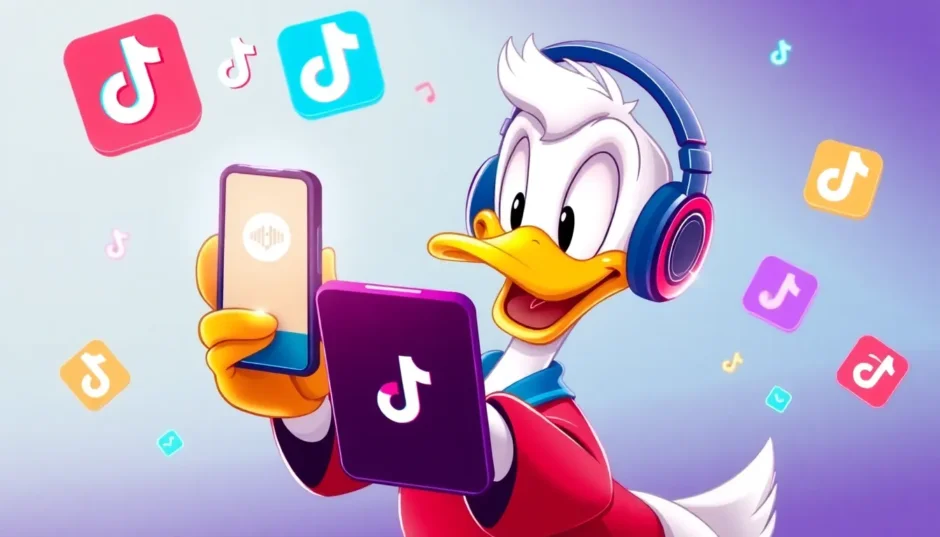

Ever wondered what it would be like to have Donald Duck’s iconic voice at your fingertips? Whether you’re creating entertaining content for social media, adding fun voices to online courses, or just want to prank your friends, having access to a reliable donald duck voice generator can open up endless creative possibilities. That distinctive, high-pitched, slightly garbled voice has been entertaining audiences for generations, and now technology makes it easier than ever to recreate that magic.
Table of Contents
- Getting to Know Donald Duck
- The Voices Behind Donald Duck
- Creating Donald Duck Voice with AI Technology
- Step-by-Step Guide to Using Donald Duck Voice Generator
- Using Donald Duck Voice on Social Media
- Real-Time Donald Duck Voice Changing
- Creative Applications for Donald Duck Voice
- Choosing the Right Donald Duck Voice Tool
- Frequently Asked Questions
- The Future of Character Voice Technology
- Getting Started with Donald Duck Voice
Getting to Know Donald Duck
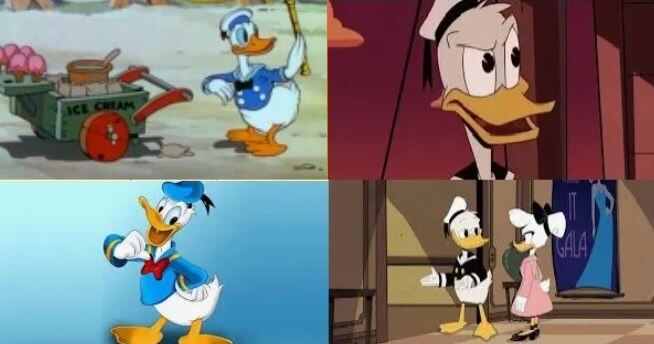
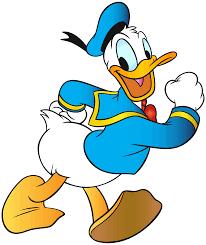
Donald Fauntleroy Duck first waddled onto screens back in 1934, created by the legendary Walt Disney. Unlike his more composed cousin Mickey Mouse, Donald is famously short-tempered and easily frustrated, though he’s generally good-natured at heart. His personality shines through his unique vocal delivery – that raspy, high-pitched, nasal voice with its distinctive duck-like quality that’s become so recognizable worldwide.
What many people don’t realize is that Donald’s full name includes “Fauntleroy,” a nod to the fancy little lord Fauntleroy suit he sometimes wears. His birthday is officially recognized as June 9th, and he’s appeared in more films than any other Disney character. From his classic sailor suit to his expressive personality, Donald has remained a beloved figure for nearly a century.
The Voices Behind Donald Duck
Creating and maintaining Donald’s unique voice has been the work of two incredibly talented voice actors over the decades. Understanding their contributions helps us appreciate why finding the perfect donald duck voice changer requires such specific technology.
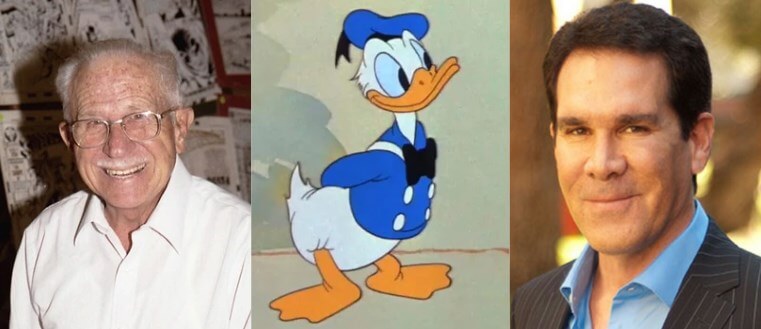
Clarence Nash was the original voice of Donald Duck, starting from the character’s first appearance in 1934’s “The Wise Little Hen” and continuing until his passing in 1985. Nash developed Donald’s distinctive voice somewhat accidentally while performing animal sounds for an advertising agency. Walt Disney himself was so impressed that he hired Nash specifically to voice this new character.
After Nash’s death, the mantle passed to Tony Anselmo, who had studied under Nash as his protégé. Anselmo had the challenging task of preserving the classic Donald voice while making it his own. He’s been the official voice of Donald since 1985, appearing in numerous films, television shows, and providing the voice for Disney theme park appearances. The consistency of Donald’s voice across these decades is remarkable, especially considering there have only been two official voice actors.
Creating Donald Duck Voice with AI Technology
Using Donald Duck Voice Generator Tools
For those wondering how to sound like donald duck without years of vocal training, modern AI technology offers impressive solutions. A quality donald duck voice generator uses advanced text-to-speech algorithms to recreate that distinctive vocal quality. These tools analyze the unique characteristics of Donald’s voice – the pitch variations, the slight gargle, the emotional expressiveness – and replicate them digitally.
The best part about using a donald duck text to speech generator is that you don’t need any special equipment or skills. You simply type the text you want Donald to “say,” and the software handles the rest. This makes it accessible for content creators, educators, and fans who want to incorporate Donald’s voice into their projects without the challenge of voice acting.
iMyFone VoxBox.Best AI Voice Generator & AI Voice Cloner: Create Custom Voices Instantly.iMyFone VoxBox is a powerful free text-to-speech software offering 3,500+ lifelike AI voices in 250+ languages, all with 10 features in one tool. Create professional voiceovers and captivate audiences worldwide in just minutes with VoxBox AI.

Check More Details | Download Now! | Check All Deals
Step-by-Step Guide to Using Donald Duck Voice Generator
Getting Started with VoxBox
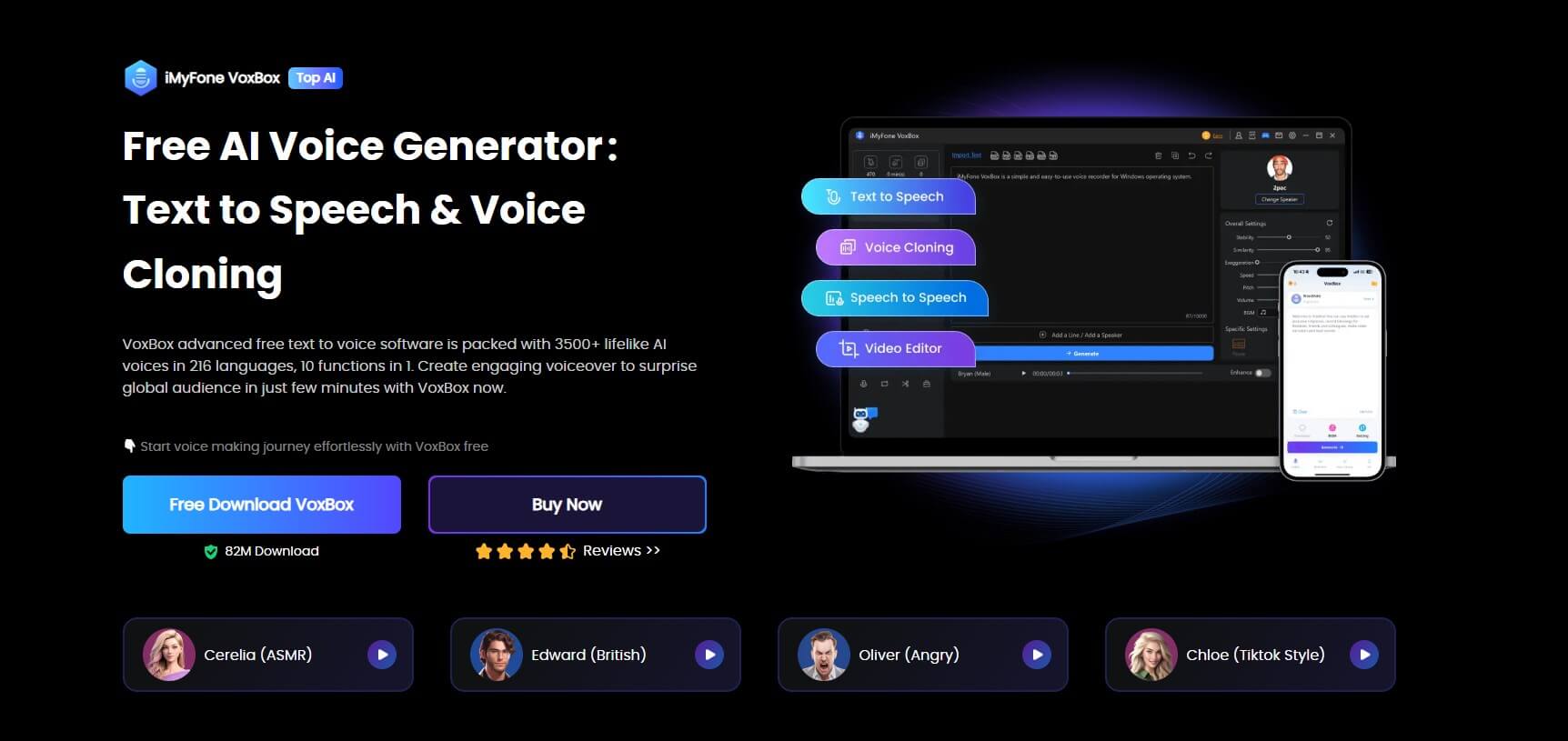
If you’re looking for a reliable donald duck voice generator, VoxBox offers one of the most user-friendly experiences. The process is straightforward and doesn’t require technical expertise. Here’s how you can start creating Donald Duck voiceovers in just a few simple steps.
First, you’ll need to download and install the software. The installation process is quick and simple, with clear instructions guiding you through each step. Once installed, launch the program to access the intuitive interface that makes voice generation accessible even for beginners.
Selecting the Donald Duck Voice
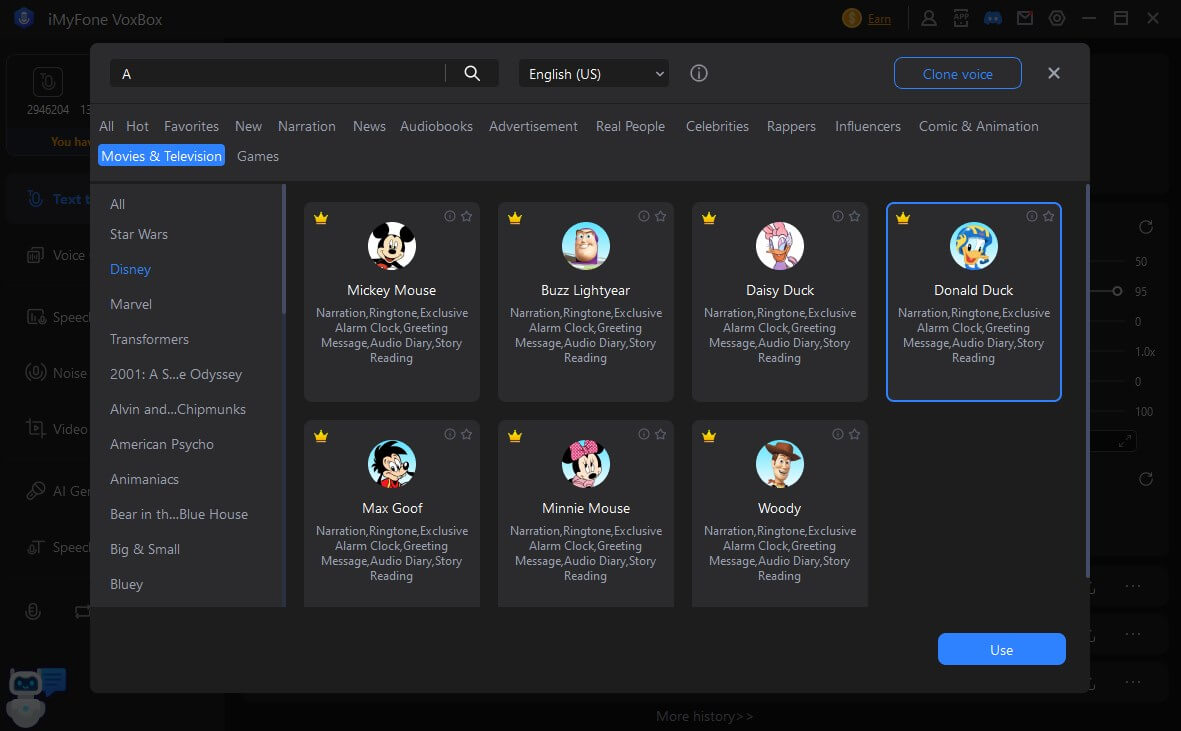
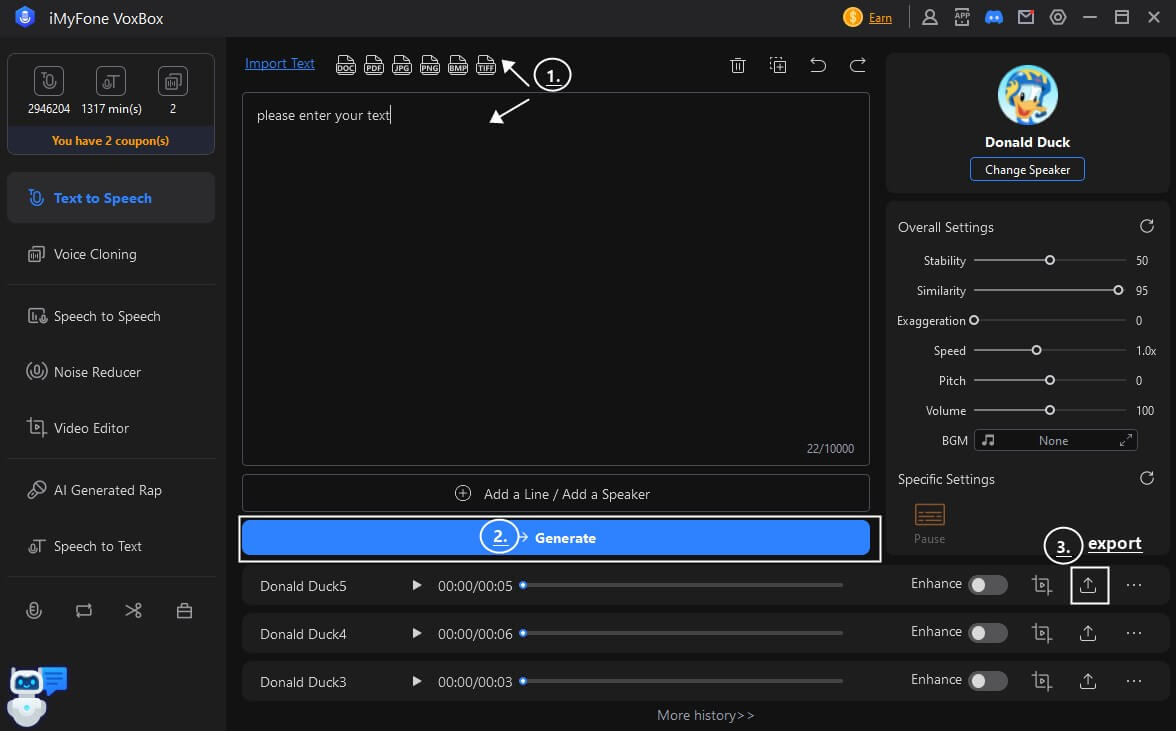
After launching the program, you’ll want to locate the voice selection feature. Look for the “Change Speaker” option, which will open up the extensive voice library. You can either scroll through the available voices or simply type “Duck” in the search bar to quickly locate the Donald Duck voice option.
The beauty of using a comprehensive donald duck voice generator like this is the authenticity of the voice reproduction. The AI has been trained on numerous samples of Donald’s voice to capture not just the pitch but the unique character and emotional range that makes Donald’s voice so distinctive.
Creating Your Voiceover
Once you’ve selected the Donald Duck voice, the actual creation process begins. Type or paste the text you want converted into the text field. The donald duck text to speech engine will process your text, applying the unique vocal characteristics that make Donald’s voice so recognizable.
After the conversion is complete, you can listen to the result and make any necessary adjustments. The software allows you to export the audio in various formats, making it compatible with video editing software, presentation tools, or any other project you’re working on. The entire process from text input to finished audio file takes just minutes, yet produces professional-quality results.
Using Donald Duck Voice on Social Media
Adding Donald Duck Voice to TikTok Videos
TikTok has embraced the popularity of character voices, making it surprisingly easy to add Donald Duck’s voice to your videos. The platform’s built-in text-to-speech feature now includes various Disney character options, providing a quick way to incorporate that classic duck voice into your content.
The process begins after you’ve recorded your video footage. Instead of using your own voice or background music, you can tap the text button to add captions or dialogue. Then, by selecting the text-to-speech option and choosing from the available Disney voices, you can transform ordinary text into Donald’s distinctive speech.
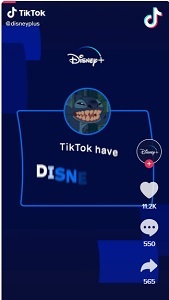
What makes this feature particularly useful for content creators is its accessibility and immediacy. You don’t need additional software or technical knowledge – everything happens within the TikTok app. This has led to countless creative videos where Donald Duck appears to be commenting on current events, telling stories, or reacting to situations in that uniquely exasperated way only Donald can manage.
Real-Time Donald Duck Voice Changing
Live Voice Modification with MagicMic
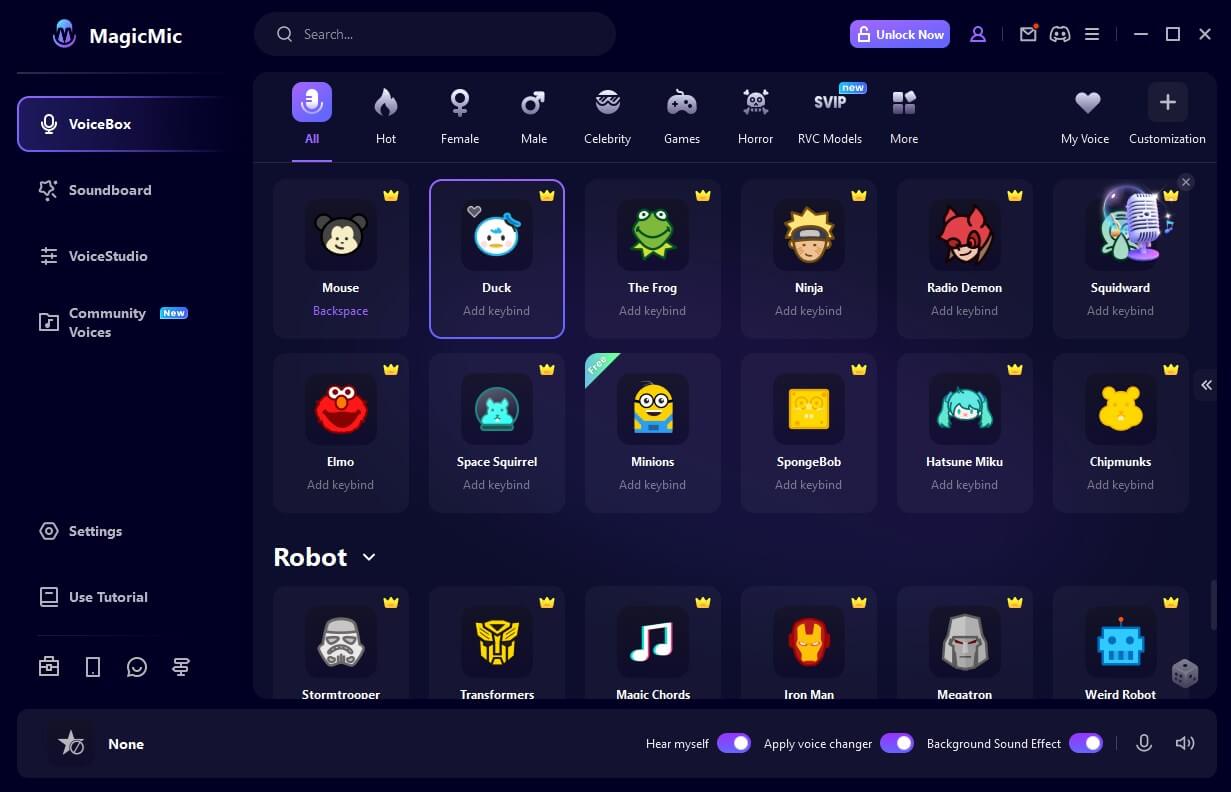
Sometimes you need more than pre-recorded voiceovers – you want to sound like Donald Duck in real time during gaming sessions, live streams, or online calls. This is where a dedicated donald duck voice changer proves invaluable. Tools like MagicMic allow for instantaneous voice transformation with just a few clicks.
The technology behind real-time voice changers is fascinating. These programs use advanced audio processing to modify your voice as you speak, applying filters that alter pitch, tone, and texture to match Donald’s distinctive vocal qualities. The best part is the minimal latency – the changes happen so quickly that conversations can flow naturally without awkward pauses.
Setting Up Real-Time Voice Changing
Getting started with a real-time donald duck voice changer is surprisingly straightforward. After downloading and installing the software, the setup process guides you through configuring your microphone and speakers. The interface typically includes a voice library where you can select from numerous character voices, with Donald Duck being one of the most popular options.
Once you’ve selected the Donald Duck voice filter, everything you say through your microphone will be transformed in real time. This works with any communication software – whether you’re gaming on Steam, chatting on Discord, streaming on Twitch, or even during video calls. The effect is instant and consistent, allowing you to maintain the character voice throughout extended conversations or streaming sessions.
Creative Applications for Donald Duck Voice
Content Creation and Entertainment
The possibilities for using a donald duck voice generator in content creation are virtually endless. YouTube creators often use character voices to add humor and personality to their videos. Imagine Donald Duck narrating a cooking tutorial, providing commentary on gaming footage, or telling bedtime stories. The contrast between the subject matter and Donald’s exasperated delivery can create hilarious results.
Podcasters and audio content creators can also benefit from incorporating character voices. Using a donald duck text to speech generator, you can create distinctive segment introductions, character voices for audio dramas, or comedic relief in otherwise serious discussions. The voice’s familiarity and comedic potential make it a valuable tool for engaging audiences.
Educational Applications
Surprisingly, donald duck voice technology has found applications in education as well. Teachers and educational content creators often use character voices to make learning materials more engaging for younger students. A math lesson becomes more memorable when explained in Donald’s voice, and language learning apps can use character voices to demonstrate different emotional tones and speaking styles.
Children with reading difficulties sometimes respond better to learning materials presented in familiar character voices. The novelty and entertainment value can help maintain attention and make the learning process feel less like work. Educational game developers have been particularly innovative in their use of character voices to create immersive, engaging experiences.
Personal and Business Use
Beyond entertainment and education, donald duck voice generators have practical applications in business and personal projects. Imagine adding Donald’s voice to presentation slides to emphasize key points with humor. Or using the voice in custom GPS navigation systems for a memorable road trip experience.
Customer service chatbots with personality, interactive voice response systems with character, personalized greeting cards with voice messages – the business applications are limited only by creativity. The technology makes it possible to incorporate professional-quality character voices into projects that would previously have required expensive voice actors or complex audio editing skills.
Choosing the Right Donald Duck Voice Tool
Factors to Consider
With several options available for generating Donald Duck’s voice, it’s important to choose the tool that best fits your needs. The quality of voice reproduction varies significantly between different donald duck voice generator applications. Listen to samples if available to ensure the voice captures Donald’s distinctive characteristics accurately.
Consider whether you need text-to-speech functionality, real-time voice changing, or both. Some applications specialize in one area, while others offer comprehensive voice solutions. Also check compatibility with your operating system and other software you regularly use.
Ease of use is another important factor. The best tools balance powerful features with intuitive interfaces that don’t require extensive technical knowledge. Look for software with clear documentation and responsive customer support if you encounter any issues.
iMyFone VoxBox.Best AI Voice Generator & AI Voice Cloner: Create Custom Voices Instantly.iMyFone VoxBox is a powerful free text-to-speech software offering 3,500+ lifelike AI voices in 250+ languages, all with 10 features in one tool. Create professional voiceovers and captivate audiences worldwide in just minutes with VoxBox AI.
Check More Details | Download Now! | Check All Deals
Frequently Asked Questions
Common Questions About Donald Duck Voice Technology
Many people have questions when they first explore donald duck voice generator technology. Here are some of the most common inquiries and their answers:
How difficult is it to learn how to sound like donald duck using voice changer technology? Modern voice changers have made the process incredibly simple. With tools like MagicMic, you can achieve a convincing Donald Duck voice with just one click. The technology handles all the complex audio processing, so no special skills or training are required.
Can I use donald duck text to speech generators for commercial projects? This depends on the specific software and its terms of service. Some generators are fine with commercial use, while others may have restrictions. It’s also important to consider copyright issues when using recognizable character voices for commercial purposes. Always check the software license agreement and consider legal implications.
How realistic are the voices produced by donald duck voice generator applications? The quality has improved dramatically in recent years. While purists might notice differences from the original voice actor, modern AI-based generators produce surprisingly authentic results. The best ones capture not just the sound but the personality and emotional range of the character.
Are there free options for donald duck voice changer tools? Yes, many voice tools offer free versions with basic functionality. These are great for trying out the technology before committing to paid versions. Free versions might have limitations on voice options, usage time, or export quality, but they still provide a good introduction to voice changing technology.
Can I customize the Donald Duck voice generated by these tools? Many advanced voice generators allow for customization of various parameters like pitch, speed, and tone. This lets you fine-tune the voice to better match your specific needs or to create variations on the classic Donald sound.
The Future of Character Voice Technology
Emerging Trends and Possibilities
The technology behind donald duck voice generator applications continues to evolve rapidly. We’re seeing improvements in both the quality of voice reproduction and the accessibility of these tools. As artificial intelligence and machine learning advance, we can expect even more realistic and expressive character voices.
One exciting development is the ability to create custom voice models. Instead of being limited to pre-existing character voices, users may soon be able to train AI models on any voice sample, creating personalized voice options. This could revolutionize content creation, accessibility tools, and entertainment applications.
Real-time translation with character voice preservation is another area of active development. Imagine speaking in your normal voice but having it output in Donald Duck’s voice in another language. This combination of translation and voice modification could create entirely new forms of international communication and entertainment.
Getting Started with Donald Duck Voice
Your First Steps
If you’re excited to start creating with Donald Duck’s voice, beginning is easier than you might think. Start by identifying your primary need – do you want to create voiceovers for videos, or do you need real-time voice changing for streaming and gaming? This will determine whether you should focus on text-to-speech generators or real-time voice changers.
Most quality voice tools offer free trials or limited free versions. Take advantage of these to test different options before making a purchase decision. Pay attention to how intuitive the interface feels and whether the voice quality meets your expectations.
Don’t be afraid to experiment once you have the tools. Try using Donald’s voice in unexpected contexts – reading serious news articles, explaining complex topics, or having conversations with other character voices. The humor often comes from the contrast between the voice and the content.
Remember that while the technology makes the process easy, creativity still comes from you. The best results often come from thinking outside the box and finding unique applications for this fun technology. Whether you’re creating content professionally or just having fun with friends, a good donald duck voice generator can provide hours of entertainment and creative possibilities.
The world of voice technology has made what was once exclusive to professional voice actors accessible to everyone. With the right tools and a bit of creativity, you can bring Donald Duck’s iconic voice to your projects, conversations, and content. The question isn’t whether you can sound like Donald Duck anymore – it’s what creative ways you’ll find to use that capability.
Some images courtesy of iMyFone