TOOL HUNTER

Summary: For music lovers with Android phones, finding reliable and legal sources for free music downloads can be a game-changer. This guide explores the best free music download sites for Android phones, offering a variety of platforms where you can access a vast library of songs without cost. We’ll also walk you through practical methods, including using dedicated apps and computer software, to get your favorite tracks onto your device for offline listening anytime, anywhere.
Music is a constant companion for many of us, whether we’re commuting, working out, or just relaxing. While streaming is popular, having your favorite songs downloaded directly to your Android phone means you can enjoy them without worrying about data plans or spotty internet connections. The good news is, there are numerous websites and tools designed specifically to help you download music free for Android phones. Let’s dive into the best options available.
Best Free Music Download Sites for Android Phones
If you’re searching for where can i download free music on my phone, you’re in the right place. The internet hosts a variety of platforms that cater to music enthusiasts looking to build their personal libraries. Here are some of the top-rated and user-friendly free music download sites for Android phones that you can start using today.
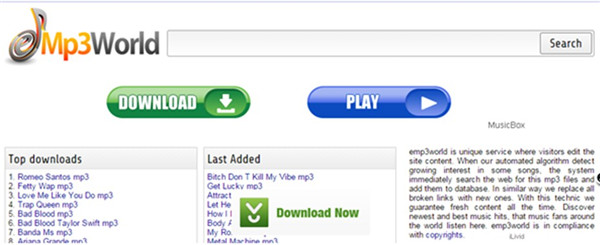
MP3World: A Hub for Latest Tracks
MP3World stands out as one of the most straightforward free music download sites for Android. It automatically updates with the latest releases, ensuring you have access to new music as soon as it drops. The site is neatly organized into genres like Pop, RNB, Hip-hop, Reggae, and more, making it easy to browse your favorite styles. Its simple interface means you can search, preview, and download songs with just a few taps on your phone’s browser.
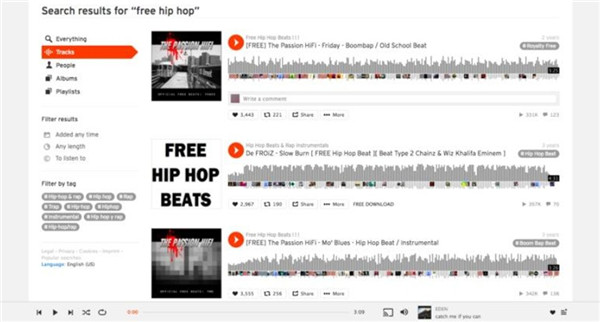
SoundCloud: For Streamers and Downloaders
SoundCloud is a giant in the audio world and a fantastic resource among free MP3 music download sites for Android phones. While known for streaming, a vast number of artists, especially independents, allow free downloads of their tracks. You can stream unlimited songs and often find a download button right next to the play button. It’s a great place to discover emerging artists and unique remixes you won’t find elsewhere.
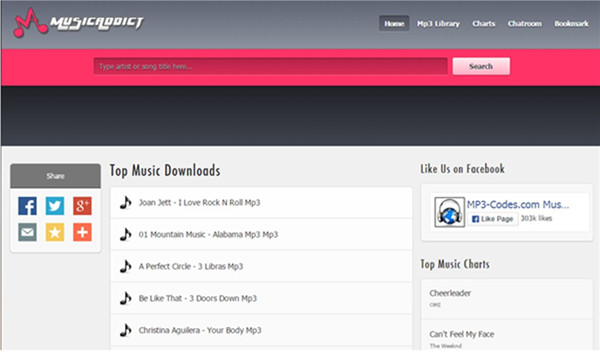
Music Addict: The Powerful Search Engine
True to its name, Music Addict is a dream for those who love to explore. It functions as a powerful, user-friendly search engine that scours the web for music. You can search for virtually any song, listen to it directly on the site, and download it for keeps. This makes it an incredibly efficient tool when you have a specific track in mind and need to find a downloadable source quickly.
Jamendo: Curated Music from Independent Artists
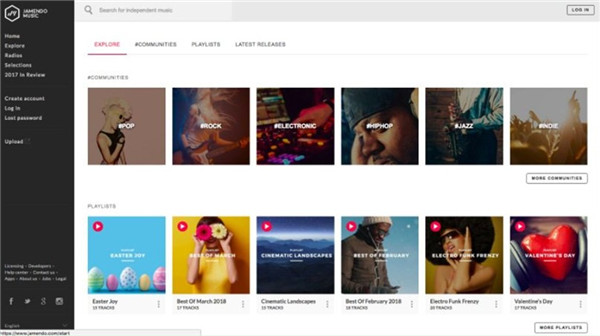
Jamendo offers a slightly different vibe, focusing on music from independent artists who release their work under Creative Commons licenses. This means the music is not only free to download but often free to share. The site features well-curated playlists and radio stations, perfect for discovering new sounds. It’s a legal and ethical choice for building a diverse music collection, making it one of the best free music download sites for Android phones for the discerning listener.
MP3 Grabber: Convert and Download
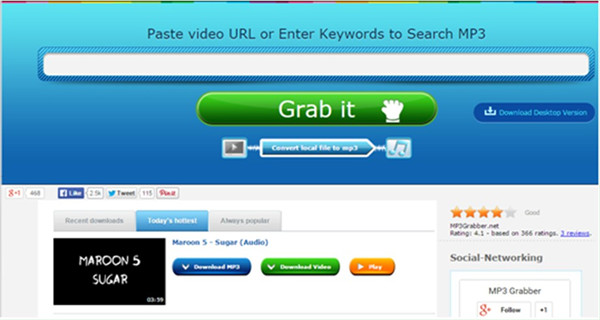
MP3 Grabber offers a versatile approach. It allows you to grab audio from various online sources or convert videos to MP3 format directly. The site is known for its stability and the wide variety of sources it can pull from. If you find a music video on a platform but just want the audio file, this site can be a handy solution for your Android phone.
How to Download Music from These Sites to Your Android Phone
Knowing the best sites is half the battle; the other half is knowing how to use them. The process is generally similar across most platforms. Let’s use Jamendo as a step-by-step example to show you exactly how to get free songs from these music download sites free for Android.
Step 1: Open the web browser on your Android phone (like Chrome or Firefox) and go to the Jamendo website.
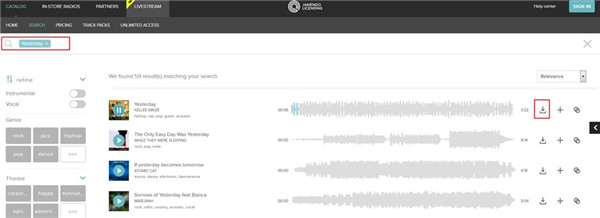
Step 2: Locate the search bar on the site. Type in the name of the song or artist you’re looking for. For instance, type “Yesterday” and hit the search icon or the ‘Enter’ key on your on-screen keyboard.
Step 3: The website will display a list of search results. Browse through them to find the specific version or upload you want.
Step 4: Once you’ve found your track, you’ll usually see a play button to preview it and a download button (often an arrow pointing down). Tap the download button.
Step 5: Your phone will typically ask where you want to save the file. Choose your preferred location, like the “Downloads” folder or a custom “Music” folder. The MP3 file will then be saved directly to your Android device, ready for you to play in any music player app.
Other Great Ways to Get Music on Your Android Phone
While direct website downloads are great, they aren’t the only way. Sometimes you might want to download music from streaming sites or use a more managed approach. Here are three additional solutions that effectively answer the question of where can i download free music on my phone.
Using a Dedicated Android Music Download App
Sometimes, using a dedicated app on your phone itself is the most convenient method. These apps are designed specifically for Android and often integrate search, playback, and downloading into one smooth experience. Let’s look at how one such app, Music Paradise Pro, works.
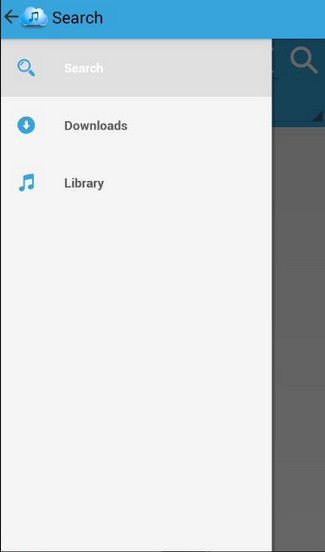
Step 1: First, you’ll need to download and install the Music Paradise Pro app from a trusted source. Once installed, open it. The main screen usually has tabs like Search, Downloads, and Library. Tap on the “Search” tab.
Step 2: In the search bar, type the name of the song you want. Then, tap the search icon.
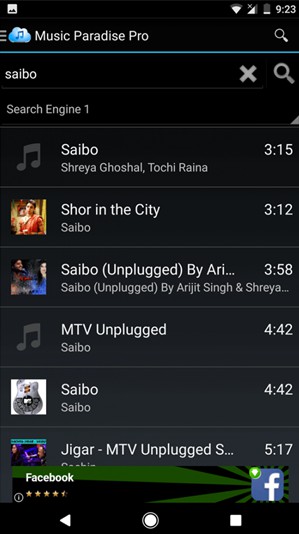
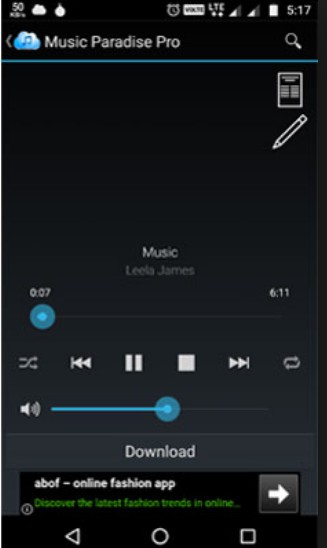
Step 3: A list of results will appear. You can tap on a song title to play a preview. If it’s the right one, look for the download button (often next to the song entry) and tap it. The app will handle the download and save the file to your phone’s storage, usually within the app’s own library or a folder you specify.
Recording Music with Desktop Software
If you want to capture music playing from any source on your computer—be it a streaming website, a game, or even a voice call—desktop recording software is a powerful tool. One such program is Leawo Music Recorder. This method is perfect for creating high-quality audio files from sources that don’t offer a direct download button. After recording, you simply transfer the file to your phone.
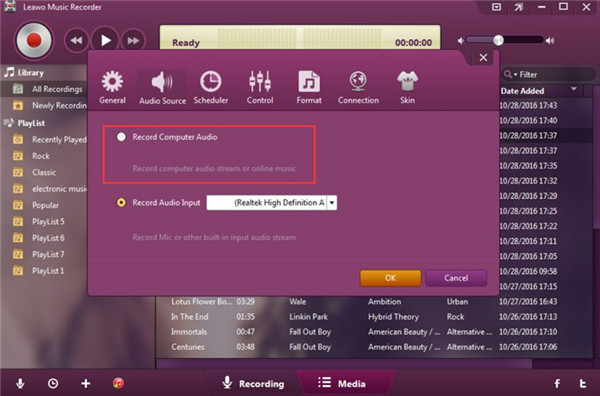
Step 1: Set the Audio Source. Launch the software on your computer. You need to tell it what sound to record. Click on the audio source settings (often a microphone icon) and select “Record Computer Audio.” This ensures it captures any sound coming from your computer’s speakers.
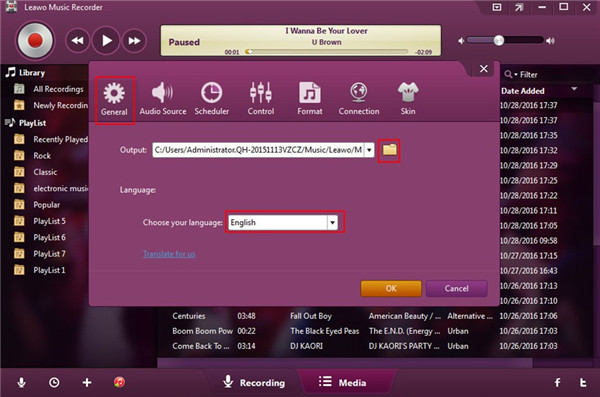
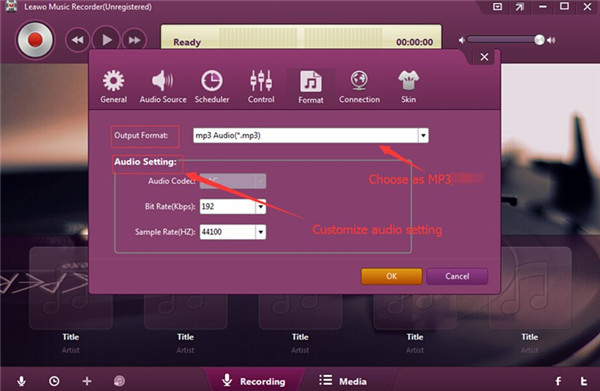
Step 2: Configure Output Settings. Before you start, it’s wise to set where the files will save and in what format. Go to the settings or preferences menu. Under a “General” or “Output” tab, choose a folder on your computer to save the recordings. Then, navigate to the “Format” settings. You can choose between MP3 (good for file size) or WAV (best for quality) and adjust details like bitrate.
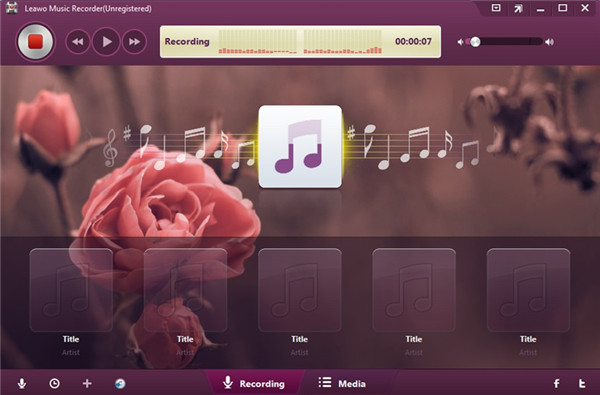
Step 3: Start Recording. Go to the music source on your computer (like a website) and get the song ready to play. Click the big red record button in the software, then immediately start playing the song on your computer. The software will capture the audio in real-time. When the song ends, click the stop button.
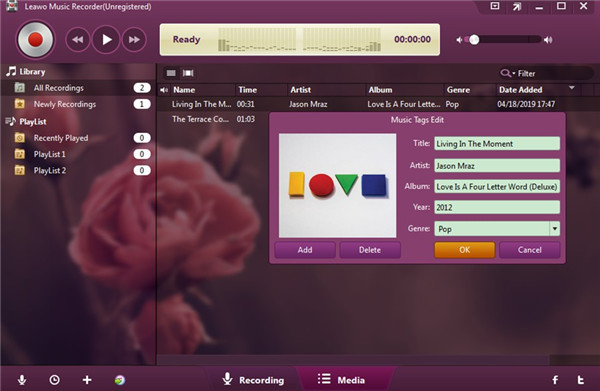
Step 4: Edit and Organize. Many recorders, including this one, allow you to edit the music file’s information (called ID3 tags). You can go to the recorded files list, right-click on your new recording, and select “Edit Music Tags” to add the song title, artist, album, and cover art. This keeps your music library neat.
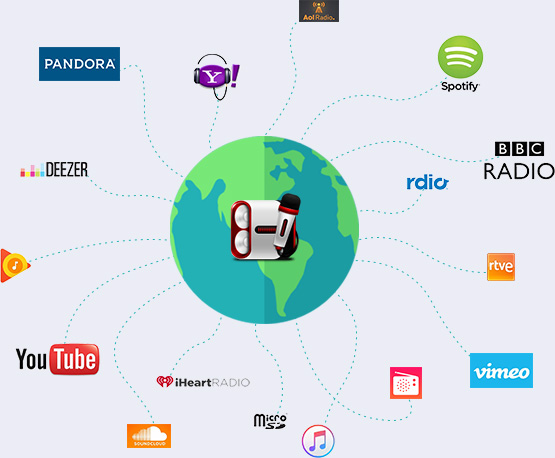
Try Leawo Music Recorder right now! Record music and audio from any source including YouTube, Spotify, radios, and podcasts with 100% original quality retained.
Get the Windows version | Get the Mac version | Use the time-limited promotional campaign
Transferring to Your Android Phone: Once your music is saved on your computer, connecting your Android phone via a USB cable is the easiest way to transfer it. Your phone will appear as a storage device on your computer. Simply open its folder, find or create a “Music” folder, and copy-paste your recorded MP3 files from the computer.
Leveraging Browser Extensions
For those who primarily discover music through their web browser, extensions can be a seamless solution. These small add-ons can add a download button to music-playing webpages. A popular example is the Sound Pirate extension for Chrome.
Step 1: Add the Sound Pirate extension from the Chrome Web Store. Its icon will appear in your browser’s toolbar.
Step 2: Navigate to a website that is playing the music you want. As the audio plays, the Sound Pirate icon will often become active or show a notification.
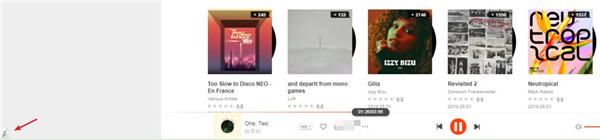
Step 3: Click the extension icon. A small panel will open, showing the detected audio stream. There should be an option to download it. Click download, and the file will be saved to your computer’s default download folder. You can then transfer this file to your Android phone using the USB method described above.
A Quick Tip for iPhone Users
While this guide focuses on Android, you might wonder about Apple devices. The process is similar in concept but different in execution due to iOS’s closed ecosystem. To get music from your computer onto an iPhone, you typically need to use iTunes or a dedicated file management tool designed for iOS. These tools help you transfer audio files directly into the iPhone’s Music app, allowing you to build a personal offline library just as you would on Android.
Wrapping Up Your Musical Journey
Exploring the world of free music download sites for Android phones opens up a universe of audio content. Whether you choose direct sites like MP3World and Jamendo, use a handy Android app, record audio from your computer, or employ a browser extension, you have multiple paths to build a fantastic music collection. Remember to always prioritize websites and methods that respect artists’ rights to ensure the music ecosystem stays healthy. With your newly downloaded tunes, your Android phone transforms into a personal jukebox, ready to soundtrack every part of your day.
Some images are sourced from the internet.