TOOL HUNTER

If you’ve ever wanted to save your favorite YouTube music or podcasts to listen offline, you’ve probably come across tools like OnlyMP3. This online converter promises a quick way to turn YouTube videos into MP3 files, but is it really as good as it seems? In this detailed guide, we’ll explore what OnlyMP3 offers, how it works, and whether it’s a safe choice for your audio conversion needs.
What Is OnlyMP3 and How Does It Work?
OnlyMP3 is a web-based tool that lets you convert YouTube videos into MP3 audio files. It’s gained attention because of its straightforward approach—you don’t need to install any software, and the conversion process is pretty quick. Many people use OnlyMP3 to grab audio from music videos, interviews, or any YouTube content they want to listen to on the go.
When you use OnlyMP3, the idea is simple: copy a YouTube link, paste it into the converter, and get an MP3 file in return. It sounds convenient, especially if you’re looking for a no-fuss way to build a personal audio library. But as we’ll see later, there are some important things to keep in mind before you rely on it.
Main Features of the OnlyMP3 Converter
The OnlyMP3 converter comes with a handful of features that make it appealing to users. First, it supports high-quality audio conversion, which means your MP3 files should sound clear and crisp. You also don’t need to worry about complicated settings—just paste the YouTube URL, and the tool fetches the video automatically.
Another plus is that OnlyMP3 works on most devices. Whether you’re on a laptop, tablet, or phone, you can access the website and start converting. The interface is clean and easy to navigate, so even if you’re not tech-savvy, you’ll likely figure it out without much trouble.
How to Convert YouTube Videos Using OnlyMP3
Using OnlyMP3 to convert videos is a straightforward process. Here’s a step-by-step breakdown of how it works:
Step 1: Go to the OnlyMP3 website. Once there, you’ll see a field where you can paste the YouTube video URL. Copy the link from YouTube and paste it into this box.
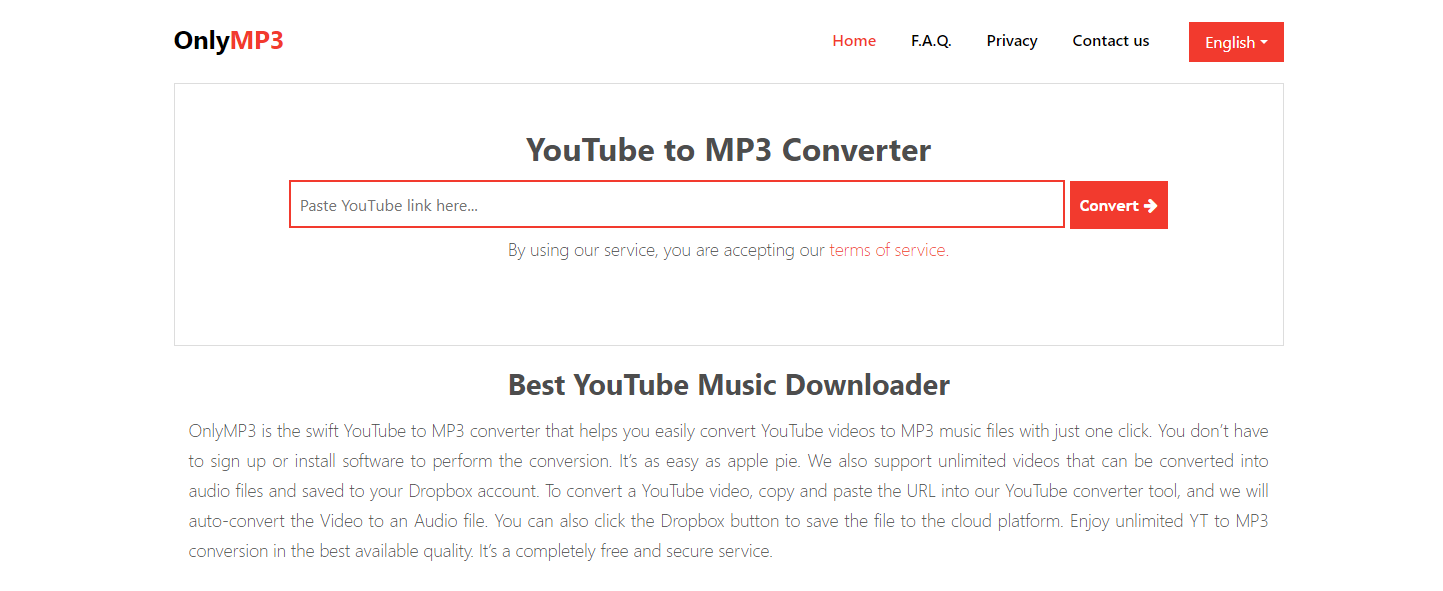
Step 2: Click the “Convert” button. The tool will process the video and prepare an MP3 version. When it’s done, you can hit “Download” to save the file to your device.
It really is that simple—no extra steps or confusing options. But while the process seems easy, there are some downsides to be aware of.
Potential Issues with OnlyMP3
Despite its simplicity, OnlyMP3 has some reported drawbacks. For instance, some users have experienced their computers shutting down unexpectedly during or after downloading files. There have also been complaints about unwanted ads, including some that might not be suitable for all audiences.
Another concern is spam. A number of people say they received suspicious links or emails after using OnlyMP3, which raises questions about privacy and security. If you’re someone who values keeping your data safe, these issues are worth considering.
Also, even though OnlyMP3 converts videos to MP3, you might run into compatibility problems if you try to edit those files in other software. Sometimes, the audio might not sync properly or could contain errors that make it hard to work with.
Is OnlyMP3 Safe and Legit?
A lot of people wonder whether OnlyMP3 is safe to use. From what users say, OnlyMP3.net doesn’t seem to contain viruses, but it’s not completely risk-free. The site sometimes displays ads from questionable sources, and there’s always a chance you could encounter malicious content.
When it comes to legitimacy, OnlyMP3 operates in a gray area. It’s not illegal, but it’s not entirely transparent either. User reviews on sites like Trustpilot are mixed, with an average rating of around 3.5 stars. Some people have had positive experiences, while others report technical glitches or privacy concerns.
So, is OnlyMP3 safe? The answer isn’t a simple yes or no. If you’re careful and use an ad-blocker, you might avoid some of the risks. But if you want a completely secure option, you might want to look elsewhere.
A Reliable Alternative: iMyFone VoxBox
If you’re looking for a tool that’s more versatile and secure, iMyFone VoxBox is an excellent choice. Unlike OnlyMP3, VoxBox is a dedicated software that not only converts YouTube videos to MP3 but also includes a range of other useful features.
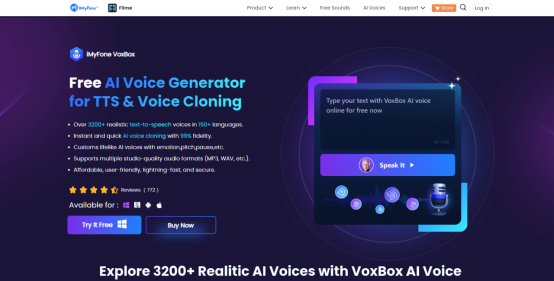
With VoxBox, you can download videos, extract audio, and even edit your files afterward. It supports multiple formats, including MP3, WAV, and AAC, so you’ll have no trouble playing your audio on any device. Plus, it uses advanced technology to ensure your conversions are high quality and error-free.
iMyFone VoxBox.Best AI Voice Generator & AI Voice Cloner: Create Custom Voices Instantly.iMyFone VoxBox is a powerful free text-to-speech software offering 3,500+ lifelike AI voices in 250+ languages, all with 10 features in one tool. Create professional voiceovers and captivate audiences worldwide in just minutes with VoxBox AI.

Check More Details | Download Now! | Check All Deals
Key Features of VoxBox
One of the standout features of VoxBox is its voice cloning capability. You can replicate someone’s voice and use it to create custom voiceovers—perfect for content creators. It also includes text-to-speech and speech-to-text functions, making it easy to generate subtitles or convert recordings into written text.
Another cool feature is AI-generated rap. Yes, you read that right! VoxBox can create unique rap verses based on text you input, which is a fun way to experiment with music production. You can also adjust details like pitch, speed, and emphasis to fine-tune your audio.
How to Convert YouTube Videos with VoxBox
Converting a YouTube video to MP3 using VoxBox is simple and secure. Here’s how:
Step 1: Download and install VoxBox on your computer.
Step 2: Open the program and select “Voice Cloning” from the menu. Then, choose “Upload video or audio files.”
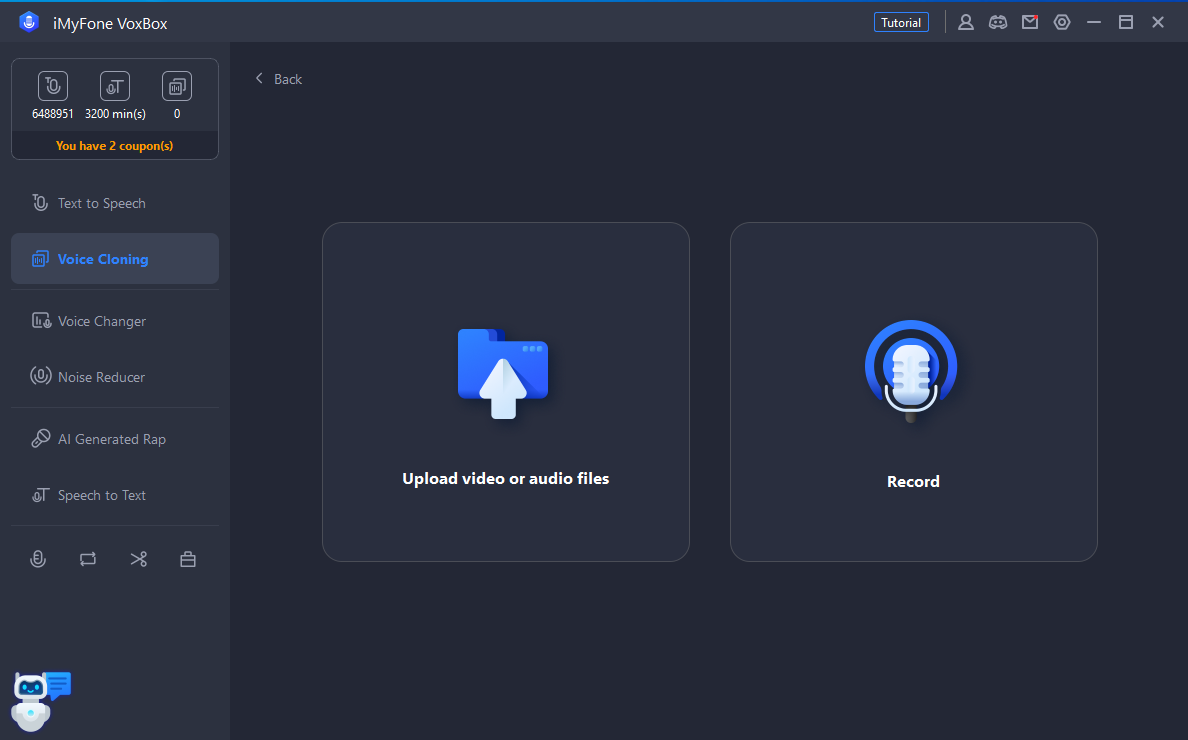
Step 3: Click “Enter link to extract audio” and paste the YouTube video URL. Select your preferred output format.
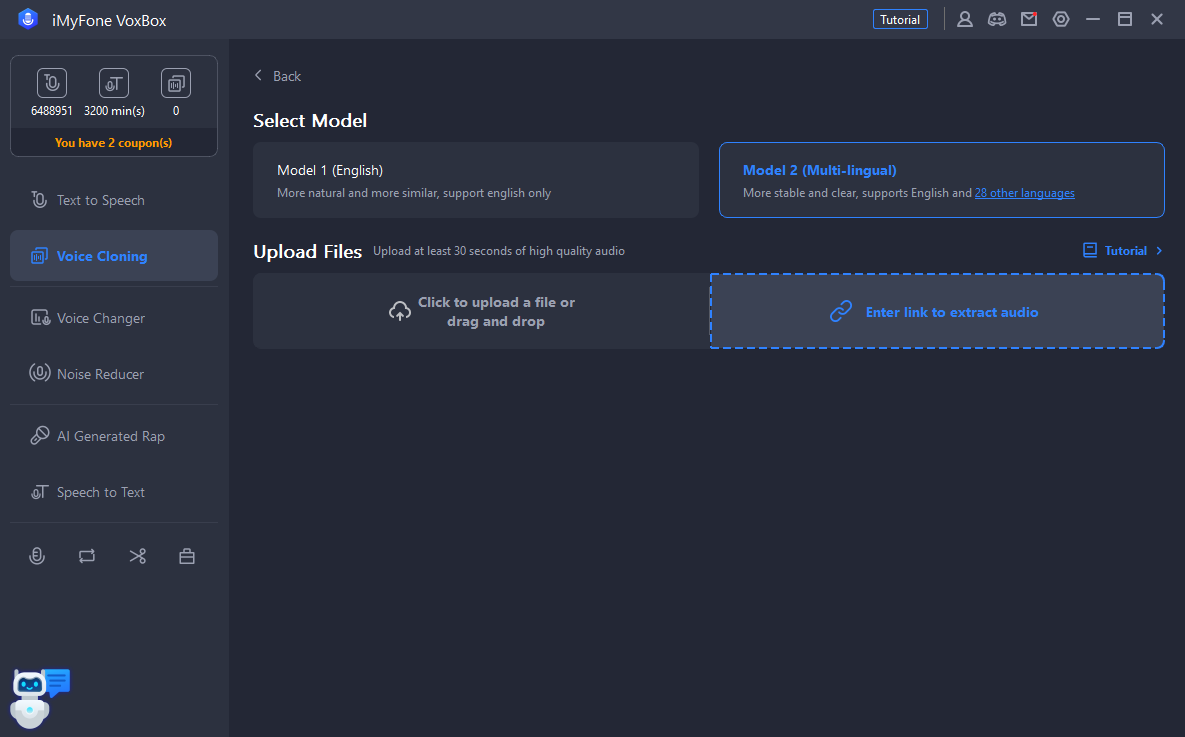
Step 4: If you want to edit the audio, you can do so right in VoxBox. The tool lets you trim, adjust, or even add effects.
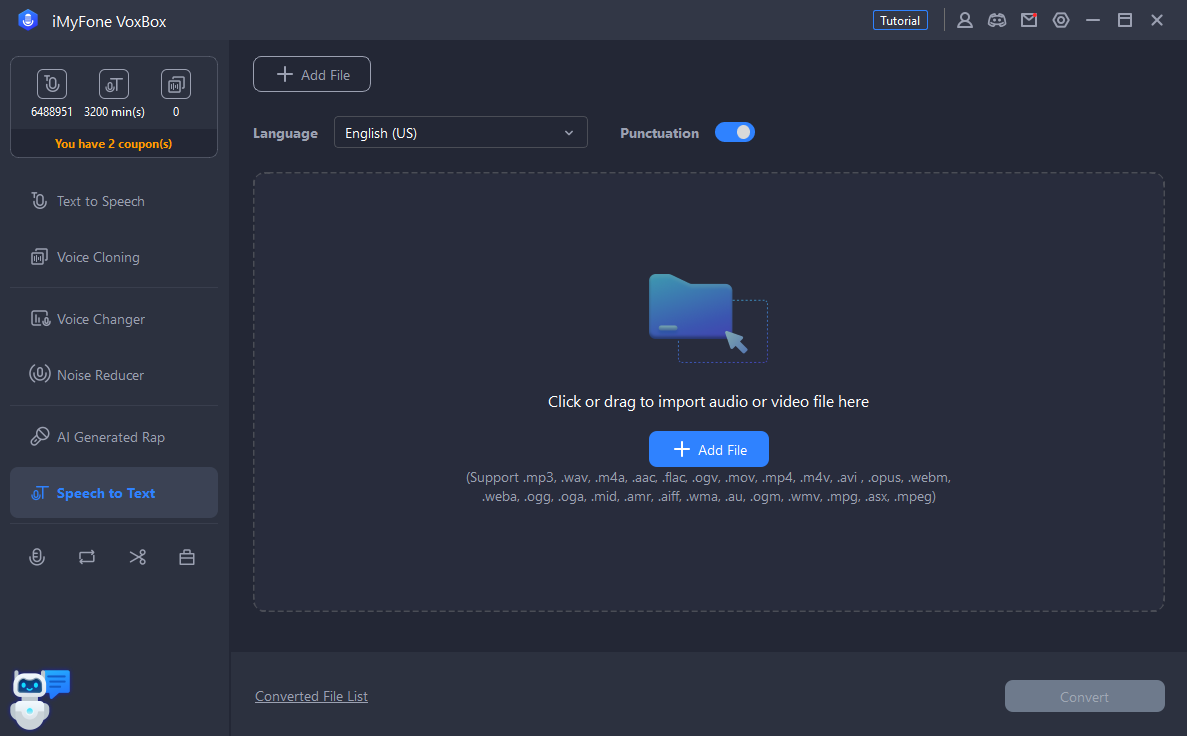
Step 5: For further customization, use the speech-to-text feature to transcribe your audio into text.
Frequently Asked Questions About OnlyMP3
1. Is OnlyMP3 safe to use?
While OnlyMP3 isn’t known to contain viruses, it does come with some risks. Users have reported unwanted ads and occasional spam, so it’s important to be cautious. If safety is your top priority, consider using a dedicated tool like VoxBox instead.
2. Is OnlyMP3 legal?
OnlyMP3 operates in a legal gray area. Converting YouTube videos for personal use is generally acceptable, but distributing copyrighted content is not. The site itself doesn’t host videos, but it’s always wise to respect copyright laws.
3. What do users say about OnlyMP3?
Reviews are mixed. Some people find it useful for quick conversions, while others complain about technical issues like sudden computer shutdowns or poor audio quality. It’s a good idea to read recent user feedback before deciding to use it.
4. Can you lose videos when using OnlyMP3?
In some cases, yes. Because the MP3 format doesn’t support video, the original visual content is lost during conversion. Additionally, if your computer shuts down unexpectedly during the process, you might lose your downloaded files.
Making the Right Choice for Audio Conversion
When it comes to converting YouTube videos to MP3, you have several options. OnlyMP3 is a quick, web-based solution, but it comes with potential downsides like ads and privacy concerns. If you’re looking for a more reliable and feature-packed alternative, iMyFone VoxBox is worth considering.
iMyFone VoxBox.Best AI Voice Generator & AI Voice Cloner: Create Custom Voices Instantly.iMyFone VoxBox is a powerful free text-to-speech software offering 3,500+ lifelike AI voices in 250+ languages, all with 10 features in one tool. Create professional voiceovers and captivate audiences worldwide in just minutes with VoxBox AI.
Check More Details | Download Now! | Check All Deals
With VoxBox, you get not only audio conversion but also editing tools, voice cloning, and AI-generated content. It’s a versatile program that caters to both casual users and professionals. Whether you’re creating a podcast, making a video, or just want to listen to your favorite tunes offline, VoxBox has you covered.
At the end of the day, the best tool depends on your needs. If you want something fast and don’t mind the risks, OnlyMP3 might suffice. But if you prefer a secure, all-in-one solution, give VoxBox a try.
Some images used in this article are sourced from iMyFone.