TOOL HUNTER

Ever wondered how to go live on Snapchat and share your moments in real-time with friends? You’re not alone! Many Snapchat users are still discovering the platform’s live video capabilities, even though this feature has been around for a while. If you’ve been asking yourself “how do I go live on Snapchat,” you’ve come to the right place.
Snapchat has evolved significantly from its early days as a simple photo-sharing app. With constant updates and new features being added regularly, it’s easy to miss some of the platform’s most exciting capabilities. The live video function is one such feature that many users overlook, but it’s actually quite powerful once you know how to use it properly.
Table of Contents
- Understanding Snapchat’s Live Video Feature
- How Do I Go Live on Snapchat: Step-by-Step Guide
- Creating Fake Live Snapchat Stories
- Frequently Asked Questions About Snapchat Live Video
- Enhancing Your Snapchat Content with Video Editing
- Key Features That Make Filme Ideal for Snapchat Content
- Making the Most of Your Snapchat Experience
- Conclusion
Understanding Snapchat’s Live Video Feature
So, can you actually go live on Snapchat? The answer is yes, but it’s important to understand what this means. Snapchat introduced live video streaming capabilities several years ago, though the implementation might be different from what you’d expect from other social media platforms.
Originally, Snapchat’s live video feature was designed more for broadcasting major events rather than individual user streams. The company focused on transmitting cultural events, award shows, and sports games to users. While they wouldn’t broadcast entire games, they would share the most exciting moments from major occasions like the Oscars or championship sports matches.
The live video player on Snapchat typically appears horizontally on your mobile screen when watching these broadcast events. You’ll find it in the bottom quarter of your main screen, and you can tap on the stream to watch it vertically in full-screen mode. The app notifies users about live broadcast updates and events, and you can select your favorite sports games, award shows, and other cultural events to follow.
How Do I Go Live on Snapchat: Step-by-Step Guide
If you’re looking to understand exactly how to go live on Snapchat for personal use, the process is straightforward once you know the steps. Many people wonder “how do you go live on Snapchat” thinking it’s complicated, but it’s actually quite simple.
Step 1: Begin by tapping on the Snapchat app icon on your mobile device. Log into your account using your credentials. If you don’t have a Snapchat account yet, you’ll need to create one by tapping on the signup option and following the registration process.
Step 2: Once you’re on the main camera screen, swipe right to access the chat page where you can see your conversations with friends.
Step 3: Browse through your contact list and select the person you want to have a live video chat with. Tap on their name to open your chat history with that individual.

Step 4: Look at the bottom of the screen where you’ll find the camera icon. This is the button you need to tap to initiate a live video call.
Step 5: If this is your first time using the feature, you might see a notification about mobile data usage. Since live video can consume significant data, make sure you’re connected to Wi-Fi or have sufficient data allowance.
Step 6: The app will now attempt to connect with the other person. The call will only go through if the recipient is active in the chat session within the app. Once they accept, you’ll be able to see and talk to each other in real-time.
Step 7: To end the live video session, simply tap the camera icon again. The call will disconnect immediately.
Learning how to get live on Snapchat opens up new ways to connect with friends and share experiences as they happen. Whether you want to show someone what you’re seeing or just have a face-to-face conversation, this feature brings you closer to your contacts.
Creating Fake Live Snapchat Stories
Sometimes you might want to share content that looks like it’s happening live but was actually recorded earlier. This is where knowing how to create fake live Snapchat content comes in handy. Snapchat offers various editing features, filters, and background music options that can help make your pre-recorded content appear as if it’s happening in real-time.
You’ve probably seen friends’ stories where they appear to be at a beach party or concert when you know they’re actually at home. This effect is achieved through some clever editing and the platform’s built-in features.
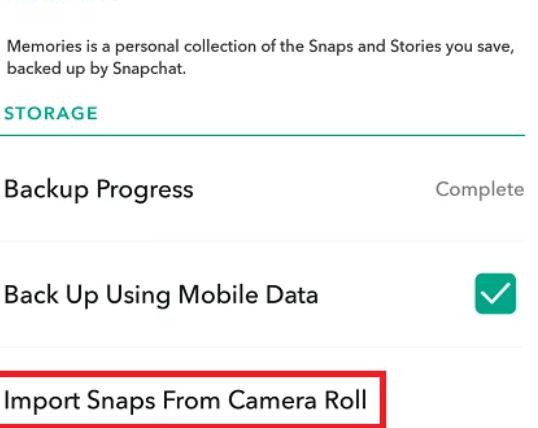
Creating these fake live stories isn’t as difficult as it might seem. Here’s how you can send fake live Snapchat content from your camera roll:
Start by selecting an image from your phone’s gallery that you want to use. Tap on the option to ‘Send to My Story’ to share it.
Open the Snapchat application and navigate to your story section. Find the download button and save the picture you just posted, then delete it from your story.
Go to your settings and select the memories option. You’ll see an Import button in the Camera Roll section – tap on it and choose the image you previously saved from your story.
Return to the starting screen on your phone and pick the new image you want to use. Select the ‘Send’ option, or choose another image from your camera roll to share with your contacts. Finally, tap on ‘send to my story’ to post it.
This process allows you to share content that appears to be live while actually using pre-existing media from your device. It’s a fun way to creatively share moments without necessarily broadcasting in real-time.
Frequently Asked Questions About Snapchat Live Video
Can you fake a Snapchat video?Absolutely! There are several tools available that allow Snapchat users to edit their snaps creatively. Applications like OVF editor make it simple to modify your content before sharing it on the platform.
Can you record live video calls on Snapchat?Yes, you can record anything displayed on your phone screen, including live video calls on Snapchat. The good news is that when you record a live video call, the other person doesn’t receive any notification that recording is taking place.
How do I go live on Snapchat with multiple people?Currently, Snapchat’s live video feature is designed for one-on-one conversations rather than group broadcasts. However, you can still connect with multiple friends by having individual live sessions or using other features like group chats for text-based conversations.
Is there a time limit for live videos on Snapchat?Unlike some other features on Snapchat that have time restrictions, live video calls don’t have a specific time limit. You can continue your conversation for as long as both parties remain connected and engaged in the call.
Does going live on Snapchat use a lot of data?Live video streaming typically consumes more data than regular app usage. If you’re concerned about data usage, it’s best to use the live video feature when connected to Wi-Fi rather than cellular data.
Enhancing Your Snapchat Content with Video Editing
Creating engaging content for Snapchat often requires more than just pointing and shooting. This is where having a reliable video editor can make all the difference in your social media presence. Whether you’re working on fake live content or preparing videos for your story, good editing tools can elevate your content significantly.
Filme – Best Video Editor for Beginners.Explore Your Creativity, Limitless

Filme stands out as an excellent choice for Snapchat users looking to enhance their video content. This versatile content creation application works well for all skill levels and provides the tools needed to transform basic clips into engaging stories.
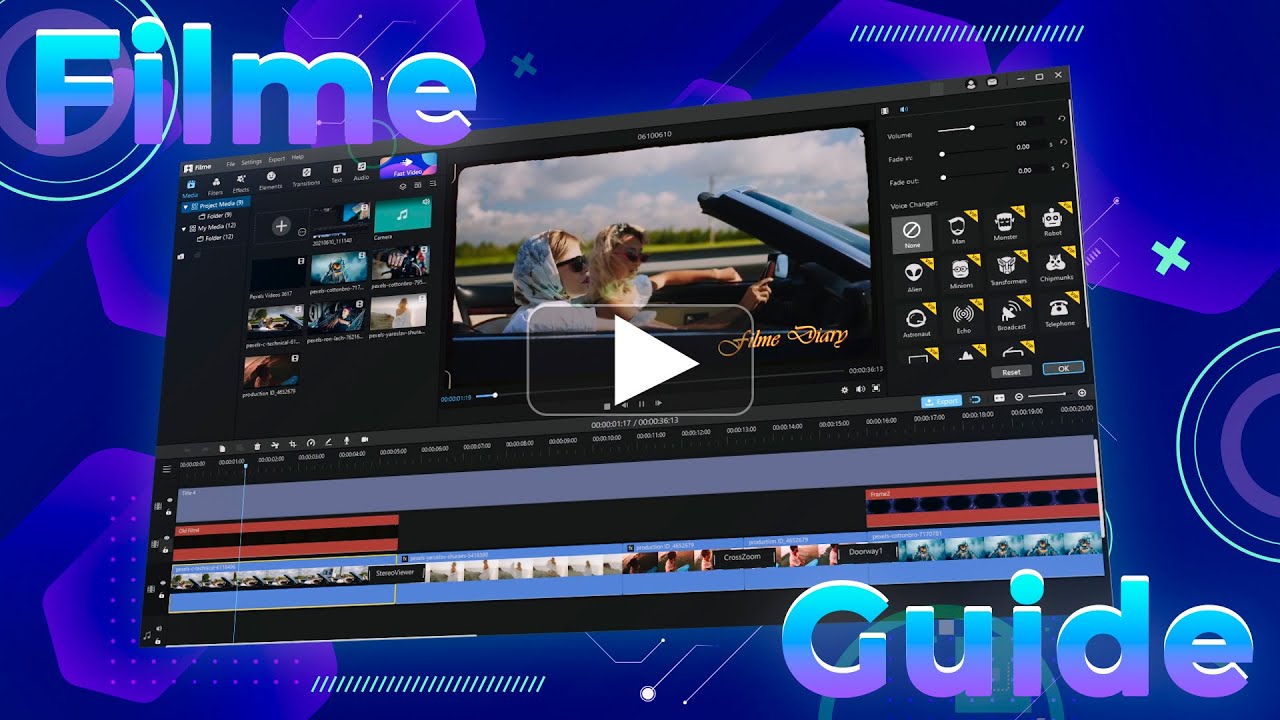
Available for both Mac and Windows systems, Filme is particularly recommended for beginners and anyone interested in working with short videos. It serves as a great starting point for developing video editing skills while producing quality content for social media platforms like Snapchat.
Key Features That Make Filme Ideal for Snapchat Content
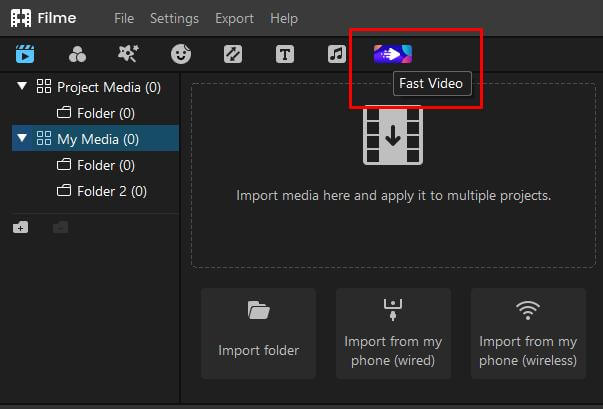
Rapid Video Creation ModeThe Fast Video mode allows you to edit clips with minimal effort, perfect for creating compelling moments for various occasions including anniversaries, trips, events, workout routines, and social media promotions.
This feature enables users to create professional-looking content without needing extensive editing experience. The fast option helps you produce quality videos quickly, which is ideal for Snapchat’s ephemeral nature where content disappears after 24 hours.
Intuitive User InterfaceFilme provides straightforward editing capabilities that you’d expect from a competent video editing tool. Users can incorporate attractive elements and advanced features to tell their stories effectively.
The software allows you to merge, combine, crop, trim, compress, rotate, and separate clips. You can adjust video timeline speed, create picture-in-picture effects, incorporate slow-motion sequences, and directly post your finished work to various platforms. Filme gives you complete creative control to produce videos with professional quality regardless of your experience level.
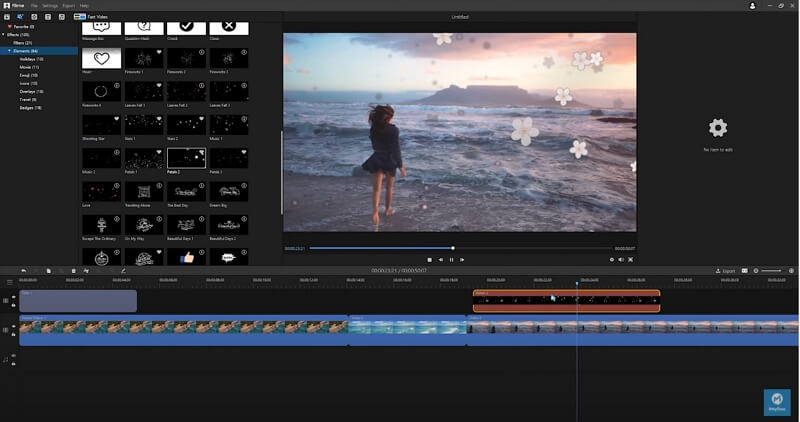
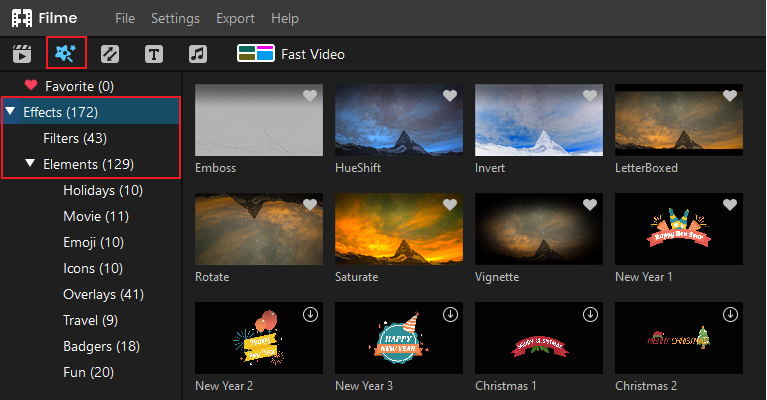
Extensive Effects LibraryWith numerous elements to choose from, Filme offers a wide array of filters, transitions, and other tools to create vibrant stories. You can use this editing software to apply various transformations to your clips and impress your Snapchat audience with unique media content.
The effects available can help make your fake live Snapchat content more convincing or simply enhance your regular posts to make them more engaging for your viewers.
Creative FreedomThis distinctive video editing program enables you to effortlessly modify videos to match your creative vision directly from your computer. Filme helps preserve special moments by providing the resources needed to bring your ideas to life in your own unique style.
Whether you’re learning how to go live on Snapchat or creating pre-recorded content, having a tool like Filme can significantly improve the quality of your posts and help you stand out on the platform.
Making the Most of Your Snapchat Experience
Understanding how to go live on Snapchat is just one part of maximizing your experience on the platform. The app has grown far beyond its original purpose as a simple photo-sharing tool and now supports various content types including short films, video conferencing, and messaging.
When you know how to get live on Snapchat, you open up new possibilities for real-time connection with friends and followers. Meanwhile, learning to create fake live content gives you creative flexibility to share moments that you might have missed capturing in real-time.
The key to successful Snapchat usage lies in balancing authentic live interactions with well-crafted pre-recorded content. Live videos create immediate engagement and authenticity, while edited content allows for more creativity and polish.
Filme – Best Video Editor for Beginners.Explore Your Creativity, Limitless
Conclusion
Snapchat continues to evolve, offering users new ways to communicate and share their experiences. Knowing how do I go live on Snapchat and how to create engaging content—whether live or pre-recorded—enhances your ability to connect with others on the platform.
The live video feature, while sometimes overlooked, provides genuine real-time interaction that can strengthen your connections with friends. Meanwhile, the ability to create fake live content and edit videos using tools like Filme allows for creative expression that goes beyond simple point-and-shoot content.
As you explore how to go live on Snapchat and other features, remember that the best approach often combines spontaneity with preparation. Live videos capture authentic moments, while edited content lets you showcase your creativity. With practice and the right tools, you can make the most of everything Snapchat has to offer.
Whether you’re using the platform for personal connections or building a following, understanding these features will help you create more engaging and memorable content for your audience. So the next time you wonder “how do you go live on Snapchat,” you’ll have the knowledge and tools to not only go live but to create outstanding content that resonates with your viewers.
Some images courtesy of iMyFone